Owner’s manual




Is the Samsung Model WF42H5200AF stackable?
Yes. The Samsung washer model WF42H5200AF is designed to be stacked with a matching Samsung dryer when you use the correct Samsung stacking kit and follow the stacking instructions in the WF42H5200AF owner's manual.
What “stackable” means for WF42H5200AF
A stackable front-load washer can be installed with a dryer mounted on top to save floor space. For safe stacking, we recommend:
- Use a manufacturer-approved stacking kit (do not improvise brackets)
- Stack only with a compatible Samsung dryer (size and mounting points must match)
- Install on a solid, level floor (not on a weak platform)
- Keep required clearances for door swing, venting (dryer), and service access
- Have two people lift and position the dryer (it is heavy and awkward)
Quick compatibility checklist
Use this checklist before ordering a stacking kit or scheduling installation:
| Item to confirm | What to look for | Why it matters |
|---|---|---|
| Dryer type | Matching Samsung front-load dryer | Prevents fit and mounting issues |
| Stacking hardware | Samsung stacking kit for your dryer series | Keeps the dryer secured to the washer |
| Location | Level floor, adequate space behind | Reduces vibration and hose/cord strain |
| Utilities | Water, drain, power, dryer vent (if vented) | Avoids rework after stacking |
Why it matters
Stacking saves space, but the washer’s spin cycle creates vibration. Using the correct kit and a level install helps prevent excessive movement, noise, and cabinet wear over time.
Last updated: February 2026
Why is my Samsung WF42H5200AF not filling with water?
Your Samsung WF42H5200AF usually won’t fill when the water supply is restricted, the inlet screens are clogged, the washer isn’t sensing a locked door, or the water inlet valve isn’t opening. Start with the supply and hose checks first; they solve most no-fill complaints.
Quick checks we recommend first
- Confirm both wall valves are fully open (hot and cold).
- Straighten any kinked inlet hoses; replace hoses that are swollen or collapsing.
- Check for frozen supply lines (common in cold laundry areas).
- Make sure the door closes firmly; don’t slam it.
- Power reset: unplug for 2 minutes, then retry a normal cycle.
Most common causes (and what to do)
| What you notice | Likely cause | What we do next |
|---|---|---|
| No water at all, any cycle | Closed valve, kinked hose, clogged inlet screens | Verify flow at the wall, then clean screens |
| Fills very slowly | Debris in inlet screens or weak household pressure | Clean screens; confirm strong flow from faucets |
| Starts then stops filling | Door not locking or control not seeing lock | Check door latch engagement; test door lock |
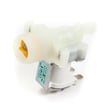
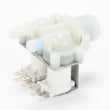
| Hums but won’t fill | Failed inlet valve solenoid | Replace the inlet valve |
Parts that commonly fix a no-fill problem
If the supply is good and screens are clean, the next most common repair is the inlet valve.
If the washer will not fill because it will not lock the door, check the door lock circuit.
Why it matters
A no-fill condition is often a simple restriction (screens, hoses, valves). Fixing the water supply issue first prevents unnecessary control board or sensor replacements and gets your Samsung front load washer back to washing normally.
Model-specific help
Use the WF42H5200AF owner's manual to confirm the correct cycle settings, water temperature selections, and any displayed error codes that point to fill or door-lock issues.
Last updated: February 2026
Is the Samsung 4.5 front load washer any good?
Yes. The Samsung WF42H5200AF front load washer is a solid choice for most households because 4.5 cu. ft. front-loaders typically deliver strong cleaning, good water efficiency, and enough capacity for bulky loads. For the best day-to-day results and care steps, follow the WF42H5200AF owner's manual.
What “good” usually means for this washer
A good front load washer should clean well, spin out water effectively, and stay stable at high speed. With the WF42H5200AF, the biggest difference in satisfaction usually comes from setup and routine maintenance.
Common strengths
- Large capacity for towels, bedding, and family-size loads
- Efficient wash action (less water than many top-load designs)
- High-speed spin that helps shorten dryer time
- Generally quieter operation when level and on a solid floor
Common complaints and how to prevent them
Most negative experiences trace back to vibration, odors, or draining issues.
- Vibration or “walking”: Level the washer, confirm the floor is rigid, and avoid mixing heavy items with light items.
- Wrinkles: Do not overload; use the right cycle and spin speed for the fabric.
- Odor or mildew: Wipe the door boot dry and leave the door slightly open between loads.
- Slow drain or standing water: Clean the pump filter and check the drain hose for kinks.
Quick checks before you decide it’s “not good”
| Symptom | Most common cause | First fix to try |
|---|---|---|
| Shakes during spin | Unlevel install, uneven load | Re-level; redistribute load |
| Musty smell | Moisture left in door boot | Wipe boot; run a cleaning cycle |
| Won’t drain | Clogged filter, pump issue | Clean filter; inspect pump |
| Won’t fill | Supply/valve issue | Check faucets/hoses; screens |
Parts that often solve the real problem
If troubleshooting points to a failed component, these are common fixes on front-load washers:
- Washer drain pump motor and impeller DC31-00178A for drain failures or loud pump noise
- Washer water inlet valve DC62-30314K for fill problems (slow fill, no fill)
- Washer door lock DC64-00519B for door won’t lock or cycle won’t start
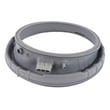
- Samsung washer door boot DC97-18094B for leaks or persistent odor from a damaged boot
Why it matters
A front load washer can be “excellent” or “awful” depending on leveling, load habits, and moisture control. When it is installed correctly and kept dry and clean, a 4.5 cu. ft. Samsung front loader like the WF42H5200AF is a dependable, high-capacity washer.
Last updated: February 2026
How do I clear a Samsung washer error code?
To clear an error code on your Samsung washer model WF42H5200AF, we start by resetting the control (power cycle). If the code returns, the washer is detecting an active problem, so clearing the code only happens after we correct the cause listed for that code in the WF42H5200AF owner's manual.
Quick reset steps (safe first try)
- Press Power to turn the washer off.
- Unplug the washer (or switch off the breaker).
- Wait 5 to 10 minutes.
- Restore power and run a Rinse + Spin or a short cycle.
- If the code reappears, move to code-specific checks below.
Fix the cause so the code stays cleared
Many Samsung front-load codes clear automatically once the condition is corrected.
Common examples:
- Drain-related codes: Check for a clogged pump filter, kinked drain hose, or slow drain. If the pump is noisy or not moving water, the washer drain pump motor and impeller DC31-00178A is a common fix.
- Fill-related codes: Verify both water supply valves are fully open and inlet screens are not plugged. A failed valve can require replacing the washer water inlet valve DC62-30314K.
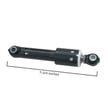
- Unbalance/vibration codes: Redistribute the load, reduce bulky items, and confirm the washer is level. Excessive shaking can also point to worn shocks such as Samsung washer shock absorber DC66-00470A.
Use the right code list for your washer
For WF42H5200AF (a Samsung front-load washer), use front-load error code resources:
| What you see | What it usually means | What we check first |
|---|---|---|
| Drain code | Water not pumping out fast enough | Pump filter, hose, pump operation |
| Fill code | Not filling correctly | Supply valves, screens, inlet valve |
| Unbalance code | Load cannot balance for spin | Load size, leveling, shocks |
Use these guides when you need the meaning and next steps:
- Samsung front load washer error codes
- Samsung front load washer nd error code
- Samsung front load washer nf error code
- Samsung front load washer dc error code
Why it matters
Clearing the code without fixing the cause can lead to repeat shutdowns, poor cleaning, leaks, or pump and motor strain. A quick reset is useful for a one-time control glitch; repeated codes mean the washer needs a targeted fix.
Last updated: February 2026