Owner’s manual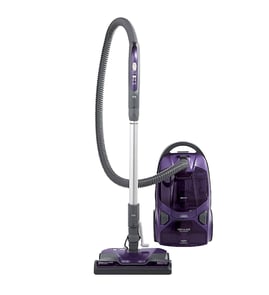




Does a Kenmore canister vacuum have a fuse?
Yes, a Kenmore canister vacuum can have fuse protection, but the exact fuse location and service procedure depends on the specific model. For Kenmore Elite model 12581714610, we recommend confirming the protection device and wiring path using the 12581714610 use & care manual before attempting any electrical checks.
What to check first (model 12581714610)
Many “no power” complaints are caused by airflow protection or a tripped household circuit, not an internal fuse.
- Verify the wall outlet works (try a lamp).
- Check your home breaker or fuse panel.
- Make sure the hose is fully latched into the canister; this model will not run until the hose is fully connected.
- If the vacuum shut off while running, allow about 50 minutes for the thermal protector to reset after clearing clogs.
- Inspect the power cord and plug for damage; do not use the vacuum if either is damaged.
Fuse vs. thermal protector: what’s the difference?
On this Kenmore Elite canister vacuum, the manual calls out a thermal protector that trips to prevent motor overheating. A fuse (if present) is a separate electrical protection device and is not always user-serviceable.
| Protection device | What it does | Common symptom |
|---|---|---|
| Thermal protector | Shuts motor off if airflow is blocked and motor overheats | Vacuum starts, then shuts off until it cools |
| Household breaker/fuse | Protects the home circuit | Vacuum will not start; other items on circuit may be out |
| Internal fuse (varies by design) | Protects internal wiring/components | Vacuum will not start even with a good outlet |
Why it matters
Replacing parts or opening the canister unnecessarily can waste time and can create an electrical shock risk. Confirming whether you are dealing with a clog-related thermal shutdown versus an electrical open (cord, switch, wiring, or fuse) helps you choose the right next step.
If you suspect an airflow shutdown
A clogged bag or dirty filters can trigger overheating and shutdown. For this model, keeping filters fresh is a key prevention step.
- Replace the exhaust filter when the surface is evenly covered.
- Clean or replace the motor safety filter when dirty.
- Check for clogs in the hose, wand, and PowerMate swivel.
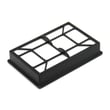
If you need a compatible replacement, use the model-matched Kenmore vacuum exhaust filter KC38KDWCZV07.
Last updated: January 2026
How do you empty a canister vacuum?
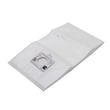
On the Kenmore Elite 12581714610 canister vacuum, you do not empty a dirt cup; you replace the disposable dust bag inside the canister. Unplug the vacuum, open the hood, remove the full bag from the bag mount, install a new bag, then close and latch the hood.
How to change the dust bag (model 12581714610)
Follow the steps in the 12581714610 use & care manual. In general, the process is:
- Turn off the vacuum and unplug it.
- Remove the hose from the canister (with the hood closed).
- Pull the hood release out and up, then lift the canister hood.
- Pull the dust bag straight out of the bag mount.
- Install a new bag (do not bend or crease the cardboard).
- Tuck the bag fully into the bag cavity so it will not get pinched.
- Close the hood and press until the hood latch snaps.
When to change the bag
The vacuum’s check bag indicator is your main reminder, but we also recommend changing the bag when suction drops.
| What you notice | What it usually means | What to do |
|---|---|---|
| Check bag light comes on | Airflow is restricted | Replace the dust bag, then check for clogs |
| Weak suction | Bag full, clog, or dirty filters | Replace bag; inspect hose, wand, and PowerMate |
| Bag looks only partly full | Fine powders are clogging the bag | Replace bag anyway (do not reuse) |
If suction is still poor after changing the bag
A full bag is most common, but airflow issues can also come from filters or blockages.
- Check and replace the exhaust filter if it is dirty: Kenmore vacuum exhaust filter KC38KDWCZV07.
- Check and clean or replace the motor safety filter.
- Check the hose, wand, and PowerMate airflow path for clogs.
Why it matters
Replacing the dust bag before it is overpacked helps maintain airflow, protects the motor, and keeps the check bag indicator from triggering during normal cleaning.
Last updated: January 2026
How to replace bag in Kenmore vacuum?
To replace the dust bag in your Kenmore Elite canister vacuum model 12581714610, turn the vacuum off and unplug it, remove the hose, open the canister hood, pull the old bag off the bag mount, then install a new bag and close and latch the hood. See the 12581714610 use & care guide for the exact bag-change steps.
Step-by-step: changing the dust bag
- Turn the vacuum off and unplug the power cord.
- Remove the hose from the canister (with the hood closed).
- Pull the hood release out and up, then lift the canister hood.
- Pull the dust bag straight out of the bag mount and discard it.
- Install a new bag by seating the cardboard collar into the bag mount slots; push until it locks.
- Tuck the bag fully into the bag cavity so it will not get pinched.
- Close and latch the canister hood, then reinstall the hose until it snaps in.
Bag fit and related parts for this model
This model uses a bag mount system; if the bag will not seat or the hood will not close, inspect the bag mount area for damage or misalignment.
| What you’re checking | What it affects | What to do |
|---|---|---|
| Bag collar seated in bag mount | Hood closing, suction, “Check Bag” light | Reseat bag collar until it locks |
| Bag mount support condition | Bag alignment and sealing | Inspect/replace if cracked or loose |
| Hood latch engagement | Vacuum operation and sealing | Close hood firmly until it latches |
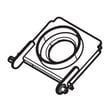
If the bag mount support is damaged, replace the Kenmore vacuum bag support 591002105.
Why it matters
A properly installed dust bag keeps airflow strong, helps prevent clogs, and protects the motor safety filter and exhaust filter from premature loading. A mis-seated bag can also trigger the Check Bag indicator and reduce pickup.
Last updated: January 2026