Owner’s manual









What is the part number for the heating element in the Samsung DV448AEP?
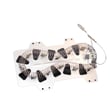
For the Samsung DV448AEP dryer, the heating element part number is DC47-00019A. If your dryer tumbles but does not heat, replacing the heating element is common, but we also recommend checking airflow and the high-limit safety parts at the same time.
Use the parts diagram and replacement procedures in the DV448AEP owner’s manual to match the heater style and wiring layout before ordering.
- Match the model on your rating label to DV448AEP
- Compare the heater’s mounting bracket shape and terminal locations
- Inspect the heater housing for heat damage or broken coils
- Check the venting for restrictions (poor airflow can overheat and damage the heater)
- If a safety device is open, fix the airflow issue before installing new parts
On this model, these parts are commonly involved in heating problems:
| Symptom | Common related part | Part number |
|---|---|---|
| No heat, heater tests open | Dryer heating element | DC47-00019A |
| Overheats or shuts off on high heat | Dryer high-limit thermostat | DC47-00018A |
| No heat after overheating event | Dryer thermal cut-off thermostat | DC47-00016A |
| Temperature control issues, long dry times | Dryer thermistor | DC32-00007A |
If you already confirmed the heater is the issue, the Samsung dryer heating element DC47-00019A is the correct replacement part.
A failed heating element stops heat production, but restricted venting can cause repeat failures by overheating the heater and opening the thermal cut-off. The manual specifies using a 4-inch (102 mm) metal exhaust duct and avoiding plastic or non-metal flexible ducting.
Last updated: February 2026
How do I reset my Samsung dryer?
To reset your Samsung dryer model DV448AEP, we recommend a simple power reset: turn the dryer off, disconnect power (unplug or switch the breaker off) for about 5 minutes, then restore power and start a cycle. This clears many temporary control glitches.
- Press Power to turn the dryer off.
- Unplug the dryer (or turn the circuit breaker off).
- Wait 5 minutes.
- Restore power.
- Press Power, select a cycle, then press Start/Pause.
- If the display shows End after a completed cycle, press Power to exit and start fresh.
On DV448AEP, Child Lock can make it seem like the control panel is “frozen” because most buttons will not respond.
- Look for a Child Lock indicator light.
- To set or release Child Lock, press Time and Signal together for 3 seconds.
- After releasing Child Lock, try Power then Start/Pause again.
| Situation | Power reset helps? | What to do next |
|---|---|---|
| Display or cycle acting “glitchy” | Yes | Power reset, then retest |
| Buttons do not work (except Power) | Sometimes | Check and release Child Lock |
| Dryer runs but will not heat | Usually not | Troubleshoot heating circuit and airflow |
| Dryer shows an error code | Sometimes | Reset, then follow the code guidance |
A power reset clears temporary logic states in the control and is the fastest first step before deeper troubleshooting. If the issue returns right away, the dryer is usually reacting to a real condition (airflow restriction, heating problem, or a sensor reading).
- Use the control and Child Lock instructions in the DV448AEP user manual.
- If an error code appears, match it using Samsung dryer error codes.
Last updated: February 2026
How to tell if a Samsung dryer heating element is bad?
If your Samsung DV448AEP dryer runs but produces little or no heat, the heating element is a top suspect. We confirm a bad element by inspecting the coil for breaks and testing it with a multimeter for continuity and for a short to the metal housing (ground fault); failed tests mean replacement.
These simple items cause “no heat” symptoms and are worth ruling out first:
- Make sure you did not select an air-only cycle (Air Fluff or no-heat setting).
- Clean the lint screen and check for restricted airflow.
- Check the home breakers or fuses (electric dryers can run with only one leg of power).
- Verify the outside exhaust hood opens freely.
- Inspect the vent for lint buildup; rigid 4-inch metal ducting is recommended.
Follow the safety and access steps in the DV448AEP owner’s manual. Then:
- Unplug the dryer (or switch off the breaker) before opening panels.
- Access the heater terminals and remove at least one wire from the element terminal.
- Set your multimeter to ohms (Ω) or continuity.
- Continuity test: probe the two element terminals; a good element shows continuity (a beep or a low resistance reading).
- Ground test: probe one terminal and the metal heater housing; a good element shows no continuity to the housing.
| Test | What you should see | What it means if you do not |
|---|---|---|
| Terminal-to-terminal continuity | Beep or low resistance | Open/broken coil; element is bad |
| Terminal-to-housing (ground) | No beep, no continuity | Shorted element; element is bad |
On DV448AEP, a no-heat complaint is commonly tied to the heater circuit and safety cutoffs. If the element tests good, we typically check these next:
- Samsung dryer heating element DC47-00019A
- Dryer high-limit thermostat DC47-00018A
- Dryer thermal cut-off thermostat DC47-00016A
- Dryer thermal cut-off fuse, 320-degree f DC47-00015A
- Venting and lint buildup (overheating can open safety devices)
A failed heating element stops proper drying, but restricted airflow can also overheat the heater housing and trip thermal cutoffs. Fixing the root cause (especially venting) helps the new part last.
Last updated: February 2026
Is it worth replacing a heating element in a Samsung dryer?
Yes, it’s usually worth replacing the heating element in a Samsung DV448AEP dryer when the dryer tumbles but won’t heat or heats weakly, because the repair cost is typically far less than replacing the whole dryer. Before buying parts, we recommend confirming the failure and checking airflow, since restricted venting can cause repeated heat-part failures.
- Clean the lint screen before or after each load.
- Make sure the exhaust duct is clear and the outside vent flap opens fully.
- Avoid overloading; 1 wash load = 1 dryer load.
- If loads are small and don’t tumble well, add a few towels.
- If drying is uneven, sort heavy items from lightweight items.
A “no heat” symptom can be caused by the heater circuit, safety cutoffs, or a sensor. If you’re comfortable using a multimeter, test continuity with power disconnected.
| Symptom | Common cause | Part to consider for DV448AEP |
|---|---|---|
| Tumbles, no heat | Open heater | Samsung dryer heating element DC47-00019A |
| Tumbles, no heat after overheating | Blown thermal cut-off | Dryer thermal cut-off thermostat DC47-00016A |
| Overheats or shuts heat off early | High-limit issue | Dryer high-limit thermostat DC47-00018A |
| Heat is erratic, long dry times | Temperature sensing problem | Dryer thermistor DC32-00007A |
Replacing the heating element is a strong value when the dryer is otherwise in good shape (drum turns smoothly, no loud squealing, no burning smell, and the cabinet is solid). Replacement makes more sense than repair when multiple major issues stack up.
Replace the dryer instead of the element if you also have:
- A failing drive motor (humming, not starting, or stopping mid-cycle)
- Severe drum damage
- Repeated overheating caused by a venting setup you cannot correct
Samsung dryers cycle the heating element on and off during normal operation, but overheating from poor airflow can trip safety devices and shorten the life of the heater and thermostats. Keeping the vent system clean and using the right load size helps the new part last.
For model-specific disassembly, wiring, and safety guidance, follow the DV448AEP owner’s manual.
Last updated: February 2026
What is the average lifespan of a Samsung dryer?
A Samsung dryer typically lasts 10 to 15 years. For your Samsung DV448AEP dryer, consistent airflow maintenance (lint screen and venting) and avoiding overloads are the biggest factors that keep the motor, heater, and drum system running closer to the high end of that range.
- Vent airflow: crushed or clogged ducting makes the dryer run hotter and longer.
- Lint removal: clean the lint screen every load; lint buildup stresses the heater and thermostats.
- Load size: chronic overloading strains the drum belt, rollers, and motor.
- Heat management: repeated overheating shortens the life of heating and safety components.
- Installation quality: correct vent materials and routing reduce restriction and heat.
| Task | How often | Why it matters |
|---|---|---|
| Clean lint screen | Every load | Keeps airflow strong and drying times normal |
| Inspect vent run and outside hood | Monthly | Prevents restriction and overheating |
| Deep-clean vent duct | Every 6 to 12 months | Reduces lint buildup that traps heat |
| Check for unusual noises (thump/squeal) | As needed | Catches wear before it damages the drum or motor |
If your DV448AEP starts getting noisy or takes longer to dry, these are frequent wear items:
- Samsung dryer drum support roller DC97-16782A: thumping, rumbling, or uneven drum rotation.
- Samsung dryer drum belt 6602-001655: drum not turning, burning rubber smell, or intermittent tumbling.
- Dryer thermistor DC32-00007A: temperature control issues, inconsistent drying.
- Dryer high-limit thermostat DC47-00018A: overheating symptoms, heat cutting in and out.
- Dryer thermal cut-off thermostat DC47-00016A: no-heat condition after an overheat event.
A dryer that runs with restricted airflow can overheat; that shortens component life and often leads to repeated failures of heat-safety parts. Following the venting and care guidance in the DV448AEP owner’s manual helps you get normal cycle times and the longest practical service life.
Last updated: February 2026
How to tell if Samsung dryer thermal fuse is bad?
On a Samsung DV448AEP dryer, a bad thermal fuse typically shows up as a dryer that will not start, or a dryer that runs but will not heat. The sure way to confirm is a continuity test with a multimeter; a good fuse reads closed (continuity), a blown fuse reads open (no continuity). See the DV448AEP user manual for safety and cleaning guidance before servicing.
- Dryer will not start (no motor run)
- Dryer runs but produces no heat
- Cycle stops early after a few minutes (overheat protection opening)
- Burning smell or unusually hot cabinet (often tied to restricted venting)
- Clothes take much longer than normal to dry (vent restriction can overheat the heater housing)
- Unplug the dryer (and shut off gas if you have a gas version).
- Access the fuse location (commonly on the blower housing or heater housing, depending on configuration).
- Pull at least one wire off the fuse terminal.
- Set the meter to continuity or lowest ohms.
- Touch probes to the fuse terminals.
| Meter result | What it means | What we do next |
|---|---|---|
| Beep or near 0 ohms | Fuse is good | Keep troubleshooting heat/airflow issues |
| No beep or OL/infinite | Fuse is blown | Replace the fuse and fix the overheating cause |
If the fuse is open, we also check the overheating root cause so the replacement does not fail again.
- Dryer thermal cut-off fuse, 320-degree f DC47-00015A (one-time safety device)
- Dryer high-limit thermostat DC47-00018A (limits heater temperature)
- Lint screen and exhaust duct (restricted airflow is the most common cause)
- Heating circuit components such as the heater assembly and temperature sensor
A thermal fuse is designed to open when temperatures get unsafe. Replacing the fuse without correcting airflow problems (lint buildup, crushed vent, blocked hood) often leads to repeat failures and poor drying performance.
Last updated: February 2026