- Kenmore refrigerator water filters
- Whirlpool refrigerator water filters
- Samsung refrigerator water filters
- GE refrigerator water filters
- LG refrigerator water filters
- Frigidaire refrigerator water filters
- KitchenAid refrigerator water filters
- Maytag refrigerator water filters
- Kenmore Elite refrigerator water filters
- Estate refrigerator water filters
- GE Profile refrigerator water filters
- Amana refrigerator water filters
- Bosch refrigerator water filters
- Dacor refrigerator water filters
- Electrolux refrigerator water filters
Top DIY repair help
View All Repair Categories
Appliances
Lawn & Garden
Power Tools
Home Improvement
Sports & Leisure
Heating & Cooling
Keeping your smart appliances secure from hackers
less than a minute readSep 26Lyle Weischwill
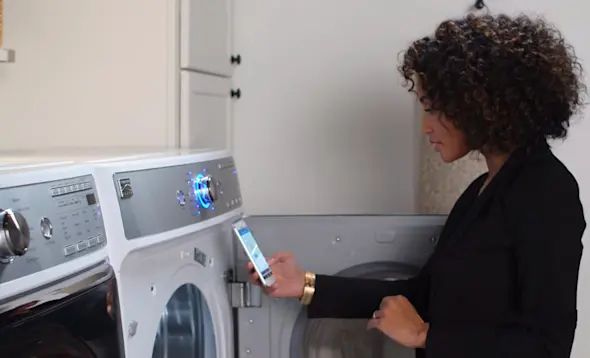
There’s a dark side to the convenience of having smart appliances you can control with your smartphone or tablet.
Yes, it’s great that you can start your washer right before you leave work, be alerted when your refrigerator door is left open and adjust the furnace thermostat when you’re on the go. But with these web-connected appliances comes the risk of a hacker with malevolent intent taking control of your devices to, say, turn off the refrigerator so your food spoils or spy on you with a smart device camera.
So if you’re using smart appliances and devices, take the right steps to make your Wi-Fi secure.
Set tough passwords
Good passwords are a combination of letters, numbers and special characters that even the person closest to you would never guess—that rules out the names of anyone you know and their birthdates.
Once you come up with a great password, you might be tempted to use it everywhere, but don’t. If a hacker manages to break the code, every system that uses that password is vulnerable.
To keep your smart appliance secure, set these two passwords:
Wi-Fi administrator. If you didn’t change the default administrator user name and password when you set up your router, do it now. Hackers know the default passwords manufacturers’ use for routers. Follow the instructions that came with your router to change the default administrator password.
Wi-Fi access. Your Wi-Fi access password should be as strong as the administrator password (but not the same). Change the Wi-Fi access password periodically to reduce the risk of unauthorized access.
Use strong Wi-Fi security encryption
Wi-Fi signal encryption scrambles the information that your devices send, so hackers can’t eavesdrop on your Wi-Fi network or attack your devices with viruses.
Many routers’ initial default settings have the encryption security turned off. Make sure encryption security on your router is on and set to Wi-Fi Protected Access 2 (WPA2).
If the router uses outdated Wired Equivalency Privacy (WEP) security or the initial WPA protocol, update your router’s firmware (visit the manufacturer’s website for updates) or get a new router.
Limit network device access
A hacker who can’t see your device can’t hack it. Here are three ways to hide:
Set up Media Access Control (MAC) filtering to limit devices that can join your Wi-Fi network. Configure a list of devices that can access your Wi-Fi router and then enable MAC filtering. The filtering only grants those devices access to your Wi-Fi, for an extra layer of protection.
Shut off the router’s remote management access. Remote management lets the manufacturer provide technical support and access your router’s controls. Leaving this feature enabled can allow hackers to electronically invade your home network and access your appliances’ software.
Change your Wi-Fi router’s SSID. The Service Set Identifier (SSID) is your Wi-Fi router’s name, and it typically includes the router’s brand and model number. Change the default name so no one in your router’s range can see the type of router that you use. Hackers can exploit Wi-Fi router security vulnerabilities if they know the model number. Follow the instructions in the owner’s manual for your router to change the router’s name.
Keep up with updates
Firmware and software updates fix bugs and security gaps. Keep current on updates to your wireless router and your appliances’ smart phone app. To get e-mail reminders when router updates are available, register your wireless router with the manufacturer and sign up to receive update notifications.
You should also regularly install updates to your appliances’ smart phone app. Phone app updates sometimes fix security flaws and bugs that could leave your appliance vulnerable to hackers.
Whether you’ve had smart appliances for a while or you’ve just invested in them, use these tips to check for any gaps in web security. Following the suggestions gives you the best protection against hackers so you can enjoy all the helpful features your smart appliances offer.