Owner’s manual
 Error Codes


How do I reset my Kenmore refrigerator control board?
To reset the control board on your Kenmore Elite refrigerator model 79571323410, we recommend doing a full power reset: disconnect power long enough for the electronic control to fully discharge, then restore power and confirm normal cooling and display operation. For model-specific reset steps, use the 79571323410 owner's manual.
Quick reset steps (safe power reset)
- Unplug the refrigerator, or switch OFF the dedicated circuit breaker.
- Wait 5 minutes (this clears most temporary control glitches).
- Restore power.
- Wait 1 to 2 minutes for the control to boot; listen for fans and compressor start.
- Confirm settings: refrigerator about 37°F and freezer about 0°F.
- If the display is still unresponsive, repeat the reset once with a 10-minute power-off.
What a reset can and cannot fix
| Symptom | Reset often helps | Reset usually will not fix |
|---|---|---|
| Display frozen or buttons not responding | Yes | If keys are physically damaged |
| Cooling stopped after a power flicker | Yes | Sealed system or compressor failures |
| Random beeping or odd lights | Sometimes | Door switch or wiring problems |
| Error code showing | Sometimes | The underlying failed part |
If problems return after the reset
A repeating issue typically points to a component problem rather than a one-time glitch.
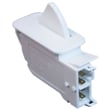
- Check for a door that is not closing fully; test the refrigerator door switch 6600JB1010A.
- If you hear a loud fan noise or warm temperatures, inspect the evaporator area; a failing fan motor can cause poor airflow.
- If the unit is warm and you hear clicking near the compressor, the overload protector or compressor circuit can be involved.
- If an error code appears, use the Kenmore 795 model bottom freezer refrigerator error codes reference to identify the likely system.
Why it matters
The control board manages compressor run time, defrost cycles, and fan operation. A proper power reset clears minor software lockups, but recurring symptoms help us narrow the issue to parts like switches, sensors, fans, or the compressor circuit.
Last updated: February 2026
How to read Kenmore model numbers?
Kenmore model numbers are designed to identify the product type and the original manufacturer; for your Kenmore Elite refrigerator model 79571323410, the first three digits (795) point to the manufacturer family, and the remaining digits narrow down the exact design and version. For model-specific labeling details, use the 79571323410 owner's manual.
Where to find the model number on a Kenmore refrigerator
On most Kenmore bottom-mount refrigerators, the model and serial tag is typically located in one of these spots:
- Inside the fresh food compartment on a side wall
- On the ceiling of the refrigerator compartment near the light
- Along the door frame when you open the refrigerator door
- Behind the lower toe grille (less common)
- On the back of the cabinet (least convenient)
How to interpret the number (what each section tells you)
Kenmore numbers are usually read in chunks. Here is the practical way we use them when matching parts and diagrams:
| Section | Example from 79571323410 | What it’s used for |
|---|---|---|
| Prefix (first 3 digits) | 795 | Manufacturer family identifier (helps match the correct parts system) |
| Base model + engineering digits | 71323410 | Narrows to the exact platform, features, and revisions |
Why it matters when ordering parts
Using the full model number prevents mismatches, especially on high-variation systems like water filtration, ice makers, and controls.
- Ensures the correct fit for refrigerator water filters and housings
- Helps match the right ice maker assembly and wiring connectors
- Prevents ordering the wrong door bins, drawers, or slide rails
- Improves accuracy for electrical parts like control boards and door switches
Example: model-specific parts can vary
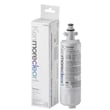
If you are replacing a filter on this model, we match by the full model number and the filter design; a common filter listing for this refrigerator is the genuine Kenmore refrigerator water filter 9690 AGF80300801.
Quick tips we recommend
- Copy the model number exactly as printed (include all digits)
- Use the full number, not just the 3-digit prefix
- If a part looks similar but the connector or mounting differs, re-check the model tag and the diagram callouts in the manual
Why it matters
Kenmore appliances are built by multiple manufacturers; the model number is the fastest way to identify the correct parts breakdown for your exact refrigerator configuration.
Last updated: February 2026
How to tell if a Kenmore refrigerator compressor is bad?
A failing compressor in your Kenmore Elite refrigerator model 79571323410 usually shows up as poor cooling, nonstop running, clicking or buzzing near the back, or repeated overload trips. Before replacing the compressor, we confirm airflow, condenser cleanliness, and start components to avoid an unnecessary sealed-system repair.
Quick signs the compressor is failing
- Refrigerator and freezer temperatures keep rising even though the unit runs
- Compressor tries to start but clicks off (often every few minutes)
- Loud buzzing, humming, or knocking from the compressor area
- Compressor shell is extremely hot and cooling performance is weak
- Breaker trips or the compressor overload opens repeatedly
Rule out common look-alikes first (fast checks)
- Check condenser airflow: clean the condenser coils and make sure the condenser fan (if equipped) runs.
- Listen for the evaporator fan: if the freezer fan is not running, the refrigerator can warm up even with a good compressor.
- Verify door sealing: warm air leaks can mimic a weak compressor.
- Confirm the controls are calling for cooling: set temps colder and wait 10 to 15 minutes for a response.
- Check for a “click-no-start” pattern: this often points to a start device or overload, not the compressor itself.
What the symptoms usually mean
| Symptom | Most common cause | What we check next |
|---|---|---|
| Runs constantly, still warm | Dirty coils, airflow issue, sealed-system problem | Coils, fans, frost pattern |
| Clicks every few minutes | Overload/start device issue or locked rotor | Start components, amp draw |
| Loud buzz then click off | Hard-start condition | Overload, wiring, compressor amps |
| Freezer cold, fridge warm | Airflow/damper issue | Evaporator fan, air ducts |
Parts that are often involved
If the compressor is not starting or is overheating, these related parts are commonly checked or replaced during diagnosis:
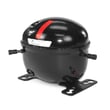
- Refrigerator compressor overload protector 6750CL0001D
- Wiring connections at the compressor and control board
- Condenser coils and airflow path
If testing confirms a sealed-system failure, the compressor itself is a major repair and typically requires a licensed technician for refrigerant handling.
Why it matters
A compressor replacement is one of the highest-cost refrigerator repairs. Spending a few minutes confirming airflow, fans, and overload behavior helps ensure you fix the real cause of the cooling problem the first time.
For model-specific component locations and access steps, use the 79571323410 manual.
Last updated: February 2026
What are the common problems with Kenmore Elite refrigerators?
Common problems on the Kenmore Elite 79571323410 bottom-mount refrigerator include no cooling or warm temperatures, ice maker or water dispenser failures, unusual noises, and interior lights not working. The most frequent root causes are airflow issues, a failing compressor, or an electronic control problem; use the 79571323410 manual to match symptoms to checks.
Most common symptoms and what they usually point to
- Not cooling or weak cooling: dirty condenser area, evaporator fan issue, sealed-system/compressor problem
- Ice maker not making ice: ice maker assembly fault, water supply restriction, frozen fill tube
- Water tastes bad or flow is slow: clogged water filter
- Lights do not turn on: door switch not closing electrically
- Clicking, buzzing, or humming: compressor start/overload issue, fan motor noise
Quick checks we recommend before replacing parts
- Confirm the controls are set correctly and the unit is not in a special mode (see the 79571323410 manual).
- Make sure vents inside the fresh food and freezer sections are not blocked by food packages.
- Listen for the evaporator fan; if the freezer is cold but the refrigerator is warm, airflow is a top suspect.
- If water or ice is slow, replace the filter and flush several gallons.
- If the lights stay off, test the door switch for a positive click and consistent operation.
Parts that commonly solve these problems (when diagnosis confirms)
| Symptom | Common suspect part | Example for this model |
|---|---|---|
| Slow water, bad taste, no ice due to restriction | Water filter | Genuine Kenmore refrigerator water filter 9690 AGF80300801 |
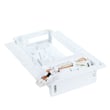
| No ice or irregular ice production | Ice maker assembly | Lg refrigerator ice maker assembly model AEQ72909603 AEQ72909603 |
| Lights not working or dispenser thinks door is open | Door switch | Refrigerator door switch 6600JB1010A |
| Warm temps with fan noise or no fan | Evaporator fan motor | Lg refrigerator evaporator fan motor 4681JB1027C |
| Clicking and no start | Compressor overload protector | Refrigerator compressor overload protector 6750CL0001D |
Why it matters
Catching the symptom pattern early helps prevent food spoilage and avoids unnecessary part swaps. For example, a restricted water filter can mimic a bad ice maker, and a door switch issue can affect lights and dispenser behavior.
Last updated: February 2026
What does DH mean on Kenmore Elite refrigerator?
On Kenmore Elite model 79571323410, dH (often shown as Er dH) points to a defrost heating problem: the refrigerator is not sensing normal temperature rise during the defrost cycle. This can lead to frost buildup and warm temperatures if it is not corrected.
What to check first (fast, no parts swapping)
- Power reset: unplug the refrigerator for 5 minutes, then restore power.
- Look for symptoms: heavy frost on the rear freezer panel, weak airflow, or warming fresh food section.
- Confirm doors are sealing: gaps or torn gaskets can cause excess frost that overwhelms defrost.
- Listen for the evaporator fan: if airflow is low, cooling issues can mimic defrost faults.
- Check for a blocked drain: ice around the evaporator area can indicate a defrost or drain issue.
Common causes of a dH / Er dH defrost error
In this Kenmore 795-series bottom-mount design, the defrost system relies on several components working together.
| Likely cause | What you may notice | Typical fix |
|---|---|---|
| Defrost heater circuit issue | Frost blanket on evaporator cover | Diagnose heater circuit, replace failed component |
| Temperature sensing issue | Error returns after reset, temps swing | Test/replace sensor if out of range |
| Control not driving defrost | Repeated defrost-related errors | Professional diagnosis, control replacement if confirmed |
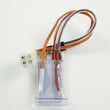
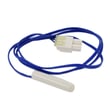
A commonly replaced item when troubleshooting temperature feedback is the refrigerator temperature sensor 6500JB2002X.
Why it matters
When defrost heat is not working correctly, frost can block the evaporator and airflow. That forces longer run times, causes uneven temperatures, and can eventually stop cooling in the refrigerator section.
Helpful references for this model
- Use the 79571323410 manual to locate diagnostic steps, component access panels, and wiring/connector locations.
- For code definitions and quick checks, see Kenmore 795 model bottom freezer refrigerator error codes.
Last updated: February 2026
What model is my Kenmore Elite refrigerator?
Your Kenmore Elite refrigerator’s model number is printed on the model and serial tag; for this product page, the model is 79571323410. On most bottom-mount Kenmore refrigerators, that tag is inside the fresh food compartment or on an interior side wall.
Where to find the model and serial tag
Check these common locations first (use a flashlight and look for a sticker or metal plate):
- Inside the refrigerator compartment on a side wall (often upper left or right)
- On the ceiling of the fresh food compartment near the light housing
- Inside the door opening on the cabinet frame (hinge side)
- Behind or near the crisper drawers (on the back wall)
- Inside the freezer drawer area on an interior wall
- Behind the lower front kick plate or grille (less common)
For diagrams and the exact label location guidance for this unit, use the 79571323410 owner’s manual.
How to read the tag (and why it matters)
The tag usually includes a model number and a serial number.
| What you’ll see | What it’s used for | Example format |
|---|---|---|
| Model number | Matching parts and diagrams to your exact refrigerator | 79571323410 |
| Serial number | Dating the unit and confirming production details | Letters and numbers |
Why it matters
We use the model number to ensure you get the correct Kenmore parts for your exact configuration (ice maker, dispenser style, door bins, and internal components can vary within the Elite refrigerator lineup).
Quick tips to avoid mix-ups
- Copy the model number exactly as printed (include all digits)
- Take a clear photo of the tag before ordering parts
- If the label is worn, gently clean it with a damp cloth and mild soap, then dry it
Last updated: February 2026
What size is Kenmore refrigerator model 79571323410?
Kenmore Elite refrigerator model 79571323410 is a bottom-mount (French door) refrigerator with an overall capacity of 30.59 cu. ft. (about 21.6 cu. ft. fresh food plus 9.0 cu. ft. freezer). For the exact published width and clearance requirements, use the 79571323410 owner's manual.
Published size specifications (key measurements)
These are the specs most customers use for delivery, cabinet fit, and door swing planning:
- Depth without handle: 36.22 in.
- Depth with handle: 38.27 in.
- Height to top of case: 68.94 in.
- Height to top of hinge: 70.118 in.
- Total capacity: 30.59 cu. ft.
Quick reference table
| Spec | Value | What to use it for |
|---|---|---|
| Depth (no handle) | 36.22 in. | Cabinet opening depth planning |
| Depth (with handle) | 38.27 in. | Walkway clearance, door swing space |
| Height (top of case) | 68.94 in. | Fit under cabinets or soffits |
| Height (top of hinge) | 70.118 in. | True max height for installation |
| Capacity (total) | 30.59 cu. ft. | Storage space comparison |
How we recommend measuring at home
Even with published specs, we recommend confirming your real-world fit (floors and leveling legs change the final height):
- Measure height to the highest point (often the hinge cover)
- Measure depth from the back to the front; note whether you are including handles
- Measure width at the widest cabinet point (use the manual for the official width)
- Allow ventilation space behind and above per the manual
- Confirm door swing and drawer pull-out clearance
Why it matters
Depth and hinge height are the two measurements that most often cause installation problems. Using the correct “with handle” depth and “to top of hinge” height prevents tight fits, blocked doors, and poor airflow.
Last updated: February 2026
What's the average lifespan of a Kenmore refrigerator?
Most Kenmore refrigerators last 10 to 15 years. For a Kenmore Elite bottom-mount like model 79571323410, reaching the high end of that range usually comes down to airflow (clean coils), tight door seals, and keeping the cooling system and ice and water features maintained per the 79571323410 owner's manual.
Typical lifespan and what affects it
A refrigerator’s life is mostly determined by how hard the sealed system and fans have to work.
- Condenser coil cleanliness (dirty coils raise compressor run time)
- Door seal condition (air leaks cause temperature swings and frost)
- Room temperature and ventilation around the cabinet
- Ice maker and water system upkeep (clogs and leaks create secondary problems)
- How full it runs (very empty or overpacked can reduce airflow)
Maintenance that helps you hit 15 years
These are the highest-impact habits for a bottom-mount refrigerator.
| Task | How often | Why it helps |
|---|---|---|
| Clean condenser coils and grille | Every 6 to 12 months | Reduces compressor strain |
| Check and clean door gaskets | Every 3 to 6 months | Prevents warm air leaks |
| Replace the water filter (if equipped) | About every 6 months | Protects water flow and taste |
| Keep vents clear inside compartments | Ongoing | Maintains even cooling |
If your model uses the filter shown for this unit, the genuine Kenmore refrigerator water filter 9690 AGF80300801 is the matched part listing.
Why it matters
A refrigerator that is running hot, leaking air, or restricted by a clogged filter typically cycles longer and harder. That extra runtime accelerates wear on key components like the compressor, evaporator fan motor, and control board.
Last updated: February 2026
Where is the water filter on a Kenmore bottom freezer refrigerator?
On Kenmore Elite model 79571323410 bottom-mount refrigerators, the water filter is typically installed in the fresh food (refrigerator) compartment, seated in a dedicated filter housing or holder. Use the 79571323410 owner's manual to confirm the exact location and the correct insertion orientation for your filter.
Common water filter locations on bottom-mount Kenmore refrigerators
Most bottom-freezer designs place the filter where it is easy to access without pulling the unit out.
- Upper-right corner inside the refrigerator compartment (in a filter head/housing)
- Upper-left corner inside the refrigerator compartment
- Base grille area at the bottom front (less common on many bottom-mount designs)
- Inside the refrigerator compartment near the lower crisper area (some configurations)
How to spot the filter housing quickly
Look for a small door, round cap, or push-button style cover labeled “Filter” or “Water.”
| What you see | What it usually means | What to do next |
|---|---|---|
| Flip-down or swing door marked “Filter” | Filter is behind that door | Open door, remove old filter, insert new |
| Round twist cap | Quarter-turn style mount | Twist to remove, align tabs, twist to lock |
| Push-in, pop-out filter | Spring-loaded mount | Push to release, pull out, push new in until it seats |
Replacing the filter (typical steps)
Follow the steps in the manual for your exact housing style; these steps fit most Kenmore bottom-mount units.
- Turn the filter counterclockwise or press-release (depending on the mount)
- Pull the old filter straight out
- Align the new filter so it seats fully in the holder (many styles require the curved side oriented upward)
- Lock it in place (twist until snug or push until it clicks)
- Run water for several minutes to flush air and carbon fines
If you need the correct replacement, we match this model to the genuine Kenmore refrigerator water filter 9690 AGF80300801.
Why it matters
A correctly located and fully seated water filter helps maintain water flow to the dispenser and ice maker, improves taste and odor reduction, and prevents leaks caused by misalignment or an incomplete lock-in.
Last updated: February 2026
Why does my Kenmore fridge have water pooling inside the bottom?
Water pooling on the bottom of your Kenmore Elite refrigerator model 79571323410 is usually caused by a clogged defrost drain that lets meltwater overflow into the fresh food compartment. Less often, a leaking water filter connection or a door seal issue creates excess moisture that collects inside.
Most common cause: clogged defrost drain
During normal defrosting, water should flow down a drain to the drain pan underneath. If the drain is blocked by ice, food debris, or sludge, water backs up and ends up pooling on the refrigerator floor.
What we recommend checking first:
- Unplug the refrigerator.
- Remove the bottom shelf and crisper drawers to look for standing water.
- Inspect the drain opening (typically at the back of the compartment near the evaporator cover area).
- Melt any ice with warm water (not boiling) and clear debris with a turkey baster or squeeze bottle.
- Flush the drain until water flows freely to the drain pan.
For model-specific access steps and panel locations, use the 79571323410 owner's manual.
Other likely causes to rule out
If the drain is clear and water returns, focus on the water supply and door sealing.
- Water filter not fully seated or O-ring nicked, causing slow seepage
- Cracked filter cover or housing area near the filter
- Ice maker fill tube leaking or splashing (water line issue)
- Door not closing tightly due to a bin or drawer out of position
- Door gasket not sealing, causing heavy condensation that drips and pools
If you suspect the filter area, confirm the correct filter and installation steps; the correct replacement for this model is the genuine Kenmore refrigerator water filter 9690 AGF80300801.
Quick symptom guide
| What you see | Most likely cause | Best first step |
|---|---|---|
| Clear water under crispers | Defrost drain clogged | Thaw and flush drain |
| Water near filter area | Filter not seated or housing leak | Reinstall filter, inspect seals |
| Heavy moisture, droplets | Door gasket or door alignment | Clean gasket, check closure |
Why it matters
Pooling water can lead to odors, frozen puddles, and damage to drawers and shelving. Fixing the drain or a small leak early also helps your refrigerator maintain stable temperatures and reduces compressor run time.
For filter-specific tips, follow how to replace the water filter in a Kenmore refrigerator.
Last updated: February 2026