- Kenmore refrigerator water filters
- Whirlpool refrigerator water filters
- Samsung refrigerator water filters
- GE refrigerator water filters
- LG refrigerator water filters
- Frigidaire refrigerator water filters
- KitchenAid refrigerator water filters
- Maytag refrigerator water filters
- Kenmore Elite refrigerator water filters
- Estate refrigerator water filters
- GE Profile refrigerator water filters
- Amana refrigerator water filters
- Bosch refrigerator water filters
- Dacor refrigerator water filters
- Electrolux refrigerator water filters
Top DIY repair help
View All Repair Categories
Appliances
Lawn & Garden
Power Tools
Home Improvement
Sports & Leisure
Heating & Cooling
Quick Links
How to replace a refrigerator temperature control board
less than a minute readFeb 19Lyle Weischwill
Repair time and Difficulty
30 minutes or less
Tools Required
- 1/4-inch nut driver
- Phillips screwdriver
- Slot screwdriver
- Wrench set - SAE
- Wrench set - metric
- Towel
- Work gloves
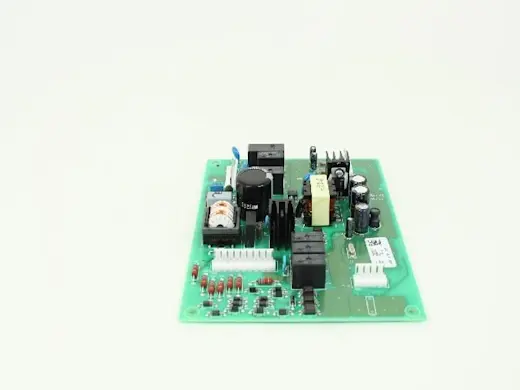
This DIY repair guide gives step-by-step instructions for replacing a temperature control board in a refrigerator. The temperature control board, also called the main control board or the PCB board, is next to the compressor, behind the panel on the back of the refrigerator. The temperature control board monitors the temperature sensors and starts the compressor and fans to cool the refrigerator. It also controls the defrost cycle. A failed temperature control board misreads the temperature sensors, causing inconsistent refrigerator temperature—typically too cold.
Because other problems can cause the same symptom, a reliable diagnosis requires the expertise of a local refrigerator repair expert. If the temperature control board is faulty, replace it with the manufacturer-approved replacement part for your model.
Use this procedure to replace the temperature control board in Kenmore, GE, Maytag, Amana, Frigidaire, Electrolux, Whirlpool and Haier refrigerators.
Instructions
- 1. Shut off the power and water supply
Safely store any food that could deteriorate while the refrigerator is shut off for this repair. Then unplug the refrigerator or shut off the circuit breaker for the refrigerator.
Close the water supply cut-off valve for the icemaker and dispenser. The valve is often on the wall behind the refrigerator, but could be attached to a water pipe under the kitchen sink or in the basement below the fridge.
- 2. Disconnect the water supply line
Pull the refrigerator away from the wall so you can access the water line connection and have room to work behind the refrigerator. Place a towel under the water valve assembly to catch water. Loosen the nut on the supply water line until the water line is free.
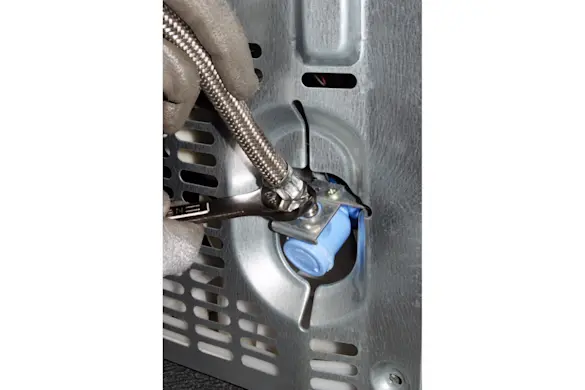
PHOTO: Disconnect the water supply line. Tip: If needed, refer to the owner's manual for additional guidance with disconnecting the water line connection.
- 3. Remove the back panel
Use a Phillips screwdriver to remove the screws that secure the bottom service panel to the back of the refrigerator. Remove the back panel.
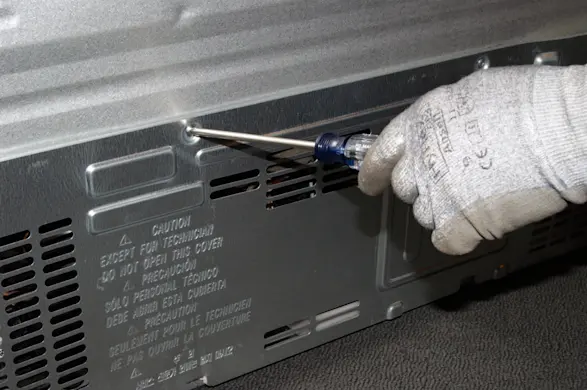
PHOTO: Remove the back panel screws. 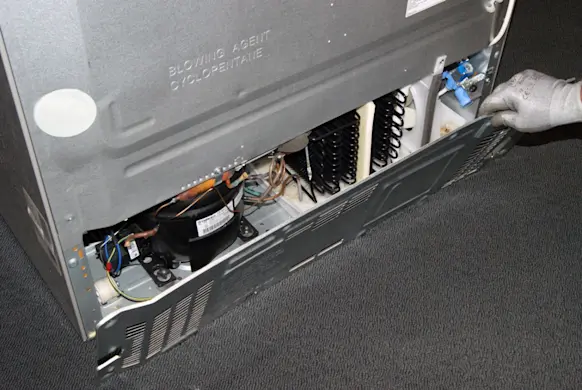
PHOTO: Remove the back panel.
- 4. Remove the housing cover
Remove the screw that secures the cover to the temperature control board housing. Pull the cover off.
- 5. Disconnect the wires
Document the location of wires attached to the existing temperature control board—you can label them with tape, or take a digital picture.
Disconnect the wires; if they have locking tabs; use a slot screwdriver to release the wires.
- 6. Remove the control board
Remove the mounting screws and locking clips that secure the control board in the housing. Remove the control board.
- 7. Install the new control board
Insert the new temperature control board and engage the locking clips. Reinstall the mounting screws.
Tip: Before handling the new temperature control board, touch the metal refrigerator cabinet or wear a grounding strap to prevent static discharge from damaging the new control board.
- 8. Connect the wires
Connect the wires to the new temperature control board, using your labels or digital photo as a guide.
- 9. Reinstall the covers
Position the housing cover on the top of the control housing and reinstall the mounting screw. Place the bottom back panel on the back of the refrigerator so that the screw holes line up. Insert the screws and tighten them firmly.
- 10. Reconnect the water supply line
Wrap a small amount of pipe thread tape around the water supply line fitting on the back of the water valve. Fit the water line into the water valve assembly and tighten the compression nut firmly. Open the water supply cut-off valve. If the fitting leaks, tighten the compression nut and check again.
- 11. Restore electrical power and water supply
Plug in the refrigerator or turn on the house circuit breaker to restore power.