Owner’s manual


What is the life expectancy of a Samsung front load washing machine?
A Samsung front load washer like model WF365BTBGWR typically lasts 10 to 15 years with normal household use. Lifespan depends most on load size, detergent choice (HE), routine cleaning, and catching drain or leak issues early; see the WF365BTBGWR user manual for care and maintenance guidance.
What affects washer lifespan the most
- Overloading (stresses the tub bearings, shocks, and drive system)
- Too much detergent (causes oversudsing, residue, odors, and drain problems)
- Poor ventilation (door closed after use can lead to mildew and boot damage)
- Hard water buildup (can affect valves, dispenser, and internal hoses)
- Ignoring early symptoms (slow drain, vibration, small leaks)
Simple habits that help your WF365BTBGWR last longer
- Run the washer’s tub-clean routine on schedule and wipe the door boot dry.
- Use HE detergent and measure carefully; more soap is not better.
- Leave the door slightly open between loads; this reduces odor and mold.
- Check pockets and use garment bags for small items to protect the drain pump.
- Level the washer and keep loads balanced to reduce spin vibration.
Common “end-of-life” symptoms vs fixable issues
| What you notice | Often fixable? | Typical cause |
|---|---|---|
| Won’t drain, standing water | Yes | Clogged filter, drain pump issue, kinked hose |
| Loud rumble in spin | Sometimes | Worn tub bearings or spider arm wear |
| Door won’t lock/unlock | Yes | Door lock assembly or wiring issue |
| Musty smell | Yes | Residue/mold in boot or tub |
Why it matters
A front load washer’s biggest repairs often come from water management (drain, leaks) and high-speed spin stress (balance, bearings). Good cleaning and correct loading can prevent the wear that shortens service life.
If you’re seeing drain-related errors, our Samsung front load washer nd error code guide is a good next step.
Last updated: January 2026
Does a Samsung washer have a filter that needs to be cleaned?
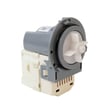
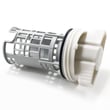
Yes. The Samsung WF365BTBGWR washer typically has a drain pump filter (coin trap) that should be cleaned periodically to help prevent slow draining, standing water, and drain-related error codes; we recommend following the steps in the WF365BTBGWR user manual for your exact access method.
What filter you are cleaning on this model
On most Samsung front-load washers like WF365BTBGWR, the routine-clean filter is the drain pump filter near the bottom front of the cabinet. Some versions have a small access door; others require removing a lower panel, so we use the model’s manual to confirm the correct access.
Common signs the drain pump filter needs cleaning
- Washer drains slowly or leaves water in the tub
- Spin cycle stops because the washer cannot drain
- You hear the drain pump running but little water exits
- Musty odor from trapped debris
- Repeated drain-related error codes
How we recommend cleaning it (safe, typical process)
- Unplug the washer.
- Place towels and a shallow pan under the front lower area.
- Drain water first using the small emergency drain hose (if equipped).
- Unscrew the filter cap slowly; remove lint, coins, hair pins, and debris.
- Rinse the filter and wipe the housing; reinstall the filter snugly.
- Run a rinse and spin cycle and check for leaks.
| Item | Why it matters | What to have ready |
|---|---|---|
| Towels/pan | Prevents water damage | Old towels, shallow tray |
| Emergency drain hose | Controls water release | Small container |
| Filter cap O-ring area | Prevents leaks | Soft cloth for wiping |
Why it matters
A clogged drain pump filter makes the washer work harder to drain; that can lead to poor cleaning results, longer cycle times, and drain problems that look like a failing pump when the real issue is just blockage.
Related troubleshooting if it will not drain
If cleaning the filter does not fix the issue, we use drain troubleshooting steps like those in Samsung front load washer nd error code.
Last updated: January 2026
What is the most common problem with the Samsung washing machine?
On the Samsung WF365BTBGWR washer, one of the most common issues we see is a fill or water-level sensing problem: the washer won’t fill correctly, fills too slowly, or stops and shows a water-related error. Start by confirming strong water supply and clear inlet screens; then check for sensor-related error codes in the WF365BTBGWR manual.
Quick checks we recommend first
- Make sure both hot and cold supply valves are fully open.
- Check the inlet hoses for kinks, crushing, or freezing.
- Clean the small inlet screen filters where the hoses connect to the washer.
- Verify household water pressure is steady (weak pressure can trigger fill errors).
- Power reset: unplug for 2 minutes, then retry a normal cycle.
What symptoms usually point to the cause
| Symptom on WF365BTBGWR | Most likely area to check | What to do next |
|---|---|---|
| Won’t fill or fills very slowly | Water supply, inlet screens, inlet valve | Confirm valves open; clean screens; inspect hoses |
| Overfills or water level seems wrong | Water level sensing system (pressure switch/sensor, air hose) | Look for pinched/disconnected air hose; check for related error codes |
| Stops mid-fill and beeps/shows code | Fill detection or water level feedback | Use Samsung error code guidance to narrow the circuit |
Error codes that commonly relate to this problem
We use the displayed error code to pinpoint whether the issue is water supply, the inlet valve, or the water level sensing circuit.
- For front-load code lookups, use Samsung front load washer error codes.
- If you see an NF (no fill) style condition, follow Samsung front load washer nf error code.
Why it matters
Fill and water-level problems can prevent proper washing, cause long cycle times, and sometimes lead to overfilling or draining issues. Catching a kinked hose or clogged inlet screen early can prevent unnecessary part replacement.
Last updated: January 2026