Owner’s manual
 Error Codes


What water filter for Samsung RF26J7500SR?
For the Samsung RF26J7500SR refrigerator, the correct water filter is the one specified for your exact model and revision; we recommend confirming the filter part number in the RF26J7500SR owner's manual before ordering so you get the right fit and proper water flow.
Use these checks to match the correct cartridge:
- Match the model number exactly: RF26J7500SR (the filter can vary by revision)
- Check the filter label on the current cartridge (printed part number and type)
- Confirm the filter location (most Samsung French door units use an internal cartridge)
- If the dispenser flow is weak, replace the filter and flush the system after install
- If you recently replaced the filter housing, verify the housing assembly matches your unit
If the filter will not seat, leaks, or the dispenser flow stays low after a new filter, these parts are commonly involved:
| Symptom | Most common cause | Part to consider |
|---|---|---|
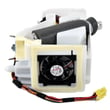
| Filter will not lock in | Misaligned or damaged housing | Refrigerator water filter housing assembly DA97-15340A |
| No water or slow water | Restricted valve or supply issue | Refrigerator water inlet valve DA62-04027A |
| Filter light stays on | Reset needed after filter change | Samsung refrigerator filter light reset explained |
Using the correct filter for RF26J7500SR helps prevent leaks at the filter head, protects the water inlet valve from debris, and keeps ice maker and dispenser performance consistent.
Last updated: February 2026
Is RF26J7500SR a side by side refrigerator?
No. The Samsung RF26J7500SR is a bottom-mount (French door) refrigerator, not a side-by-side. A side-by-side has the freezer and fresh food compartments next to each other vertically; this model has fresh food doors on top and a freezer drawer on the bottom (see the RF26J7500SR owner's manual).
- French door / bottom-mount: two refrigerator doors on top, freezer drawer below
- Side-by-side: tall refrigerator door on the right and tall freezer door on the left
- Bottom-mount: freezer is always below the fresh food section
- Side-by-side: freezer is always beside the fresh food section
| Style | Fresh food location | Freezer location | Typical door setup |
|---|---|---|---|
| Bottom-mount (French door) | Top | Bottom | 2 upper doors + 1 lower drawer |
| Side-by-side | Left or right side | Opposite side | 2 tall doors, full height |
Knowing the correct refrigerator style helps you order the right Samsung parts (like door components, ice maker parts, and drawer hardware) and follow the correct troubleshooting steps for cooling and ice production.
If you are diagnosing ice issues on this French door design, we use the same core checks (water supply, ice room airflow, and temperature control) described in why your Samsung fridge stopped making ice and how to fix it.
Last updated: February 2026
What is the most common problem with Samsung refrigerators?
The most common problem we see with Samsung refrigerators (including the Samsung RF26J7500SR) is a cooling complaint caused by frost or ice buildup around the evaporator area, which restricts airflow and makes the fresh food section warm even when the freezer still seems cold. See the RF26J7500SR owner's manual for the exact temperature settings and control features.
- Refrigerator section warms up, freezer seems closer to normal
- Temperature swings, food spoils faster than expected
- Fan noise, rubbing, or a “whooshing” sound (often from ice contacting a fan)
- Frost on the back wall inside the refrigerator compartment
- Ice maker slows down or stops when airflow is restricted
- Confirm settings: refrigerator about 37°F, freezer about 0°F.
- Make sure vents are not blocked by food packages.
- Check door closing and sealing; a small air leak drives frost buildup.
- Clean condenser area and ensure good airflow around the cabinet.
- If you hear a fan hitting ice or see heavy frost, plan for a defrost-related inspection.
These are frequent “root cause” parts when cooling or icing issues show up:
| Problem pattern | Common system involved | Example part for RF26J7500SR |
|---|---|---|
| Warm fresh food, frost buildup | Defrost/airflow in fresh food section | Refrigerator fresh food evaporator cover and fan assembly DA97-12608B |
| Erratic temperatures | Temperature sensing | Refrigerator temperature sensor (model-specific options vary) |
| Ice maker stops or ice clumps | Ice room airflow or ice maker | Refrigerator ice maker assembly DA82-02701A |
A refrigerator cools by moving air across the evaporator and circulating it through the compartments. When frost builds up, airflow drops; the unit can run longer, temperatures drift, and the ice maker and dispenser performance often suffers.
- The refrigerator is above 40°F for more than 4 hours
- You see heavy ice behind interior panels
- You suspect a sealed-system issue (compressor not running, no cooling at all)
Last updated: February 2026
Why is my ice maker not making ice on my Samsung refrigerator?
If your Samsung RF26J7500SR refrigerator ice maker isn’t making ice, the most common causes are the ice maker being turned off, a frozen fill tube, low water supply, or a restriction in the water system. Start with a reset and basic water checks before replacing parts.
- Confirm the ice maker is turned ON and the ice bin is seated correctly.
- Make sure the freezer is cold enough; most ice makers stop producing if temps are too warm.
- Look for ice clumps or a jam in the ice bucket and clear them.
- Check the fill tube for ice; a frozen tube blocks water from entering the ice maker.
- Verify the shutoff valve is fully open and the water line isn’t kinked.
- Run the ice maker test/reset procedure listed in the RF26J7500SR manual.
- If production doesn’t resume, unplug the refrigerator (or switch off the breaker) for 2 to 5 minutes, then restore power.
- Allow time for recovery; after a reset, normal ice production can take several hours.
If the checks above don’t help, these are the most likely part-related causes on this model family:
| Symptom | Most likely cause | What to check next |
|---|---|---|
| No water entering ice maker | Water valve not opening | Test water flow; consider refrigerator water inlet valve DA62-04027A |
| Ice maker cycles but no ice drops | Ice maker assembly issue | Inspect for damage; consider refrigerator ice maker assembly DA82-02701A |
| Ice room not cold enough | Ice room fan not running | Listen for fan; consider refrigerator ice room fan motor assembly DA31-00070E |
An ice maker needs the right freezer temperature, steady water pressure, and a working inlet valve and fan. Fixing the root cause prevents repeat freezing, slow ice production, and dispenser issues.
Last updated: February 2026
How do I do a hard reset on my Samsung fridge?
To hard reset a Samsung RF26J7500SR refrigerator, we recommend power-cycling it: unplug the fridge (or switch the breaker off) for 2 to 5 minutes, then restore power and allow the controls to reboot. For model-specific button resets, follow the RF26J7500SR owner's manual.
- Unplug the refrigerator or turn OFF the circuit breaker.
- Wait 2 to 5 minutes (this lets the control board fully discharge).
- Restore power.
- Wait 5 to 10 minutes for the display and cooling system to stabilize.
- The display may flash or beep briefly during startup.
- The compressor and fans may not start immediately.
- Ice production can take up to 24 hours to return to normal.
- Temperature recovery can take several hours after doors have been open.
Many Samsung refrigerators also support a control-panel reset using a button combination (often involving Power Freeze and Power Cool). Because the exact keys can vary by configuration, use the steps listed for your exact control panel in the RF26J7500SR owner's manual.
A reset helps when the control is “stuck”, but repeat issues usually point to a cooling, sensor, or airflow problem.
- Check that vents inside the fresh food section are not blocked by food packages.
- Confirm doors close fully and gaskets seal all the way around.
- If temperatures are erratic, a failed sensor is common; this model uses sensors such as the refrigerator temperature sensor DA32-10104N.
- If you see an error code, match it to the symptom using the Samsung rf26 model french door refrigerator error codes guide.
- If the ice maker is the main issue, follow the troubleshooting steps in why your Samsung fridge stopped making ice and how to fix it.
A true hard reset clears temporary control glitches and restores normal operation without replacing parts. If symptoms return, using the manual and targeted checks helps you avoid unnecessary part swaps and downtime.
| Situation | Best reset method | Typical result |
|---|---|---|
| Display frozen, buttons unresponsive | Power cycle | Control panel reboots |
| Minor glitch after outage | Power cycle | Normal operation returns |
| Repeating temp swings or error codes | Reset plus troubleshooting | Identifies sensor/airflow issue |
Last updated: February 2026
What are the dimensions of the Samsung RF26J7500SR?
Samsung RF26J7500SR refrigerator dimensions vary by configuration (handles on or off, hinges included, doors installed, and how the unit is leveled). For the exact width, height, and depth for your specific configuration, use the dimension diagram in the RF26J7500SR owner's manual.
Most Samsung bottom-mount/French-door refrigerators in this class fall into these planning ranges:
| Measurement | Typical range | What changes it most |
|---|---|---|
| Width | 35 to 36 inches | Door alignment and trim clearance |
| Height | 68 to 71 inches | Leveling legs, hinges, top cover |
| Depth | 29 to 36 inches | Handles, doors, hinges |
Measure your opening and the refrigerator in the same “configuration” you care about (for example, handles installed).
- Measure width at the top, middle, and bottom; use the smallest number.
- Measure height from the floor to the lowest cabinet or soffit.
- Measure depth from the back wall to the front edge of the countertop.
- Add clearance for door swing and freezer drawer pull-out.
- Confirm ventilation clearances (rear, sides, and top) in the RF26J7500SR owner's manual.
Correct dimensions prevent installation problems such as doors hitting cabinets, the freezer drawer not opening fully, and restricted airflow that makes the compressor run longer and cooling less consistent.
- Handles installed
- Water line or power cord pushing the cabinet forward
- Anti-tip bracket or wall trim interference
- Rear clearance not maintained for airflow
Last updated: February 2026
What is the capacity of the Samsung rf26j7500sr?
The Samsung RF26J7500SR refrigerator has a total capacity of 26 cu. ft. Use the RF26J7500SR manual to confirm the compartment-by-compartment breakdown for your exact door, shelf, and ice-maker configuration.
Refrigerator capacity is the usable interior storage volume. It helps you compare models and plan how much fresh and frozen food you can store.
- Total capacity: 26 cu. ft.
- Fresh food section: largest share of total capacity
- Freezer section: remaining share of total capacity
- Shelves, bins, and the ice container reduce usable space compared to the raw volume
- Overpacking blocks vents and causes warm spots and longer run times
| Spec | Value |
|---|---|
| Total capacity | 26 cu. ft. |
| Best use | Family-size grocery storage |
| What changes usable space | Ice storage, bins, shelf layout |
Capacity affects organization and cooling performance. When airflow paths are blocked (especially near the back wall vents), temperatures swing more and ice production slows.
- Keep air vents clear in both compartments
- Leave space along the back wall for airflow
- Use typical temperature targets: 37°F fresh food, 0°F freezer
- If ice output drops, follow the checks in why your Samsung fridge stopped making ice and how to fix it
Last updated: February 2026