- Kenmore refrigerator water filters
- Whirlpool refrigerator water filters
- Samsung refrigerator water filters
- GE refrigerator water filters
- LG refrigerator water filters
- Frigidaire refrigerator water filters
- KitchenAid refrigerator water filters
- Maytag refrigerator water filters
- Kenmore Elite refrigerator water filters
- Estate refrigerator water filters
- GE Profile refrigerator water filters
- Amana refrigerator water filters
- Bosch refrigerator water filters
- Dacor refrigerator water filters
- Electrolux refrigerator water filters
Top DIY repair help
View All Repair Categories
Appliances
Lawn & Garden
Power Tools
Home Improvement
Sports & Leisure
Heating & Cooling
Why your Samsung fridge stopped making ice and how to fix it
less than a minute readSep 26Lyle Weischwill
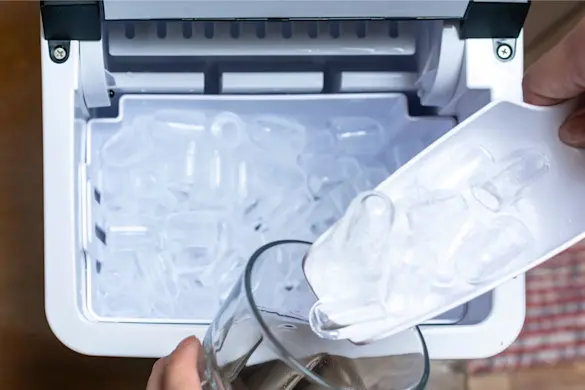
You go to pour a glass of cold water, reach for the ice, and find the bin empty. That disappointment is especially frustrating if you rely on your refrigerator’s ice maker every day.
Samsung refrigerators are well known for reliability, but even their ice makers can stop producing now and then. Fortunately many fixes are simple, from checking water flow and freezer temperature to replacing a filter or part when needed.
How a Samsung refrigerator ice maker works
Samsung ice makers follow a simple cycle. Water flows through the supply line into the ice tray, where it freezes into cubes. Once the cubes are solid, an ejector arm pushes them into the storage bin so they’re ready to use.
The process is managed by sensors and thermostats that monitor temperature and control the timing. If the freezer isn’t cold enough, the sensor delays the cycle. If the tray is empty or the bin is full, the ice maker pauses until conditions are right.
Knowing these basics makes troubleshooting easier because you can narrow problems down to water supply, freezing, or dispensing issues.
Common reasons your Samsung fridge ice maker isn’t working
When your Samsung refrigerator stops making ice, the cause is usually one of a handful of common issues. Breaking them down into categories can help you zero in on the problem faster.
Water supply issues
If the water line is kinked, frozen, or the water inlet valve is faulty, water can’t reach the ice maker. Without a steady flow, your Samsung refrigerator may not make ice at all.
Water filter problems
A clogged or overdue water filter restricts flow to the ice maker. If your Samsung ice maker isn’t working, replacing the filter is often the simplest fix.
Temperature too warm
Ice production depends on a freezer that’s cold enough. If the temperature is above 0°F, ice may form slowly or not at all.
Defective parts
Sometimes the problem is inside the ice maker itself. A faulty module, sensor, or switch can interrupt the cycle and keep cubes from dropping into the bin.
User errors
It sounds simple, but it happens: the ice maker switch might be turned off, or the bin may not be seated properly, stopping the cycle from running.
Step-by-step Samsung fridge ice maker troubleshooting
If your Samsung refrigerator isn’t making ice, these checks can help you find and fix the problem. Work through them in order, starting with the simplest.
Check the ice maker switch
Sometimes the fix is as simple as turning the ice maker back on. Open the freezer and locate the ice maker switch or lever, and make sure it’s set to “on.” If it’s off, turning it back on should restart the cycle within a few hours.
Inspect the water line
A kinked or blocked water line can keep the ice maker from filling. Pull the refrigerator away from the wall slightly and check the supply hose for pinches or sharp bends. If you see frost buildup on the line, thaw it carefully to restore flow. Also inspect the line for leaks, since even small cracks can affect water pressure.
Replace the water filter
One of the most common reasons a Samsung ice maker stops producing ice is a clogged or overdue filter. As the filter collects debris over time, water flow slows down and the ice maker can’t fill properly. The fix is simple: replace the water filter if it’s older than six months or if water flow from the dispenser seems weak. A fresh filter restores proper flow and often gets ice production going again.
Check freezer temperature
Ice production depends on a freezer that’s cold enough to freeze water quickly. Use a refrigerator thermometer to verify the temperature is set to 0°F or lower. If the temperature is warmer than that, rearrange food so vents aren’t blocked and cold air can circulate freely. If temperatures still don’t drop, you'll need to troubleshoot the cooling problem.
Reset the ice maker
If the controls have glitched, a reset may get the ice maker back on track. Locate the reset button (usually on the side or bottom of the unit), then press and hold it until you hear a chime. This clears the control board and restarts the cycle. Give the ice maker about 24 hours to resume normal operation.
Look for ice blockages
Sometimes the problem isn’t mechanical at all; it’s simply ice cubes stuck in the wrong place. Check the tray for cubes that didn’t release and look inside the chute or bin for clumps of ice. Clear out any blockages, then restart the ice maker to see if the cycle returns to normal.
## When to replace parts
If your Samsung refrigerator ice maker still isn’t producing after the basic troubleshooting steps, it may be time to look at part replacement. Some fixes are easy to handle yourself, while others may require a bit more work.
Start with the simplest: if water flow is weak or the filter is older than six months, replace the water filter. A new filter often restores proper pressure and gets the ice maker filling again.
If the filter is new but the ice maker still isn’t getting water, the next suspect is the inlet valve. This part controls the flow of water into the refrigerator and ice maker. A faulty valve can stick closed or fail to open fully. If that’s the case, you may need to replace the refrigerator water inlet valve to restore normal operation.
If the ice maker itself isn’t cycling (no filling, freezing, or ejecting even after resets and part checks) it may be time to replace the ice maker assembly. A worn module, bad motor, or failed sensor inside the ice maker can stop it completely. While this repair is more involved, it’s often the only way to bring ice production back.
If you're still unsure what the problem is, it may be time to call in a professional repair technician. Many issues are difficult to troubleshoot without the proper training or tools.
Preventing future Samsung ice maker problems
A few simple habits can help keep your Samsung ice maker running smoothly and prevent another no-ice situation. Replace the water filter every six months to maintain proper flow and water quality. Keep the freezer set at 0°F or lower so ice freezes quickly and consistently. Avoid overloading the freezer, since blocked vents or poor airflow can slow down ice production. And while you’re cleaning, take a moment to inspect the water line for kinks, leaks, or buildup.
Most Samsung ice maker issues come down to water flow, freezer temperature, or a clogged filter. Start with these simple checks before replacing parts, and you’ll often save time and money. If problems persist, our refrigerator DIY repair hub has more troubleshooting tips and step-by-step guides to help you get your ice maker working again.