Owner’s manual









How do I reset my Samsung dryer?
To reset your Samsung dryer model DV365ETBGWR, we recommend a simple power reset: turn the dryer off, disconnect power at the plug or breaker for about 5 minutes, then restore power and start a cycle. This clears many temporary control glitches and some error-code conditions.
The reset steps we recommend
- Press Power to turn the dryer off.
- Unplug the dryer (or switch the dryer breaker OFF).
- Wait 5 minutes.
- Restore power.
- Press Power, then run a short Timed Dry cycle to test.
If the dryer still acts up after a reset
A reset helps with temporary electronic issues; it will not fix a failed part or airflow problem. Check these common causes next:
- Control panel still unresponsive: verify the outlet has power and the breaker is fully reset.
- Dryer runs but won’t heat: airflow restriction or a heating circuit issue.
- Stops mid-cycle or overheats: venting restriction, thermostat, or sensor problem.
- Shows an error code: use the code to narrow the diagnosis.
Quick “what to do next” guide
| Symptom after reset | Most common next check | Typical fix path |
|---|---|---|
| Won’t start | Door fully closed, door switch | Test/replace door switch |
| Runs, no heat | Venting and heating circuit | Clean vent; test heater/thermostats |
| Long dry times | Lint screen, vent duct, blower | Clean; inspect blower wheel |
| Error code returns | Code-specific troubleshooting | Follow error-code steps |
Why it matters
Resetting the DV365ETBGWR clears the control board’s temporary state, which often restores normal operation after a power flicker or a one-time sensor reading. If the same symptom returns, the dryer is usually protecting itself from a real condition such as restricted airflow or a failing heating component.
Helpful references for this model
- Use the DV365ETBGWR manual for model-specific operating steps and error displays.
- For code meanings and next steps, use Samsung dryer error codes.
Last updated: February 2026
How to find part number for Samsung dryer?
To find the correct part number for your Samsung dryer, we first match the dryer’s model number (DV365ETBGWR) from the ID tag, then use that model to look up the exact replacement part number for the component you need. The fastest confirmation steps are shown in the DV365ETBGWR owner's manual.
Where to find the model and serial tag
On Samsung dryers like model DV365ETBGWR, the ID tag is typically in one of these spots:
- On the front frame behind the dryer door opening
- Along the door opening edge (front panel area)
- On the back of the dryer cabinet
- Occasionally inside the door area near the lint screen housing
How to get the right part number (the reliable method)
Use this process so you do not order the wrong drum belt, heating part, or thermostat:
- Write down the full model number and serial number exactly as shown
- Identify the failed symptom (no heat, squealing, won’t start, long dry times)
- Find the part by name in the model’s parts list (for example: heating element, thermistor, door switch)
- Match the listing to the part number on the part itself when possible
- Compare mounting style and wire connector locations before ordering
Common DV365ETBGWR parts customers look up
These are examples of part numbers you may need depending on the symptom:
| Symptom | Common part to check | Example part number from this model |
|---|---|---|
| Dryer tumbles but no heat | Heating element | DC47-00019A |
| Overheats or shuts off | High-limit thermostat | DC47-00018A |
| No heat or intermittent heat | Thermal cut-off thermostat | DC47-00016A |
| Long dry times, temperature issues | Thermistor | DC32-00007A |
| Squealing or thumping | Drum support roller | DC97-16782A |
Why it matters
Samsung often uses similar-looking parts across different dryer series, but wiring, brackets, and temperature ratings can differ. Using the exact DV365ETBGWR model ID prevents mismatches and repeat repairs.
Last updated: February 2026
How to tell if Samsung dryer thermal fuse is bad?
On a Samsung dryer like model DV365ETBGWR, a bad thermal fuse typically stops the dryer from running at all (no motor) or causes heat to shut down after an overheat event. The sure way to tell is a continuity test with a multimeter after unplugging the dryer.
Quick symptoms checklist
- Dryer will not start even though the control panel lights up
- Dryer starts but shuts off quickly
- No heat (on some designs, heat is disabled when a safety device opens)
- Burning smell or very hot cabinet before the failure
- Repeated failures after replacing the fuse (points to airflow or heating issues)
How we test the thermal fuse (continuity)
- Unplug the dryer (and shut off gas if you have a gas model).
- Access the blower housing or heater housing area (location varies by design).
- Remove at least one wire from the fuse terminal.
- Set the meter to continuity or ohms.
- Test across the fuse terminals.
What the meter reading means
| Meter result | What it means | What to do next |
|---|---|---|
| Beep or near 0 Ω | Fuse is good | Check airflow, thermostats, thermistor, heater circuit |
| No beep or OL/infinite Ω | Fuse is blown | Fix overheating cause, then replace the fuse |
Fix the cause first (so it does not blow again)
A thermal fuse usually opens because the dryer overheated. Before installing a new fuse, we recommend:
- Clean the lint screen and lint chute
- Inspect and clear the vent duct to the outside (crushed hose is common)
- Confirm the blower is moving air (a damaged wheel can reduce airflow)
- Check heat control parts such as the thermistor and high-limit thermostat
- Avoid overloading; heavy loads restrict airflow through the drum
Parts that commonly relate to overheating on this model
- Dryer thermal cut-off fuse DC96-00887A
- Dryer high-limit thermostat DC47-00018A
- Dryer thermistor DC32-00007A
- Dryer blower wheel DC67-00180B
Why it matters
The thermal fuse is a one-time safety device. If we replace it without correcting restricted venting or a failed temperature-control part, the dryer can overheat again and immediately lose heat or stop running.
For access steps and panel removal details specific to DV365ETBGWR, use the DV365ETBGWR owner's manual.
Last updated: February 2026
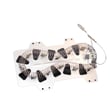
How to tell if a Samsung dryer heating element is bad?
A bad heating element in your Samsung dryer (model DV365ETBGWR) typically shows up as no heat or very weak heat even though the drum tumbles normally. The most reliable check is a multimeter test for continuity across the element terminals and an insulation test to confirm it is not shorted to the heater housing; see the DV365ETBGWR manual for access and test-point guidance.
Quick symptoms that point to a failed heating element
- Dryer runs but clothes stay cold or take much longer to dry
- Heat starts briefly, then stops (often after a few minutes)
- Burning smell or visible damage inside the heater housing
- Breaks, blisters, or separated coils when you visually inspect the element
How we test the heating element (safe, reliable method)
- Unplug the dryer (and turn off the breaker if it is hardwired).
- Access the heater assembly and inspect the coil for obvious breaks.
- Set a multimeter to ohms (Ω) or continuity.
- Test terminal-to-terminal on the element:
- A good element shows continuity (a beep in continuity mode) and a finite resistance reading.
- An element that reads OL/infinite is open and will not heat.
- Test each terminal to the metal heater housing:
- You should read no continuity. Continuity to the housing indicates a short to ground.
What the readings mean
| Test | Normal result | What “bad” looks like | What it causes |
|---|---|---|---|
| Terminal to terminal | Continuity; finite Ω | OL/infinite Ω | No heat |
| Terminal to housing | No continuity | Continuity | Breaker trips, erratic heat |
Don’t miss these common “no-heat” lookalikes
A heating element can test good and the dryer still will not heat if a safety device opened or airflow is restricted.
- Check the venting for kinks, crushing, or heavy lint buildup
- Inspect and test the thermostats and fuses, such as the dryer thermal cut-off thermostat DC47-00016A and dryer high-limit thermostat DC47-00018A
- Confirm the dryer is getting proper power (many electric dryers can run on partial power but not heat)
Why it matters
Running a dryer with restricted airflow or failed temperature safety parts can repeatedly overheat the heater circuit, leading to repeated no-heat failures and longer dry times.
Last updated: February 2026
What is the average lifespan of a Samsung dryer?
Most Samsung dryers, including the Samsung DV365ETBGWR, typically last 10 to 15 years with normal household use. Consistent airflow and heat management (lint control, venting, and avoiding overloads) are what most often push lifespan toward the high end; see the DV365ETBGWR owner's manual for model-specific care guidance.
What affects dryer lifespan the most
A dryer’s life is usually determined by heat stress, friction, and airflow restriction.
- Clean the lint screen before every load
- Keep the exhaust vent clear and as short and straight as possible
- Avoid overloading (extra strain on the drum, belt, and motor)
- Use the right cycle and temperature for the fabric
- Listen for new squealing or thumping and address it early
Common wear items and what they do
These parts commonly wear over time; replacing them promptly helps prevent bigger failures.
| Wear item | What you may notice | Why it matters |
|---|---|---|
| Drum support roller | Thumping, rumbling, uneven drum movement | Reduces drum friction and protects the motor load |
| Drum belt | Drum not turning, burning rubber smell | Keeps the drum rotating correctly |
| Thermostats and thermal cut-offs | No heat, overheating, cycles stopping early | Protects the heater and prevents heat damage |
Quick maintenance schedule we recommend
| Task | Frequency | Goal |
|---|---|---|
| Clean lint screen | Every load | Maintain airflow and drying performance |
| Inspect/clean vent duct | Every 3 to 6 months | Prevent long dry times and overheating |
| Vacuum lint inside cabinet (if accessible) | Yearly | Reduce heat buildup around components |
Why it matters
A dryer that runs hot or has restricted airflow works harder and longer each cycle. That extra runtime accelerates wear on the heating system, drum support components, and drive system, shortening overall lifespan.
Last updated: February 2026