 Owner’s manual


What does 4E2 mean on a Samsung washer?
On the Samsung WA400PJHDWR washer, the 4E2 error code means the washer is detecting a hot and cold water supply problem, most commonly because the hoses are connected to the wrong inlet (hot to cold or cold to hot) or the hot water supply is not flowing correctly.
What to check first (fast fixes)
- Confirm the hot hose is on the hot faucet and the cold hose is on the cold faucet (typically red to hot, blue to cold).
- Make sure both faucets are fully open.
- Straighten any kinked inlet hoses behind the washer.
- Remove and rinse the inlet screen filters in the washer’s water valve ports (sediment can restrict flow).
- Run a quick fill test: start a cycle that calls for warm/hot water and listen for steady water flow.
Step-by-step: correct the hose connections
- Turn off both water faucets.
- Swap hoses if needed so hot goes to hot and cold goes to cold.
- Tighten connections firmly (hand-tight plus a small additional turn if needed).
- Turn faucets back on and check for leaks.
- Retry the cycle.
For the exact connection diagram and the “Connecting the water and the drain” instructions, use the WA400PJHDWR user manual.
Symptoms and likely causes
| What you notice | Most likely cause | What usually fixes it |
|---|---|---|
| 4E2 shows right after starting | Hoses reversed | Correct hot/cold hookups |
| Slow fill on warm/hot | Hot faucet partially closed or low flow | Open faucet, clear screens |
| Intermittent 4E2 | Sediment in inlet screens | Clean inlet screens |
| No hot water at all | Hot supply issue in home plumbing | Restore hot supply, then retest |
Why it matters
When hot and cold are reversed or restricted, the washer cannot reach the temperature it expects for the selected cycle. That triggers 4E2 and can also reduce cleaning performance and extend cycle time.
Last updated: February 2026
What is the capacity of the Samsung WA400PJHDWR?
The Samsung WA400PJHDWR is a large-capacity top-load washer; in this series, the WA400 platform is commonly sold as about 4.0 to 4.2 cu. ft. capacity. For the exact capacity statement for your specific revision, we recommend checking the WA400PJHDWR owner's manual.
How to confirm the exact capacity for your washer
We use the manual because capacity can vary slightly by revision and by how the manufacturer rates the tub.
- Look for “Specifications” or “Dimensions/Specifications” in the manual
- Check for a line that lists capacity (cu. ft.) or tub volume
- Match the model family shown in the manual (WA400, WA422, WA456) to your washer
- If you are comparing models, use the same rating method (IEC vs. “usable” capacity)
What “4.0 to 4.2 cu. ft.” means in real laundry terms
Capacity is about how much the basket can hold without restricting wash action and rinse flow.
| Load type | Typical fit in a 4.0 to 4.2 cu. ft. top-load washer | Best practice |
|---|---|---|
| Everyday mixed load | Medium to large | Leave space at the top for turnover |
| Towels | Large towel load | Avoid packing tight; helps spin balance |
| Bedding | 1 comforter (size depends on fill) | Use Bedding cycle if available |
Why it matters
Using the right load size helps the WA400PJHDWR clean better, rinse better, and spin with less vibration. Overloading is a common cause of off-balance spinning and longer cycle times.
Last updated: February 2026
What is the capacity of the Samsung WA400PJHDWR?
The Samsung WA400PJHDWR is a large-capacity top-load washer; in the model’s documentation, Samsung describes it as “large capacity” but does not list a specific cubic-foot number in the provided specs excerpt. For the exact rated capacity for your unit, use the WA400PJHDWR owner's manual.
How to find the exact capacity for your washer
We recommend checking these places first because they match the rating Samsung uses for this model series:
- The specifications section in the WA400PJHDWR owner's manual
- The model and rating label (often under the lid or along the lid opening)
- The product listing or receipt from the original purchase
- The cycle chart and feature pages (sometimes capacity is stated near “large capacity” features)
What “large capacity” means in real use
Even without a cubic-foot number, “large capacity” helps set expectations for load size and performance.
- Handles bulky items (comforters, blankets) better than compact top-load washers
- Works best when loads are loosely filled, not tightly packed
- Overloading reduces cleaning and can increase out-of-balance spinning
- Proper leveling and calibration improve load sensing and spin performance
Quick load-size guide (practical, not a rating)
| Load type | Typical fill level | Notes |
|---|---|---|
| Everyday mixed load | About 1/2 to 2/3 full | Best cleaning and turnover |
| Towels/jeans | About 1/2 full | Heavy items need room to move |
| Bedding/bulky | Around 1/3 to 1/2 full | Avoid packing; redistribute if unbalanced |
Why it matters
Capacity affects how much you can wash per cycle, but it also impacts rinse quality, spin balance, and wear on key components like the suspension and drive system. If loads bang around or stop mid-spin, checking balance and running calibration (as outlined in the manual) helps the washer sense weight more accurately.
Last updated: February 2026
What is the capacity of the Samsung WA400PJHDWR?
The Samsung WA400PJHDWR is a large-capacity top-load washer; its tub is designed to handle bulky items like blankets and larger loads. For the exact capacity rating for your specific unit, we recommend confirming it in the WA400PJHDWR owner's manual.
How to confirm the exact capacity for your washer
Capacity is usually listed in the specifications section of the manual and sometimes on the model and serial tag.
- Check the Specifications section in the WA400PJHDWR owner's manual
- Look for a capacity value shown as cu. ft. (cubic feet)
- Compare the model number on your washer’s tag to ensure it matches WA400PJHDWR
- If you are comparing washers, use cu. ft. (not “number of baskets”) for a consistent measurement
What “large capacity” means in real use
Large-capacity top-load washers like the WA400 series are built to wash bigger, bulkier loads more effectively because there is more room for water flow and item movement.
| Load type | What to expect | Best practice |
|---|---|---|
| Bulky items (blankets, comforters) | More room to circulate and rinse | Use the Bedding cycle if available; avoid overstuffing |
| Mixed everyday laundry | Fewer loads per week | Sort by fabric weight to reduce imbalance |
| Heavy items (towels, jeans) | Higher chance of off-balance if packed | Distribute evenly around the washplate |
Why it matters
Using the correct capacity helps prevent overloading, which reduces cleaning performance and can contribute to vibration, out-of-balance spinning, and extra wear on suspension components.
Last updated: February 2026
What is the life expectancy of a Samsung top load washer?
A Samsung top-load washer typically lasts 10 to 15 years with normal household use and basic maintenance. For the Samsung WA400PJHDWR, keeping the tub clean, using the right detergent amount, and fixing draining or balance problems early helps you reach the upper end of that range; see the WA400PJHDWR user manual for care and operating guidance.
What affects washer lifespan most
- Load habits: Avoid chronic overloading; it strains the direct-drive motor, suspension, and tub.
- Detergent use: Use HE detergent and do not over-dose; excess suds can cause longer cycles and residue.
- Drain performance: Slow draining makes the pump work harder and can leave water behind.
- Out-of-balance spinning: Repeated banging increases wear on suspension rods and the spin basket.
- Water quality: Hard water can increase buildup; periodic cleaning helps.
Quick maintenance checklist (best ROI)
- Run a monthly cleaning cycle (or hot wash) to reduce residue and odor.
- Leave the lid open after loads so the tub can dry.
- Check pockets for coins, screws, and hairpins that can damage the washplate and pump.
- Level the washer so it spins smoothly; adjust feet if it rocks.
- Address slow drain symptoms early (standing water, long drain time, “won’t spin out”).
Common wear items over time
| Symptom | Likely area | Typical fix |
|---|---|---|
| Won’t drain or drains slowly | Drain pump, drain hose | Clear blockage; replace pump or hose if weak/leaking |
| Loud banging in spin | Suspension | Replace suspension rod and spring assembly |
| Won’t fill or fills slowly | Water inlet valve, screens | Clean screens; replace inlet valve if failing |
Why it matters
Most “washer died early” situations come from a few preventable stressors: chronic overloading, oversudsing, and running with drain or balance issues. Keeping the WA400PJHDWR draining and spinning normally reduces strain on the motor, control board, and tub system.
Last updated: February 2026
What is the most common problem with Samsung washers?
For Samsung top-load washers like model WA400PJHDWR, the most common issues we see are out-of-balance shaking during spin and draining problems. Both are usually caused by loading habits, leveling, or normal wear in suspension and drain components; the WA400PJHDWR owner's manual covers proper loading and cycle use.
Most common issues (and what they look like)
- Excessive shaking or walking during spin (often from an unbalanced load or a washer that is not level)
- Won’t drain or drains slowly (standing water, long drain times, or stopping mid-cycle)
- Won’t fill or fills slowly (weak flow, long fill time)
- Lid won’t lock or won’t start (cycle won’t begin, stops when lid is moved)
- Noise changes (grinding, rattling, or humming that is new)
Quick checks that fix many “common problems”
- Load correctly: Add items loosely and do not overfill; bulky items should be balanced with similar items (the manual specifically advises loading loosely without overfilling).
- Level the washer: A washer that is even slightly off-level can shake hard at high spin.
- Check the drain path: Make sure the drain hose is not kinked and the standpipe is not blocked.
- Verify water supply: Fully open both supply valves and clean inlet screen debris if flow is weak.
When a part is the likely cause
| Symptom | Common culprit | Example part for WA400PJHDWR |
|---|---|---|
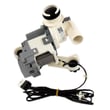
| Won’t drain / humming | Drain pump | Washer drain pump DC31-00054D |
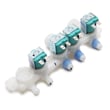
| Slow fill / no fill | Water inlet valve | Samsung washer water inlet valve DC97-15459H |
| Violent shaking | Suspension wear | Washer suspension rod and spring assembly DC97-16350C |
Why it matters
Ignoring repeated out-of-balance shaking can lead to more vibration, noise, and wear on the tub support system. Drain and fill problems can leave clothes soaking wet, stop cycles mid-wash, and strain the pump or valve.
Last updated: February 2026





