 Owner’s manual











How big is the Samsung DV45H7000EW?
The Samsung DV45H7000EW dryer is 27 inches wide, about 43.86 inches tall, and about 29.96 inches deep (about 49.80 inches deep with the door open 90°). For the exact spec diagram and measurement points, use the DV45H7000EW owner's manual.
- Width: 27 in (68.6 cm)
- Height: 43.86 in (111.4 cm)
- Depth (door closed): 29.96 in (76.1 cm)
- Depth (door open 90°): 49.80 in (126.5 cm)
- Type: front loading dryer
Use these common clearance tips when planning for DV45H7000EW:
- Leave space behind the dryer for the vent duct and power cord
- Make sure the door swing clears walls, cabinets, and the washer
- Confirm the dryer can pass through doorways and around corners
- Plan room to remove the lint screen and service the exhaust path
| Measurement | Inches | Centimeters |
|---|---|---|
| Width | 27 | 68.6 |
| Height | 43.86 | 111.4 |
| Depth (door closed) | 29.96 | 76.1 |
| Depth (door open 90°) | 49.80 | 126.5 |
Correct dimensions help prevent installation headaches and performance issues. If the dryer is squeezed into a tight space, the vent can kink or crush, which restricts airflow and can lead to long dry times and overheating.
Last updated: February 2026
What is error 6E2 on Samsung dryer?
Error 6E2 on a Samsung dryer indicates a jammed or stuck button on the control panel. On the Samsung DV45H7000EW, this is the same “button stuck/pressed too long” condition shown as bE/bE2 in the troubleshooting information.
- Turn the dryer off, then unplug it (or switch the breaker off) for 1 minute.
- Plug it back in and power it on.
- Press each control panel button one at a time, making sure it clicks and releases.
- If a button feels sticky, gently clean around the edges with a slightly damp cloth, then dry it.
- Start a cycle and watch for the code to return.
| Common cause | What you will notice | What to do |
|---|---|---|
| Button physically sticking | Button does not “spring back” | Clean around button edges; retest |
| Button being held down by something | Code appears right after powering on | Remove anything pressing the panel |
| Control panel input not reading correctly | Code returns even when buttons move freely | Check for moisture or residue; consider service |
A stuck-button code prevents normal operation because the dryer interprets the control panel as continuously being pressed. Clearing the issue protects the electronic control from receiving constant input and helps restore normal cycle selection.
- Use the DV45H7000EW manual to confirm the information code list and the recommended reset steps.
- If you want a broader list of Samsung codes and what they mean, see Samsung dryer error codes.
Last updated: February 2026
What is the capacity of the Samsung dryer model DV45H7000EW?
The Samsung dryer model DV45H7000EW has a 7.4 cu. ft. drum capacity, which is a large-capacity size designed to handle bigger loads like towels, bedding, and mixed laundry with fewer cycles. For full specs and installation clearances, use the DV45H7000EW owner's manual.
A 7.4 cu. ft. Samsung front-load dryer typically supports:
- Larger loads (fewer loads per week)
- Bulky items (comforters, blankets) with better tumbling space
- Better airflow through the load when you avoid overfilling
- More consistent Sensor Dry results when the lint screen and venting are clean
Capacity is the inside drum volume; it is not the same as the dryer’s outside dimensions.
| Spec type | What it describes | Why it matters |
|---|---|---|
| Capacity (cu. ft.) | Drum volume | How much laundry fits per load |
| Width/height/depth | Cabinet size | Whether it fits your laundry room or closet |
| Closet clearances | Space around dryer | Airflow, safety, and service access |
Even with 7.4 cu. ft., overloading can cause long dry times and uneven drying.
- Load items loosely; do not pack the drum tight
- Clean the lint screen before every load
- Use the right cycle (Normal, Bedding, Delicates) for the fabric type
- Keep the exhaust vent run short and free of lint buildup
- If dry times suddenly increase, check airflow first before replacing parts
Matching load size to a 7.4 cu. ft. drum helps the dryer tumble clothes properly, move air through the load, and keep temperatures stable. That reduces wrinkles, improves Sensor Dry accuracy, and helps protect components like the heating system and thermostats.
Last updated: February 2026
What is the average lifespan of a Samsung dryer?
Samsung dryers typically last 10 to 15 years with normal household use. For the Samsung DV45H7000EW, consistent airflow maintenance (lint screen and venting) and avoiding overloads are the biggest factors that push life toward the high end.
- Airflow and venting: A restricted vent makes the heater and thermostats run hotter and longer.
- Lint control: Cleaning the lint screen every load reduces strain on the blower and heat system.
- Load size and cycle choice: Overloading increases wear on the drum belt and rollers.
- Heat stress events: Repeated overheating can trip safety devices and shorten component life.
- Installation quality: Proper exhausting to the outside helps prevent moisture and lint buildup.
Use these habits to extend the life of your DV45H7000EW:
- Clean the lint screen before or after every load.
- Check that the exhaust duct is 4 inches in diameter and vents outdoors.
- Keep the vent run as short and straight as possible.
- Don’t pack the drum tight; leave room for tumbling.
- If dry times increase, inspect and clean the full vent path promptly.
| Symptom | Most common wear area | What it can lead to |
|---|---|---|
| Squealing or thumping | Drum support rollers | Noisy operation, uneven drum support |
| Drum not turning | Drum belt | Motor runs but drum stops |
| No heat or overheating | Heating circuit safety parts | Long dry times, shutdowns |
If you’re chasing a noise issue, the Samsung dryer drum support roller DC97-16782A is a common wear item on this platform.
A dryer can run for years past its “average” lifespan, but restricted airflow and chronic overheating shorten the life of high-cost parts like the heating element, motor, and control board. Following the venting and care guidance in the DV45H7000EW user manual helps protect those components.
Last updated: February 2026
What is the part number for DV45H7000EW heating element?
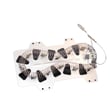
For the Samsung DV45H7000EW dryer, the heating element part number is DC47-00019A. If you prefer replacing the complete heater housing as a unit, the heating element assembly option for this model is DC97-14486D (more expensive, but often faster to install).
- Heating element (DC47-00019A): the coil element itself; best when the housing and wiring are in good shape.
- Heating element assembly (DC97-14486D): element pre-mounted in the heater housing; best when terminals are heat-damaged or the housing is warped.
- If you see burnt connectors, also consider the heating element terminal block (DC65-00013A).
| Option | Part number | What you get | Best when |
|---|---|---|---|
| Heating element | DC47-00019A | Element only | Element is open/grounded but housing is OK |
| Heating element assembly | DC97-14486D | Housing + element | You want a complete swap or housing/terminals are damaged |
| Terminal block | DC65-00013A | Connection block | Wires/connectors are overheated or loose |
- Confirm the dryer has the correct power supply (electric models need full 240V).
- Inspect and clear lint buildup in the lint filter area and venting; restricted airflow can overheat the heater.
- If the dryer runs but won’t heat, test common heat-safety parts such as the high-limit thermostat (DC47-00018A) and thermal cut-off thermostat (DC47-00016A).
- Review model-specific access and disassembly steps in the DV45H7000EW owner’s manual.
Ordering the correct heater part for DV45H7000EW prevents repeat failures and helps restore proper drying performance. Airflow restrictions and heat-limit parts are frequent root causes when a heating element burns out.
Last updated: February 2026
How to tell if Samsung dryer thermal fuse is bad?
On our Samsung DV45H7000EW dryer, a bad thermal cut-off fuse (often called a thermal fuse) typically shows up as a dryer that will not run, or runs with no heat. The sure check is a continuity test with a multimeter; a good fuse reads closed (continuity), a blown fuse reads open (no continuity).
- Dryer will not start even though the door is latched
- Dryer runs but does not heat (clothes stay damp)
- Cycle stops early after heating briefly
- “Filter Check” light comes on more often because airflow is restricted
- You recently noticed long dry times (often caused by a clogged exhaust duct)
- Unplug the dryer (electric shock hazard).
- Access the heater housing area per the DV45H7000EW owner’s manual.
- Remove at least one wire from the fuse terminal so you are not reading through the circuit.
- Set your meter to continuity (or lowest ohms).
- Test across the fuse terminals.
| Meter result | What it means | What we do next |
|---|---|---|
| Continuity (beep or near 0 Ω) | Fuse is good | Check airflow, thermostats, heater circuit |
| No continuity (OL or very high Ω) | Fuse is blown | Replace fuse and fix overheating cause |
A thermal fuse usually blows because the dryer overheated. We correct the cause first so the new fuse lasts.
- Clean the lint filter and exhaust duct (the manual recommends inspecting and cleaning ducting annually)
- Confirm the outside vent hood opens and closes freely
- Check the heater safety devices: dryer thermal cut-off fuse, 320-degree f DC47-00015A and/or dryer thermal cut-off thermostat DC47-00016A
- If heat is erratic, test the dryer high-limit thermostat DC47-00018A
- If the dryer still will not heat, inspect the Samsung dryer heating element DC47-00019A
The thermal fuse is a one-time safety device. Replacing it without fixing restricted airflow (lint buildup, crushed vent, blocked hood) often leads to repeat overheating, longer dry times, and additional heater or thermostat failures.
Last updated: February 2026
How to find part number for Samsung dryer?
For your Samsung DV45H7000EW dryer, the fastest way to get the correct part number is to start with the model and serial tag, then use that exact model number when looking up parts. On most Samsung front-load dryers, the tag is on the front frame behind the door; many units also have a second tag on the back. See the DV45H7000EW user manual for model identification and safety guidance.
Check these common locations in this order:
- Front frame behind the door (open the door and look around the opening)
- Back panel of the dryer cabinet (often a secondary label)
- Inside the door opening area near the lint screen housing (varies by build)
- If the label is worn, use a flashlight and take a photo to zoom in
Once you have the model number, match parts by function and symptom.
- Use the exact model number DV45H7000EW when searching parts
- Identify the failed function (no heat, no start, noisy, long dry times)
- Match the symptom to a part category (heat, airflow, drum drive, controls)
- Confirm the part description matches what you see on the dryer
| Symptom | What it often points to | Example part for DV45H7000EW |
|---|---|---|
| No heat or weak heat | Heating circuit components | Samsung dryer heating element DC47-00019A |
| Dryer overheats or shuts off | Safety thermostats/fuse | Dryer thermal cut-off thermostat DC47-00016A |
| Loud thumping/squealing | Drum support/drive parts | Samsung dryer drum support roller DC97-16782A |
Samsung dryers can have similar-looking parts across model families, but small design changes affect fit and wiring. Using the exact DV45H7000EW model number helps ensure the heating element, thermistor, control board, and drum parts match your dryer.
Last updated: February 2026
What are the parts of a dryer called?
Dryers like the Samsung DV45H7000EW are made up of airflow parts, heating and safety parts, and drive parts that tumble the drum. Knowing the common part names helps you match symptoms (no heat, no start, noise, long dry times) to the right repair.
- Lint filter and lint screen cover: catches lint before it enters the blower and venting
- Blower wheel: moves air through the drum and out the exhaust duct
- Heating system (electric models): creates heat for drying
- Temperature sensors and safety cutoffs: regulate heat and shut the heater down if overheating occurs
- Drum and drum supports: the drum tumbles clothes; rollers/glides support it
- Drive system: belt and motor rotate the drum
- Door switch and controls: confirm the door is closed and manage cycles
For a labeled diagram and component locations on DV45H7000EW, use the DV45H7000EW manual.
| If you notice this symptom | Common part names involved | Example parts for DV45H7000EW |
|---|---|---|
| Dryer runs but no heat | Heating element, high-limit thermostat, thermal cut-off, thermistor | Samsung dryer heating element DC47-00019A, dryer high-limit thermostat DC47-00018A, dryer thermistor DC32-00007A |
| Loud rumbling or thumping | Drum support roller, drum belt, blower wheel | Samsung dryer drum support roller DC97-16782A, Samsung dryer drum belt 6602-001655, dryer blower wheel DC67-00180B |
| Won’t start or stops when door moves | Door switch, control board | Dryer door switch DC64-00828B, Samsung dryer electronic control board (model-specific) |
| Long dry times | Lint filter, blower wheel, exhaust ducting | Check venting and airflow first |
Your manual calls out key installation and venting basics that directly affect performance: the dryer needs a 4-inch exhaust duct, the exhaust must go to the outside, and the area should have adequate fresh air. Poor airflow can cause long dry times and overheating, which can trip safety devices. Review the venting and location guidance in the DV45H7000EW manual.
- Use what are the main parts of a clothes dryer to learn the names and roles of major components.
Last updated: February 2026
How to tell if a Samsung dryer heating element is bad?
If your Samsung DV45H7000EW tumbles but does not heat, a failed heating element is likely. We confirm it by checking the coil for damage, testing continuity across the element terminals, and verifying there is no continuity from a terminal to the metal heater housing.
- Dryer runs but clothes stay cool or take much longer to dry
- Heat cuts in and out during a cycle
- Burning smell near the heater area
- Venting is clear and you are using a heated cycle (not Air Fluff)
- Unplug the dryer and let it cool.
- Use the access steps in the DV45H7000EW manual.
- Inspect the coil for a break or burned spot.
- Set the meter to ohms or continuity.
- Test across the two heater terminals.
- Test each terminal to bare metal on the heater housing (ground test).
| Test | Normal result | Bad result |
|---|---|---|
| Terminal-to-terminal | Continuity (low resistance) | No continuity (OL/infinite) |
| Terminal-to-housing | No continuity | Continuity (short to ground) |
Samsung’s troubleshooting for “doesn’t heat” includes these quick checks:
- Confirm a heat setting is selected (not Air Fluff)
- Check house breakers or fuses (electric dryers can run but not heat if 240V is missing)
- Clean the lint filter and exhaust duct; restricted airflow can trip safety devices
If the element fails either test above, replace the Samsung dryer heating element DC47-00019A. If the element tests good, check heat control and safety parts such as the high-limit thermostat and thermal cut-off.
Testing prevents replacing the wrong part; airflow problems and shorts can also overheat the heater circuit and stop heating.
Last updated: February 2026







