 Installation guide
 Owner’s manual






Where is the part number on a Kenmore dryer?
On a Kenmore dryer like model 11069652800, the model and serial information (used to match the correct replacement parts) is typically on a rating label just inside the dryer door opening. Use that label when ordering parts and checking specifications in the 11069652800 owner's manual.
- Open the dryer door and inspect the door opening area (cabinet frame) for a rating label.
- Check the back panel if you do not see a label in the door opening.
- Look along the inside edge of the front panel near the lint screen housing.
- Wipe dust off the label; the print can be faint.
- Write down the full model number and serial number exactly as shown.
The label you find on the dryer is not a list of every part number. It identifies the dryer so we can match the correct parts diagram and compatible components.
| What you’re looking at | What it’s used for | Where you’ll see it |
|---|---|---|
| Model number and serial number label | Identifies your exact dryer version | Usually inside the door opening |
| Individual part number | Identifies a specific replacement component | On the part itself, packaging, or parts list |
If you’re replacing a common wear item, the part number is tied to the component you’re ordering. For example, a broken or slipping drum belt on this model is commonly replaced with the belt 341241.
Kenmore model numbers can have multiple revisions that use different thermostats, switches, or heating components. Using the exact 11069652800 identification from the rating label helps ensure the right match for parts like a heating element, thermal cut-off, or door switch.
Last updated: February 2026
What does F1 mean on Kenmore dryer?
On the Kenmore dryer model 11069652800, an F1 (or F01) code points to a temperature-sensing problem, most commonly the thermistor circuit (sensor or wiring) that tells the control how hot the dryer is getting. Fixing it focuses on the sensor circuit and airflow.
- Unplug the dryer (or switch off the breaker) for 2 minutes, then restore power and try a Timed Dry cycle.
- Clean the lint screen and confirm strong airflow at the outside vent hood.
- Check that the exhaust duct is not crushed, kinked, or packed with lint.
- Make sure the dryer is not overheating from poor ventilation (closet installs need proper openings).
- If the code returns quickly, plan on electrical checks of the sensor circuit.
| What’s wrong | What you’ll notice | Typical fix |
|---|---|---|
| Restricted venting | Long dry times, hot cabinet, burning smell | Clear/replace venting, clean lint path |
| Thermistor circuit issue | F1/F01 repeats, cycle stops, beeps | Test thermistor and wiring, repair connections |
| Control problem (less common) | Random errors, inconsistent operation | Diagnose control inputs, replace control if confirmed |
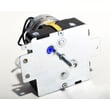
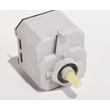
If airflow is good and F1 keeps coming back, the repair usually involves testing the temperature-sensing circuit and related components. For this model, a common temperature-control component is the dryer operating thermostat WP3387134.
The dryer uses temperature feedback to heat safely and dry efficiently. When the sensor circuit reads wrong, the dryer can shut down, overheat, or run with poor performance, which also stresses parts like the heating system and wiring.
Use the 11069652800 owner’s manual for model-specific troubleshooting and safety steps before testing components.
Last updated: February 2026
How to hard reset a Kenmore dryer?
To hard reset your Kenmore dryer model 11069652800, disconnect power by unplugging the dryer (or switching the breaker off) for about 1 minute, then restore power and start a Timed Dry heated cycle. This clears many control glitches and gets you back to a normal start sequence.
- Turn the cycle selector to Off.
- Unplug the dryer (or turn OFF the circuit breaker).
- Wait 1 minute.
- Plug back in (or turn the breaker ON).
- Close the door fully.
- Select Timed Dry with heat and press PUSH TO START.
For the exact start and restart sequence for this model, follow the 11069652800 owner's manual.
The installation checklist for this model points to a few basics that stop the dryer from running even when the control is fine:
- Confirm the controls are set to a running position (not Off)
- Press Start firmly
- Verify the dryer is actually getting power (outlet, breaker, house fuse)
- Make sure the door is fully closed
- Check that the vent is not crushed or kinked (restricted airflow can trigger overheating issues)
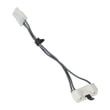
If the door is closed but the dryer acts like it is open, a failed door switch is common; see the dryer door switch WP3406105.
| What you see | What it usually means | What to check next |
|---|---|---|
| No lights, no response | No power to dryer | Breaker, outlet, cord connection |
| Lights on, will not start | Door or start circuit issue | Door closure, door switch, timer |
| Starts then stops quickly | Overheat protection opening | Venting, lint buildup, thermal cut-off |
| Runs but no heat | Heating circuit problem | Heating element, thermostats, airflow |
A hard reset restores the normal control state, but it does not fix an underlying airflow, door-safety, or heating problem. If the dryer overheats from lint or a blocked vent, it can open safety devices and keep the dryer from running or heating correctly.
Last updated: February 2026
How many cubic feet is a Kenmore series 500 dryer?
Kenmore “500 series” dryers do not have one fixed drum size; capacity varies by the exact model number. For Kenmore model 11069652800, use the specifications section in the 11069652800 owner's manual to get the exact cubic-foot capacity for your unit.
Use the model-specific spec listing rather than the series name.
- Find the model tag (typically on the door opening or door frame)
- Match the model number exactly: 11069652800
- In the manual, look for “capacity,” “drum volume,” or “features and specifications”
- If you are measuring for fit, confirm width and clearances in the 11069652800 installation guide
- When comparing dryers, compare capacity and venting requirements, not cycle count
These ranges help you sanity-check what you see in the manual.
| Dryer type | Typical width | Typical capacity |
|---|---|---|
| Compact | 24 in. | 3.4 to 4.4 cu. ft. |
| Full-size | 27 to 29 in. | 6.0 to 7.4 cu. ft. |
Correct capacity helps you avoid overloading, which improves tumbling and airflow. Better airflow shortens dry times and reduces heat stress on components such as the heating system and thermostats.
Last updated: February 2026










