 Installation guide
 Owner’s manual



How do I run a diagnostic on my Frigidaire dishwasher?
On the Frigidaire FGID2466QF4A dishwasher, the Use & Care information we have does not provide a dedicated “diagnostic mode” button sequence. You can still do effective troubleshooting by using the built-in status window indicators and by resetting power, then checking for common causes.
Quick checks we recommend first
- Make sure the door is fully closed and latched.
- Confirm the breaker is on and the dishwasher has power.
- Cancel the current cycle by pressing START/CANCEL; the unit should run a drain for about 90 seconds.
- If the display shows PF (power failure), clear it by pressing START/CANCEL or closing the door.
- If the unit won’t drain, check for a kinked drain hose and confirm the disposer knockout plug is removed (if connected).
For model-specific operating details (status window codes, canceling a cycle, and console light behavior), use the FGID2466QF4A user manual.
“Reset” procedure (safe first step)
- Turn the dishwasher off at the breaker (or unplug if accessible).
- Wait 30 seconds.
- Restore power.
- Select a cycle and press START/CANCEL, then close the door.
If the dishwasher still won’t run or won’t drain after a reset, the issue is often related to draining components.
When a part is likely involved
If you hear the motor hum but water stays in the tub, or the dishwasher stops with standing water, inspect these common items:
- Drain hose routing and high loop
- Filter and sump area for debris
- Drain pump operation
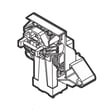
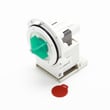
If you determine the drain pump is not working, the compatible replacement for this model is the drain pump a A00126401.
Helpful symptom guide
| Symptom | What to check first | What it points to |
|---|---|---|
| Won’t start | Door latch, power | Door not latched, control lock, power issue |
| Won’t drain | Hose kink, disposer plug | Drain restriction or drain pump issue |
| PF on display | Recent outage | Power interruption |
Why it matters
Running the right checks in the right order prevents unnecessary part replacement and helps you pinpoint whether the problem is a control setting, a drain restriction, or a failed component.
Last updated: January 2026
How do I do a hard reset on my Frigidaire dishwasher?
For the Frigidaire FGID2466QF4A dishwasher, the most reliable hard reset is to shut off power at the breaker (or unplug the unit) for about 5 minutes, then restore power. This clears many control glitches and lets the control reinitialize.
Reset options for FGID2466QF4A
Try these in order:
- Cancel the current cycle: press START/CANCEL once; the dishwasher runs a 90-second drain, then you can select a new cycle.
- Clear a power interruption display: if the display shows “PF” after power was interrupted, press START/CANCEL (or close the door) to clear it.
- Hard reset (power cycle): turn the dishwasher’s circuit breaker OFF for 5 minutes, then turn it ON.
For button locations and cycle behavior, use the FGID2466QF4A use & care manual.
What to do if it still will not respond
If the control panel stays unresponsive after a hard reset, the issue is usually power supply, a stuck key, or a failed user interface.
- Confirm the dishwasher is getting power (breaker on, no tripped GFCI if applicable).
- Make sure the door is fully closed and latched; the dishwasher will not start if the latch is not engaging.
- Check for “Control Lock” behavior; on this style, holding DELAY START for 3 seconds locks or unlocks the controls.
- If keys do not respond or lights behave erratically, the user interface may be failing.
If you suspect the interface itself is the problem, the replacement part for this model is the dishwasher control panel 5304496525.
Quick reference
| Symptom | What it usually means | What we do |
|---|---|---|
| Cycle needs to stop | Normal cancel/drain | Press START/CANCEL (90-second drain) |
| “PF” in display | Power was interrupted | Press START/CANCEL or close door |
| Panel frozen | Control glitch | Breaker OFF 5 minutes, then ON |
Why it matters
A true power-cycle reset forces the electronic control to reboot, which can clear temporary memory errors that cause stuck cycles, odd lights, or non-responsive buttons.
Last updated: January 2026
What is the most common problem with the Frigidaire dishwasher?
For the Frigidaire FGID2466QF4A dishwasher, the most common service issue we see is drain-related trouble: water left in the bottom of the tub after the cycle. In many cases, the root cause is a restriction (glass trap/filter area, drain hose routing) rather than a failed component; see the FGID2466QF4A use & care manual.
What to check first (fast, no-parts steps)
- Confirm the cycle fully finished and the unit is not paused.
- If connected to a disposer, make sure the disposer is empty and the inlet knockout plug was removed.
- Inspect the drain hose for kinks and make sure it is routed with a proper high loop.
- Remove and empty the glass trap area; reinstall it fully seated.
- Run hot water at the sink until it is hot (about 120°F) before starting a cycle.
When it points to a part
If the hose and glass trap area are clear but the dishwasher still leaves water behind, the next most common suspects are the drain pump and drain path sealing/check components.
- Drain pump not running or weak: consider the drain pump a A00126401.
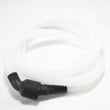
- Drain hose damaged, kinked, or internally restricted: consider the dishwasher drain hose 807117001.
- Backflow or poor draining due to a sticking valve: consider the dishwasher check valve 807048001.
Symptom-to-likely-cause quick guide
| Symptom | Most likely cause | What we do next |
|---|---|---|
| Water in bottom after cycle | Drain restriction or drain pump issue | Check glass trap, hose routing; then test drain pump |
| Poor cleaning | Spray arm blockage, loading, water temp | Clean spray arms, verify 120°F, avoid blocking rotation |
| Leaking at door | Door seal not sealing or door not closing square | Inspect gasket seating and level; replace seal if worn |
| Detergent left in cup | Cup blocked by dishes or low wash action | Reload to clear dispenser; check spray arm performance |
Why it matters
Drain problems can cause odors, redeposit food soil, and leave standing water that can trigger repeat clogs. Catching a kinked hose or a clogged glass trap early often prevents a drain pump replacement.
Last updated: January 2026
How to get a Frigidaire dishwasher to drain?
On the Frigidaire FGID2466QF4A dishwasher, you can force a drain by pressing START/CANCEL; the unit should run a drain for about 90 seconds. If water still remains in the tub afterward, a clog, drain-hose routing issue, or a drain pump problem is the most likely cause (see the FGID2466QF4A use & care manual).
Quick steps to force a drain (FGID2466QF4A)
- Press START/CANCEL once to cancel the cycle.
- Keep the door closed and listen for the drain motor.
- Wait for the drain to finish (about 90 seconds).
- Open the door and check the bottom of the tub.
- If the dishwasher is connected to a disposer, confirm the disposer is empty.
If it still will not drain: what to check next
These checks match the most common “won’t drain” causes on this Frigidaire design.
- Drain hose routing: Make sure the hose is not kinked and that the high loop is installed correctly (the installation guide calls for a loop at least 32 inches above the floor).
- Disposer inlet plug: If you recently connected the dishwasher to a garbage disposal, confirm the disposer’s knockout plug was removed.
- Filter and glass trap area: Clear debris that can block water flow out of the sump.
- Drain pump: If you hear humming but no draining, the pump may be jammed or failing; the compatible replacement is the drain pump a A00126401.
- Check valve: A stuck check valve can restrict draining or allow backflow; inspect the dishwasher check valve 807048001 if you find recurring drain issues.
What “normal” vs “not normal” looks like
| What you see after draining | Usually means | What to do |
|---|---|---|
| Tub bottom is mostly clear | Drain system is working | Resume normal use |
| Standing water remains | Drain restriction or pump issue | Check hose, disposer plug, filter area |
| Water returns later | Backflow or hose routing issue | Verify high loop, check valve |
Why it matters
Standing water can lead to odors, poor wash performance, and repeated cycle interruptions. Getting the drain path (filter area, drain hose, disposer connection) clear usually fixes the problem without replacing parts.
Last updated: January 2026





