Owner’s manual



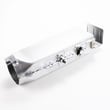
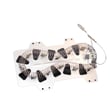
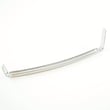
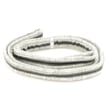
How to tell if a Samsung dryer heating element is bad?
A bad heating element in your Samsung DV50F9A7EVP typically shows up as no heat, weak heat, or a breaker tripping when heat turns on. We confirm it by safely unplugging the dryer, accessing the heater, and checking the element for a short to the metal housing and for proper continuity.
Common symptoms on an electric Samsung dryer include:
- Dryer runs but clothes stay damp or cold
- Drying time gets much longer (especially on timed dry)
- Heat cycles on and off too quickly (poor temperature control can also be airflow-related)
- Burning smell or scorching (stop using the dryer until inspected)
- Circuit breaker trips when the dryer starts heating
- Unplug the dryer (or switch off the breaker) before removing any panels.
- Access the heater area using the disassembly steps in the DV50F9A7EVP owner’s manual.
- With a multimeter:
- Check continuity across the element terminals. No continuity usually means the element is broken.
- Check for a short to ground. Touch one probe to an element terminal and the other to the metal heater housing. Any continuity indicates the element is shorted and must be replaced.
| Meter result | What it means | What we do next |
|---|---|---|
| No continuity across terminals | Element is open (burned out) | Replace the heating element |
| Continuity to metal housing | Element is shorted | Replace the heating element and inspect wiring |
| Continuity across terminals, no short | Element may be OK | Check thermostats, thermal fuse, airflow |
On DV50F9A7EVP, these parts often work together; a failure in any of them can stop heat:
- Dryer high-limit thermostat DC47-00018A (can open if overheating occurs)
- Dryer thermal cut-off fuse, 320-degree f DC47-00015A (opens on overheat)
- Dryer thermistor DC32-00007A (temperature sensing issues can affect heating)
- Venting and lint buildup (restricted airflow overheats the heater)
If drying is slow, we also recommend running the built-in Vent Blockage Test described in the manual; proper duct condition reduces drying time and saves energy.
A shorted or overheating heater can damage wiring and repeatedly blow safety devices. Fixing the root cause (often airflow) helps the new heater and thermostats last.
For replacement parts for DV50F9A7EVP, use the parts list for this model or search by model on Sears PartsDirect.
Last updated: February 2026
How do I reset my Samsung dryer?
To reset your Samsung dryer model DV50F9A7EVP, we power-cycle it: turn the dryer off, shut the door, cut power at the breaker (or unplug it) for 1 to 5 minutes, then restore power and start a cycle. See the DV50F9A7EVP owner's manual for model-specific control behavior.
- Press Power to turn the dryer off.
- Make sure the door is fully closed.
- Unplug the dryer or switch OFF the dryer circuit breaker.
- Wait 1 to 5 minutes.
- Restore power (plug in or switch breaker ON).
- Press Power, select a cycle, then press Start/Pause.
On this Samsung model, a “no response” symptom is often a control lockout or a door-safety issue, not a failed reset.
- Check the Child Lock indicator; if it is on, turn Child Lock off.
- Confirm the dryer is not auto-off; if you turn it on and do not press buttons for about 10 minutes, it shuts off.
- Verify the door closes firmly; a failed door switch can prevent starting.
- If the display shows an error, use Samsung dryer error codes to identify the fault.
| What you see | What it usually means | What to do next |
|---|---|---|
| Buttons do not respond (except Power) | Child Lock is on | Turn Child Lock off, then retry Start/Pause |
| Dryer turns on, then shuts off | No input for about 10 minutes | Press Power and start a cycle promptly |
| Dryer will not start with door closed | Door switch not sensing closed door | Inspect latch alignment; consider replacing the dryer door switch DC64-00828B |
A proper reset clears a temporary control glitch and restores normal operation without replacing parts. If the issue is a safety input (Child Lock, door switch) or a stored error condition, the reset alone will not correct the root cause.
If you determine a component is failing (for example, the door switch), you can order replacement parts for DV50F9A7EVP from the parts list for this model, or search by model number on Sears PartsDirect.
Last updated: February 2026
What is the average lifespan of a Samsung dryer?
Most Samsung dryers, including the Samsung DV50F9A7EVP, last 10 to 15 years with normal household use and routine care. Consistent airflow (clean lint screen and venting) and quick repairs when symptoms start are what most directly extend dryer life.
- Vent restriction and overheating (lint buildup in ducts, crushed vent hose)
- Maintenance habits (cleaning lint screen every load, periodic vent cleaning)
- Load size and cycle choice (overloading strains the belt, rollers, and motor)
- Wear parts condition (drum belt, drum support rollers, blower wheel)
- Heat system health (heating element, thermostats, thermal cut-off)
Samsung notes your dryer has a Vent Sensor that alerts you when it is time to clean the ducts; keeping the exhaust path clear helps the dryer run safer and more efficiently. For load sizing, the manual guidance is to keep loads reasonable (for example, medium loads around half full). See the owner's manual for cycle, load, and venting details specific to DV50F9A7EVP.
- Clean the lint screen after every load
- Check airflow at the outside vent hood regularly
- Clean the full vent duct periodically (more often with pets or heavy use)
- Avoid consistently overfilling the drum
If your dryer is getting noisy, taking longer to dry, or stopping mid-cycle, these model-matched parts are common suspects:
| Symptom | Common cause | Example part for DV50F9A7EVP |
|---|---|---|
| Thumping/squealing | Worn drum support rollers | Samsung dryer drum support roller DC97-16782A |
| Drum not turning | Worn or broken belt | Samsung dryer drum belt 6602-001655 |
| No heat or overheating shutdown | Failed heater or safety devices | Samsung dryer heating element DC47-00019A |
A dryer that runs hot due to poor venting or worn components dries slower, uses more energy, and puts extra stress on the drive system (motor, belt, rollers). Keeping airflow strong and replacing wear parts early is the most reliable way to reach the typical 10 to 15-year lifespan.
You can order replacement parts for your Samsung DV50F9A7EVP from the parts list for this model, or search by model number on Sears PartsDirect.
Last updated: February 2026
How to tell if Samsung dryer thermal fuse is bad?
On your Samsung dryer model DV50F9A7EVP, a bad thermal fuse is identified by an open (no continuity) reading on a multimeter after you unplug the dryer and access the fuse on the heater or blower housing; follow the safety and access steps in the DV50F9A7EVP owner's manual.
A blown thermal fuse often follows overheating caused by restricted airflow.
- Dryer will not start (common)
- Dryer stops mid-cycle
- Dryer runs but has no heat (some designs)
- Cabinet feels unusually hot
- Long dry times with a hot, humid laundry area
- Unplug the dryer (or switch off the breaker).
- Remove the panel needed to reach the fuse (often on the blower housing or heater housing).
- Pull the two wires off the fuse terminals.
- Set a multimeter to continuity or lowest ohms.
- Probe the two terminals.
| Meter result | What it means | What to do |
|---|---|---|
| Beep or near 0 ohms | Fuse is good | Keep troubleshooting heat/airflow issues |
| OL, no beep, very high ohms | Fuse is blown | Replace the fuse and fix the overheating cause |
Overheating is usually an airflow problem, not just a bad part.
- Clean the lint filter every load
- Check the outside exhaust hood opens freely
- Inspect and clean the vent duct at least annually
- Use 4-inch rigid metal ducting when possible
If you are diagnosing no-heat or overheating, these parts commonly work together:
- Dryer thermal cut-off fuse, 320-degree f DC47-00015A
- Dryer high-limit thermostat DC47-00018A
- Samsung dryer heating element DC47-00019A
The thermal fuse is a one-time safety device; if it is open, the dryer may not run or may not heat until the fuse is replaced and airflow is corrected.
You can order replacement parts from the parts list for this model, or search by model number on Sears PartsDirect.
Last updated: February 2026
Is it worth replacing a heating element in a Samsung dryer?
Yes; replacing the heating element is worth it when your Samsung DV50F9A7EVP runs and tumbles normally but will not heat or takes much longer to dry. Restoring proper heat brings drying times back to normal and helps prevent overheating shutdowns caused by restricted airflow.
Replace the heater when airflow is good and the dryer still will not heat.
Common signs:
- Drum turns and cycle runs, but clothes stay cool or damp
- Dry times increase on Normal or Heavy Duty
- Heat is inconsistent (some cycling is normal)
- You see a broken coil or visible damage after unplugging power
Before buying parts, confirm the basics the manual emphasizes: venting, load size, and even tumbling. Use the DV50F9A7EVP owner's manual for cycle guidance and venting recommendations.
- Clean the lint screen and confirm it seats fully
- Inspect and clean the exhaust duct and outside hood
- Use 4-inch rigid metal duct where possible
- Do not overload; 1 wash load equals 1 dryer load
- For small loads, add a few towels so items tumble properly
If testing shows the heater circuit is open, these are the most common replacements for this model:
- Samsung dryer heating element DC47-00019A
- Dryer high-limit thermostat DC47-00018A
- Dryer thermal cut-off fuse, 320-degree f DC47-00015A
- Dryer thermistor DC32-00007A
| What you observe | Most likely cause | Best next step |
|---|---|---|
| No heat, strong airflow | Failed heater circuit | Test heater and safety thermostats; replace failed part(s) |
| No heat, weak airflow | Vent restriction | Clear/shorten duct, clean hood, re-test heating |
| Long dry times, mixed loads | Load/sorting issue | Sort heavy from light; adjust cycle and load size |
A failed heater forces longer run times and wasted energy; restricted airflow can also trip high-limit safety devices. Fixing heat and airflow together protects performance and helps clothes dry evenly.
You can order DV50F9A7EVP replacement parts from the parts list for this model, or search by model number on Sears PartsDirect.
Last updated: February 2026