 Installation guide
 Owner’s manual
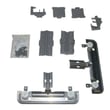


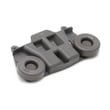



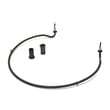

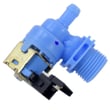

What are the common problems with Kenmore dishwashers?
Common problems we see on the Kenmore 66513543N412 dishwasher include poor cleaning, not draining, not filling, leaking, and drying issues. Many of these trace back to loading, water temperature, detergent/rinse aid use, or a few serviceable parts described in the 66513543N412 use and care manual.
- Not cleaning well: confirm spray arms spin freely and filters are clean.
- Not draining: check for a kinked drain hose, disposer knockout plug, or a clogged filter area.
- Not filling: verify the water supply valve is on and the overfill float moves freely.
- Not drying: use rinse aid and consider Heated Dry; plastics often retain water.
- Leaking: check door sealing surfaces and avoid overfilling rinse aid.
If basic checks do not fix the problem, these model-compatible parts are common suspects:
| Symptom | Likely area | Example model-compatible part |
|---|---|---|
| Leaks at the door | Door sealing | Dishwasher door seal W11177741 |
| Won’t drain / water left in tub | Drain system | Dishwasher drain pump WPW10348269 |
| Won’t fill or fills slowly | Water supply | Dishwasher water inlet valve W11175771 |
| Poor wash coverage | Wash system | Dishwasher spray arm, lower W10849471 |
Catching the root cause early helps prevent repeat wash cycles, standing water odors, and water damage. On high-efficiency Kenmore dishwashers like 66513543N412, routine filter maintenance and rinse aid use make a noticeable difference in performance.
Last updated: January 2026
How to do a hard reset on a Kenmore dishwasher?
For Kenmore dishwasher model 66513543N412, we reset the control by canceling the current cycle and draining, then restoring power. Press and hold START/RESUME for 3 seconds to activate CANCEL/DRAIN, close the door, and let it drain; if needed, turn power off for 1 minute and restart. See the 66513543N412 use & care manual.
- Press and hold START/RESUME for 3 seconds to start CANCEL/DRAIN.
- Close the door within 3 seconds so the drain cycle can begin.
- Wait until the drain finishes (typically about 2 minutes).
- If the controls are still unresponsive, turn dishwasher power OFF at the breaker for 1 minute, then turn it back ON.
- Select a cycle and press START/RESUME, then close the door within 3 seconds.
These checks solve the most common “won’t start” situations after a reset:
- Make sure Control Lock is not enabled (Lock indicator lit).
- Confirm the door is fully latched; the unit will not run with the door unlatched.
- Verify the kitchen breaker did not trip again.
- Check for blinking lights; they often indicate the door was not closed in time after pressing START/RESUME.
- If the dishwasher has power but will not run, check for an error code using Kenmore 665 model dishwasher error codes.
On 66513543N412, there is not a single labeled “reset” button. A “hard reset” is typically one of the actions below.
| Reset method | What it does | When to use it |
|---|---|---|
| CANCEL/DRAIN (hold START/RESUME 3 sec) | Stops the cycle and clears many control states | Stuck cycle, wrong cycle selected, needs restart |
| Power cycle at breaker (1 minute off) | Reboots the control board | Frozen keypad, odd behavior after outage |
Resetting correctly prevents incomplete draining and helps the control board return to a known state, which can stop repeat blinking lights and get the next wash cycle started normally.
Last updated: January 2026
How to force a Kenmore dishwasher to drain?
On Kenmore dishwasher model 66513543N412, we force a drain by canceling the current cycle: press and hold START/RESUME for 3 seconds, then close the door. If water is in the tub, the dishwasher will run a drain and the Cancel/Drain light typically turns off after about 2 minutes (see the 66513543N412 use & care manual).
- Open the door slightly and wait for spraying to stop.
- Press and hold START/RESUME for 3 seconds.
- Close the door; the drain will not start until the door is closed.
- Let the drain run until it stops.
These checks apply to 66513543N412 and similar Kenmore 665 dishwashers:
- Make sure the cycle is actually complete; if not, press START/RESUME and close the door within 3 seconds.
- Check the sink/disposer connection; a disposer inlet knockout plug can block draining.
- Inspect the drain hose for kinks or a low spot that traps water.
- Remove and clean the Ultra Wash filters in the bottom center of the tub.
- If the dishwasher hums but does not move water, the drain pump may be jammed or failing.
If you suspect a pump issue, the compatible replacement for this model is the dishwasher drain pump WPW10348269.
| What you do | What the dishwasher should do | What it suggests if it doesn’t |
|---|---|---|
| Hold START/RESUME 3 seconds | “Drain”/Cancel-Drain sequence begins after door closes | Control not accepting input, door not fully latched, or control lock active |
| Drain runs | Water level drops in tub | Clog in filters/hose/air gap, disposer plug, or weak drain pump |
Standing water can cause odors, poor cleaning, and can lead to repeated drain errors. Forcing a drain is the fastest way to clear the tub so you can troubleshoot the drain path safely.
Last updated: January 2026










