 Owner’s manual










What is error code E3 on Samsung dryer?
On the Samsung DVE50M7450W dryer, E3 is not a documented information code in the model-specific troubleshooting table. If you’re seeing “E3,” it’s often a misread of a similar-looking code (such as AC, tC, or 9C1) or a display/communication issue; confirm the exact characters using the DVE50M7450W user manual.
In the DVE50M7450W manual, the listed information codes include:
- dC (door open)
- FC (invalid power source frequency)
- AC (electronic control problem, invalid communication)
- HC (high temperature heating check)
- 9C1 (electronic control needs to be checked)
- tC and tC5 (thermistor resistance issue)
- dF (incorrect door switch)
If your display truly shows “E3,” treat it as an unrecognized code for this model and move to the checks below.
- Power reset: turn the dryer off, unplug (or switch breaker off) for 60 seconds, then restore power.
- Recheck the display: look closely for AC vs E3 (characters can look similar on some displays).
- Run a simple cycle: try TIME DRY with an empty drum to see if a code returns.
- If you see AC, tC, tC5, or 9C1: follow the manual’s actions (often lint screen and vent checks first, then service if it persists).
- If the code persists and is still “E3”: document exactly what you see and consider professional service, since control/display communication can be involved.
| What you see | What it usually means on DVE50M7450W | Typical first action |
|---|---|---|
| E3 | Not listed for this model | Reset power; verify characters |
| AC | Invalid communication | Service recommended if it remains |
| tC / tC5 | Thermistor issue | Check lint screen and vent restriction |
| 9C1 | Power/control check | Verify proper power supply |
Using the correct code matters because the next steps differ; for example, tC points you toward airflow and sensor checks, while AC points toward an electronic control communication problem.
For broader Samsung code explanations, we also recommend our Samsung dryer error codes guide.
Last updated: January 2026
What is the most common problem with Samsung dryers?
For the Samsung DVE50M7450W, the most common complaint we see is no heat or poor drying. In many cases, the root cause is restricted airflow (lint screen or venting) or a failed heating component such as a heating element (electric) or gas ignition parts (gas). See the troubleshooting section in the DVE50M7450W user manual.
- Clean the lint filter before every load and confirm it is seated correctly.
- Verify the exhaust hood outside opens freely and is not blocked.
- Check for crushed, kinked, or overly long vent ducting.
- Confirm you did not select a no-heat cycle (such as Air Fluff/Air Dry).
- Avoid overloading; bulky loads can trap moisture and feel “not dry.”
- If it is a gas dryer, confirm the gas shutoff valve is fully open.
These are the most common culprits across Samsung dryers like the DVE50M7450W:
| Symptom | Most likely cause | What to do next |
|---|---|---|
| Runs but no heat | Airflow restriction, thermal fuse, heating system fault | Clean venting; then test heat components |
| Long dry times | Vent restriction, lint buildup, improper duct material | Inspect ducting; run a vent blockage test |
| Stops with a code | Sensor/control detected a problem | Check the displayed code and follow the steps |
If your dryer shows an information code, use our Samsung dryer error codes reference to narrow it down quickly.
A dryer that is not heating or takes too long to dry is often telling you airflow is restricted. Fixing airflow issues helps prevent repeat shutdowns, improves drying performance, and reduces overheating stress on parts like the thermistor and thermal fuse.
Last updated: January 2026
How do I know if my Samsung dryer heating element is bad?
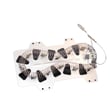
On Samsung dryer model DVE50M7450W, a “bad heating element” usually shows up as the dryer tumbling but not heating, or taking much longer to dry. The model’s troubleshooting guidance focuses first on power, cycle selection, and airflow; see the Does not heat checkpoints in the DVE50M7450W user manual.
These are the model-recommended basics that can mimic a failed heater.
- Confirm you selected a heated cycle (some cycles use little or no heat)
- Clean the lint filter before or after each load
- Check the exhaust duct for kinks, crushing, or heavy lint buildup
- Verify the outside vent hood opens and closes freely
- Check your home breakers or fuses (electric dryers can run on 120V but not heat without full power)
If airflow and power are good and the dryer still won’t heat, the heating circuit components become the next suspects.
- Dryer runs normally but produces no heat on heated cycles
- Heat cuts out repeatedly after a short time (often tied to airflow restriction or safety devices)
- You see an information code related to heating or temperature sensing
| What you notice | More likely cause | Next step |
|---|---|---|
| No heat at all | Power supply issue, heater circuit issue | Check breakers, then diagnose heater circuit |
| Long dry times but some heat | Restricted venting | Inspect and clean venting |
| Heating-related code (example: HC, tC, tC5) | Overheating or thermistor/vent issue | Use Samsung dryer error codes and check venting |
The DVE50M7450W user manual doesn’t provide step-by-step multimeter procedures for the heating element. If you’re comfortable using a multimeter, you can test the heating element, thermal fuse, and thermistor as standard electric-dryer diagnostics; otherwise, we recommend a qualified technician.
A vent restriction can cause poor drying and overheating symptoms that look like a failed heating element. Starting with airflow and the model’s checkpoints helps you avoid replacing the wrong dryer parts.
Last updated: January 2026
Why is my Samsung dryer running but not heating up?
If your Samsung dryer DVE50M7450W runs but isn’t heating, we start with the model’s documented “does not heat” checkpoints: confirm you selected a heated cycle, verify the home power supply, clean the lint filter and exhaust duct, and (for gas versions) confirm the gas supply is on.
These are the first checks Samsung lists for this dryer when it “does not heat.”
- Check your home’s circuit breakers or fuses.
- Recheck the selected cycle; some cycles don’t require heating.
- For a gas dryer, make sure the gas supply is on.
- Clean the lint filter and the exhaust duct.
- Consider whether the dryer has moved into the cool-down phase of the cycle.
For the full troubleshooting table and information codes, use the DVE50M7450W user manual.
DVE50M7450W includes a Vent Blockage Test to help you evaluate whether the duct system is exhausting properly.
- Run it with the drum empty and the lint filter clean.
- If the display shows a blockage result (such as “CLg” or “Cg”), correct the venting before doing deeper diagnosis.
- If the result is normal (such as “End” or “0”) but there’s still no heat, move on to electrical or gas-heat checks.
| Test or check | What it indicates | What we do next |
|---|---|---|
| Vent Blockage Test shows “CLg/Cg” | Restricted exhaust | Fix ducting and airflow, then retest heat |
| Vent Blockage Test shows “End/0” | Ducting appears OK | Check power supply or gas supply next |
| Dryer is in cool-down | Heat is off by design | Let cycle finish or choose a different cycle |
The manual doesn’t provide step-by-step instructions for testing internal heating components on DVE50M7450W. At that point, a qualified technician typically checks the heating system and safety controls using a meter.
- Electric heat path: power supply, heater circuit, temperature sensing
- Gas heat path: gas supply, ignition sequence, flame sensing
- Airflow-related protections: overheating protection devices may open if airflow is restricted
Related help for display messages: Samsung dryer error codes
Following the model’s checkpoints first helps you avoid unnecessary disassembly and can restore heat quickly when the cause is a cycle setting, power issue, cool-down operation, or restricted venting.
Last updated: January 2026







