Owner’s manual
 Error Codes










What is the life expectancy of a Samsung washing machine?
Most Samsung washing machines last 10 to 14 years with normal household use. Even though this page is for the Samsung dryer model DV328AER, that lifespan range is the typical expectation for modern washers when they are installed correctly, not overloaded, and maintained consistently.
Washer longevity depends most on load size, water quality, and how often the machine runs.
- Typical lifespan: 10 to 14 years
- Common “life shorteners”: chronic overloading, repeated unbalanced loads, poor drainage, hard-water scale
- Best “life extenders”: correct detergent amount, routine cleaning, stable leveling, prompt repair of leaks/noises
| Usage pattern | Typical outcome | What to do |
|---|---|---|
| Light to average (a few loads/week) | Often reaches the full 10 to 14 years | Keep up with cleaning and leveling |
| Heavy (daily loads, large family) | Wears out sooner | Reduce load size, avoid bulky overloads |
| Poor maintenance (buildup, clogs, vibration) | Shortened life | Clean, inspect hoses, address vibration early |
These are the same habits we recommend across Samsung, Kenmore, Whirlpool, and GE washers.
- Keep loads balanced; mix large and small items
- Use HE detergent and measure carefully (too much causes residue)
- Clean the tub and dispenser areas regularly
- Check and replace fill hoses if they show bulging, cracking, or leaks
- Level the washer to prevent excessive vibration and bearing wear
A washer that is kept level, clean, and not overloaded runs with less vibration and heat buildup. That reduces stress on high-wear components like bearings, suspension, and the drain pump, which are common reasons washers fail early.
For care and safety practices that also apply to laundry appliances in general, follow the guidance in the DV328AER user manual.
Last updated: January 2026
How to tell if Samsung dryer thermal fuse is bad?
If your Samsung dryer model DV328AER won’t start or runs but won’t heat, a blown thermal fuse is a common cause. We confirm it by safely accessing the fuse and testing it with a multimeter for continuity; no continuity means the fuse is bad.
A thermal fuse is a one-time safety device; when it opens, it stops heat (and on some designs can stop the dryer from running).
- Dryer won’t start at all
- Dryer runs but produces no heat
- Cycle ends early or clothes stay damp (often alongside airflow problems)
- Burning smell or unusually hot cabinet (stop using the dryer and correct airflow)
- Unplug the dryer (electric shock hazard).
- Pull the dryer out and check the vent path for restrictions first (lint buildup is the most common reason a fuse opens).
- Access the thermal fuse area using the disassembly guidance in the DV328AER owner’s manual.
- Remove at least one wire from the fuse terminal so you are not reading the circuit through other components.
- Set a multimeter to continuity (or lowest ohms).
- Touch probes to the fuse terminals.
| Meter result | What it means | What to do next |
|---|---|---|
| Beep or near 0 ohms | Fuse is good | Check airflow, thermostats, heater circuit |
| No beep or OL/infinite | Fuse is blown | Replace fuse and fix the overheating cause |
If the fuse blew, correct the root cause so the replacement does not fail again.
- Clean lint screen and exhaust duct (the manual recommends cleaning the lint screen every load and inspecting/cleaning ducting regularly)
- Verify the outside vent hood opens and closes freely
- Consider checking temperature control components such as the dryer high-limit thermostat DC47-00018A
- If heat is erratic, check the dryer thermistor DC32-00007A
A thermal fuse opens when the dryer overheats, which is usually caused by restricted airflow. Restoring proper venting helps the dryer heat correctly, dry faster, and prevents repeat failures.
Last updated: January 2026
What is the most common Samsung dryer error?
On Samsung dryers like model DV328AER, the most common error is a door open/door not latched condition. When the control senses the door is open, the dryer will not run; closing and firmly latching the door typically clears it (see the DV328AER user manual).
- Press the door closed until you feel and hear the latch engage.
- Check the door opening for lint buildup that can keep the door from closing fully.
- Inspect the door strike for wear or looseness; replace it if it no longer catches securely.
- Make sure clothing is not caught between the door and the front panel.
- If the door is shut but the error returns, the door switch circuit may need service.
Many Samsung dryer information codes are triggered by overheating or temperature-sensing issues, and restricted airflow from lint is a top cause.
- Clean the lint screen before every load.
- Check the vent path for crushing, kinks, or heavy lint buildup.
- If the dryer overheats, inspect safety thermostats and fuses.
- If temperatures seem erratic, a sensor issue is likely.
| Symptom | What it often points to | Example part for DV328AER |
|---|---|---|
| No heat or shuts off on heat | Open safety device | Dryer thermal cut-off thermostat DC47-00016A |
| Overheats | High-limit control issue or airflow restriction | Dryer high-limit thermostat DC47-00018A |
| Temperature readings seem wrong | Sensor problem | Dryer thermistor DC32-00007A |
Door errors stop the dryer for safety, and heat-related errors protect the heater and wiring from overheating. Fixing lint and airflow problems first prevents repeat failures and helps clothes dry faster.
Last updated: January 2026
How to tell if a Samsung dryer heating element is bad?
A bad heating element in our Samsung DV328AER dryer typically shows up as no heat or very long dry times, even though the drum tumbles normally. We confirm it by safely disconnecting power, then checking the element for continuity and for a short to the metal housing.
- Clothes stay cool or damp at the end of a normal cycle
- Dry times suddenly get much longer
- Dryer runs but never seems to get warm
- Heat cycles oddly (brief warmth, then mostly cool air)
- A burning smell or visible scorching near the heater area
Before testing, unplug the dryer (or switch off the breaker) and let it cool.
- Access the heater terminals using the disassembly steps in the DV328AER user manual.
- Continuity test (multimeter):
- Remove at least one wire from the element terminal.
- Measure across the element terminals.
- A good element usually shows continuity and a resistance commonly around 8 to 15 ohms (many Samsung elements land near 10 ohms).
- Short-to-ground test:
- Measure from either element terminal to the metal heater housing.
- You should read no continuity. Continuity here means the coil is shorted and the element is bad.
If you can see the coil, look for:
- Broken coil sections
- Burn marks or melted insulators
- Coil touching the metal housing
A dryer can tumble with no heat even when the element is fine. Check these common items:
- Restricted venting or lint buildup (the manual recommends cleaning the lint screen every load and periodic duct cleaning)
- Blown thermal cut-off or fuse
- Failed high-limit thermostat
- Wiring connection damage at the heater
| Symptom | Part to consider | What it does |
|---|---|---|
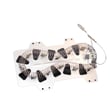
| No heat, element tests open | Samsung dryer heating element DC47-00019A | Produces heat for the cycle |
| No heat after overheating event | Dryer thermal cut-off thermostat (example: DC47-00016A) | Opens circuit if temps get unsafe |
| Overheats or shuts heat off early | Dryer high-limit thermostat (example: DC47-00018A) | Limits heater temperature |
A grounded or open heating element can stop drying performance and can also trigger overheating protection. Confirming the element with a meter helps you avoid replacing the wrong part and points you toward airflow issues when the element tests good.
Last updated: January 2026