 Owner’s manual
 Error Codes









Where is the model number on Kenmore Elite dryer?
On the Kenmore Elite dryer model 79682198900, the model number is printed on the appliance’s rating label. You’ll usually find that label when you open the dryer door, on the door opening (cabinet frame) area; some units also place it on the back of the cabinet near the top.
Most common places to check
- Open the dryer door and look along the door opening frame (left or right side)
- Check the inside edge of the door itself
- Look on the rear panel near the top of the dryer cabinet
- If your dryer is stacked, check the front frame area first (easiest access)
What the label looks like
The rating label typically includes the model number, serial number, and electrical information. On Kenmore Elite dryers, it is usually a white or silver sticker.
| Location | How to spot it | Why it’s used |
|---|---|---|
| Door opening (cabinet frame) | Sticker visible with door open | Quick access for service and parts |
| Inside edge of door | Sticker on door perimeter | Protected from wear |
| Back of cabinet (near top) | Sticker on rear panel | Common alternate placement |
Why it matters
We use the exact model number to match the correct Kenmore Elite 796 parts, diagrams, and repair instructions. Even small model-number differences can change the correct drum belt, heating element, or control board.
Tips for reading it correctly
- Copy the model number exactly as printed (all digits)
- Write down the serial number too; it helps confirm production details
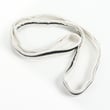
- Use the model number when ordering common wear items like the dryer drum belt 4400EL2001F
For label examples and model identification details, check the 79682198900 owner's manual.
Last updated: January 2026
How to hard reset a Kenmore dryer?
A hard reset on your Kenmore Elite dryer model 79682198900 is done by removing power long enough to clear the control board memory. Unplug the dryer (or switch the breaker off) for about 1 to 5 minutes, then restore power and try a normal cycle. See the 79682198900 owner's manual for model-specific reset and control-panel steps.
Hard reset steps (safe and effective)
- Turn the dryer OFF.
- Unplug the power cord (or turn the circuit breaker OFF).
- Wait 1 to 5 minutes.
- Restore power.
- Open and close the door once, then select a cycle and press Start.
- If the display shows an error again, write it down before doing anything else.
If a reset does not fix it
A reset clears a temporary control glitch, but it will not correct airflow restrictions or failed safety parts. Check these common causes next:
- Lint screen and lint screen housing are packed with lint
- Vent duct is crushed, kinked, or clogged
- Dryer overheats and trips a safety thermostat
- Drum does not turn because the belt or idler pulley is worn
- Moisture sensor bars are coated with residue, causing odd auto-dry behavior
Quick symptom-to-likely-cause table
| What you notice | What it usually points to | What to check first |
|---|---|---|
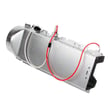
| Runs but no heat | Heating circuit problem | Dryer heating element 5301EL1001J and airflow |
| Stops mid-cycle, very hot | Overheating protection | Venting, lint buildup, thermostat |
| Hums but drum will not turn | Drive system issue | Dryer drum belt 4400EL2001F and idler pulley |
| Clothes stay damp on Auto | Sensor/airflow issue | Dryer moisture sensor 6500EL3001A and venting |
Why it matters
Resetting is a good first step because it is fast and safe, but repeated shutdowns or recurring errors usually mean the dryer is protecting itself. Fixing airflow and worn drive parts helps prevent overheating, long dry times, and repeat failures.
For error messages, use the Kenmore elite dryer error codes reference to match the code to the most likely failed part or condition.
Last updated: January 2026
What does AF mean on Kenmore Elite dryer?
On Kenmore Elite dryer model 79682198900, AF means the dryer is detecting restricted airflow. In most cases, the dryer is not moving enough air through the drum and venting system, so drying times increase and the dryer may run hotter than normal.
What to check first (fast airflow fixes)
- Clean the lint screen before every load.
- Check the exhaust vent hose behind the dryer; straighten kinks and remove crushing.
- Clean lint buildup from the vent duct and the outside vent hood.
- Make sure the outside vent flap opens fully while the dryer is running.
- Avoid long vent runs and too many elbows; they reduce airflow.
- Do not overload the drum; heavy loads restrict air movement through fabrics.
Quick diagnostic: venting vs. dryer problem
Run a timed dry cycle on high heat for 5 to 10 minutes.
| What you notice | What it usually means | What to do next |
|---|---|---|
| Strong airflow at the outside vent | Venting is likely OK | Check internal lint path and blower area |
| Weak airflow at the outside vent | Vent restriction is likely | Clean/shorten venting, clear vent hood |
| Airflow starts OK then drops | Lint blockage or vent flap sticking | Inspect duct for lint clumps, replace damaged vent hood |
Parts that can contribute to AF symptoms
If venting is clear but airflow is still weak, we focus on the internal air path and blower system.
- Lg dryer lint screen housing MCK49049101: Cracks, gaps, or lint buildup can disrupt airflow through the lint duct.
- Dryer blower wheel 5835EL1002A: A loose, damaged, or lint-packed blower wheel can reduce air movement.
- Dryer blower thermostat 6931EL3002M: If the dryer overheats from poor airflow, safety controls can cycle heat off and extend dry time.
Why it matters
Restricted airflow is the most common reason for long dry times and overheating. Fixing airflow helps protect the heating system, improves efficiency, and reduces nuisance error codes.
For model-specific guidance on cleaning points and venting requirements, use the 79682198900 owner's manual.
Last updated: January 2026
What model number is the Kenmore Elite 79682198900 dryer?
The model number for this Kenmore Elite dryer is 79682198900. You will typically find it on the model and serial tag on the cabinet opening (door area) or on the back panel; our 79682198900 owner's manual also shows where to locate it.
Where to find the model number on the dryer
Check these common locations on Kenmore Elite dryers:
- Inside the door opening on the cabinet frame
- On the back of the dryer cabinet
- Along the door rim or door frame area
- On a label near the lint screen housing (varies by design)
How to read the tag (what to record)
Write down the full model number exactly as shown, plus the serial number.
| What to capture | Example format | Why we need it |
|---|---|---|
| Model number | 79682198900 | Ensures correct parts and diagrams |
| Serial number | Letters and numbers | Helps match production changes |
| Type | Electric or gas | Affects heating and ignition parts |
Why it matters
The model number is the fastest way to match the correct Kenmore parts and troubleshooting steps for your exact dryer. For example, if you are diagnosing a squeal or no-tumble issue, the correct belt and pulley parts depend on the model.
Parts that commonly depend on the exact model
If you are ordering repair parts for 79682198900, these are frequent matches for noise or no-spin symptoms:
Last updated: January 2026










