 Owner’s manual







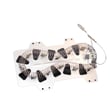



What is the capacity of the Samsung dryer model DV40J3000EW A2?
The Samsung dryer model DV40J3000EW has a 7.2 cu. ft. drum capacity. This is the usable drum volume for drying loads; it helps you match load size to cycle type (Sensor Dry vs. Time Dry) for better drying performance.
How to use capacity the right way
A 7.2 cu. ft. dryer like the DV40J3000EW is designed for everyday family loads, but results depend on how full the drum is and how well air can move through the load.
- Fill the drum loosely; don’t pack items down.
- For mixed loads, separate heavy items (towels, jeans) from lightweight items (synthetics).
- If you’re drying only 1 to 2 items, add a few similar items (like towels) to improve tumbling.
- Clean the lint filter before or after each load.
- If drying takes too long, check the venting for restrictions and keep the duct run short and straight.
Load size guidance (quick reference)
The DV40J3000EW user manual includes practical load-size recommendations that work well with a 7.2 cu. ft. drum. See the DV40J3000EW user manual for the cycle chart and load guidance.
| Load size | What it looks like in the drum | Why it helps |
|---|---|---|
| Small | About 1/4 full | Better tumbling for a few items |
| Medium | About 1/2 full | Balanced drying and airflow |
| Large | Up to about 3/4 full | Prevents overloading and uneven drying |
Why it matters
Capacity affects drying time, energy use, and wrinkles. Overloading a 7.2 cu. ft. dryer restricts airflow and tumbling, which can leave clothes damp, increase cycle time, and cause more wrinkling.
Last updated: January 2026
How to reset Samsung dryer error code?
To reset an error code on your Samsung DV40J3000EW dryer, we recommend a power reset: turn the dryer off, unplug it (or switch the breaker off) for 1–5 minutes, then restore power and start a cycle. If the code returns, it is signaling a condition that needs troubleshooting, not just a reset.
Reset steps for DV40J3000EW
- Press Power to turn the dryer off.
- Unplug the dryer (or turn the circuit breaker off).
- Wait 1–5 minutes.
- Restore power.
- Start a cycle and watch for the code to reappear.
For model-specific information codes and what they mean, use the DV40J3000EW user manual.
What to do if the code comes back
On the DV40J3000EW, the manual lists several “information codes” that typically will not clear until the underlying issue is corrected. Common next steps include:
- Clean the lint filter and make sure it is seated correctly.
- Check airflow: confirm the vent hood opens freely and the duct is not crushed or clogged.
- Confirm the door is fully closed (door-related codes can appear if the door switch is not made).
- Avoid overloading; heavy loads can trigger drying and temperature-related issues.
- Try a different cycle (for example, switch from Sensor Dry to Time Dry) to see if the behavior changes.
If the dryer will not run, will not heat, or repeatedly shows a code after a reset, we recommend following the troubleshooting flow in the manual and then scheduling service if needed.
Quick code-to-action guide (typical)
| What you see | What it usually points to | First thing to check |
|---|---|---|
| Vent or airflow-related code | Restricted exhaust airflow | Lint filter, vent duct, outside hood |
| Door-related code | Door not sensed as closed | Door closure, door switch area |
| Button/input-related code | Stuck key or control input issue | Make sure no button is held down |
For a broader list of Samsung dryer codes and fixes (beyond what’s printed for one model), see our Samsung dryer error codes resource.
Why it matters
Resetting clears temporary control glitches, but repeated error codes are the dryer’s way of protecting the heater, motor, and control board. Fixing airflow and loading issues first can prevent long dry times, overheating, and repeat shutdowns.
Last updated: January 2026
What is the most common problem with Samsung dryers?
On the Samsung DV40J3000EW dryer, the most common issue we see is poor or no heat, and the root cause is often restricted airflow (lint screen or venting) rather than a failed component. Start with venting and lint checks before replacing parts; it solves many “no-heat” complaints.
Quick checks first (most likely fixes)
- Clean the lint filter before every load.
- Confirm the outside vent hood opens freely while the dryer runs.
- Inspect the entire exhaust duct for kinks, crushing, or lint buildup.
- Use 4-inch rigid metal duct when possible; avoid plastic or non-metal duct.
- Make sure you are not using an unheated cycle such as Air Fluff.
- Avoid overloading; heavy and light fabrics dry at different rates.
Common symptoms and what they usually point to
| Symptom | Most common cause | What to do first |
|---|---|---|
| Runs but doesn’t heat | Airflow restriction or incorrect cycle selection | Clean lint filter and venting; select a heated cycle |
| Takes too long to dry | Vent restriction or long/complex duct run | Shorten/straighten duct; clean duct and hood |
| Stops before clothes are dry | Load too small or too large | Add a few towels or reduce load size |
| Loud thumping/squealing | Worn drum support parts or belt system wear | Inspect drum support and belt path |
When it is not airflow
If airflow is good and the DV40J3000EW still won’t heat, typical suspects on dryers include the heating system and safety devices (for example, heating element on electric models, or gas ignition components on gas models), plus temperature sensing components. The DV40J3000EW manual also lists information codes that can help narrow this down.
Helpful references
- Use the troubleshooting and information code sections in the DV40J3000EW manual.
- If you see an error code, match it using our Samsung dryer error codes guide.
Why it matters
A restricted vent can cause long dry times, repeated “no heat” complaints, and overheating that can trip safety cutoffs. Fixing airflow first is the fastest, most cost-effective step and helps protect the dryer’s heating system.
Last updated: January 2026
What is the part number of the heating element in the Samsung DV40J3000EW A2?
We can’t confirm the heating element part number for the Samsung DV40J3000EW from the model-specific information available here. The DV40J3000EW manual confirms this model family includes an electric version (5300 W heater rating), but it does not list replacement part numbers.
How to get the correct heating element part number
Because Samsung uses multiple variants (such as A2-00) that can change parts, we recommend matching the part to the full data label.
- Open the dryer door and find the data label on the door opening or frame
- Write down the full model and version code (for example, A2-00)
- Use the model-based parts list for DV40J3000EW to identify the “heater” or “heating element” item
- Compare the old element’s markings only as a secondary check
Quick checks before you order a heater
A “no heat” complaint is often caused by airflow or a safety device, not the heater itself.
- Clean the lint screen and confirm strong airflow at the outside vent
- Check for a crushed or long vent run (restricted venting can overheat and open safety fuses)
- If the drum turns but there’s no heat, test the thermal fuse/thermal cut-off and the heating element for continuity
What the manual does confirm for DV40J3000EW
The manual provides specs and installation requirements, which help you identify whether you have an electric or gas configuration.
| Item | What to look for | Why it matters |
|---|---|---|
| Heater rating | 5300 W (electric) | Indicates an electric heating circuit is used |
| Gas rating | 22,000 BTU/hr (gas) | Indicates a burner system is used instead |
| Data label | Behind the door | Confirms your exact variant for parts matching |
Why it matters
Ordering a heating element by “DV40J3000EW” alone can lead to the wrong part if your version uses a different heater housing or wiring. Matching the full model/version helps avoid returns and repeat repairs.
Helpful related info
If you’re diagnosing a heating problem, electric dryer wont heat troubleshooting video can help you narrow down whether the issue is the heater, a thermal fuse, or airflow.
Last updated: January 2026







