Owner’s manual
 Error Codes




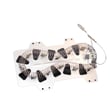



How to tell if a Samsung dryer heating element is bad?
A bad heating element in your Samsung DV405ETPASU dryer typically shows up as no heat, very long dry times, or a burning smell. We confirm it by safely accessing the heater and checking the element for visible damage and proper electrical continuity, then correcting any airflow issue that caused overheating.
Quick symptoms to look for
- Dryer runs but clothes stay damp or cold
- Cycle takes much longer than normal to dry
- Burning smell or scorching on clothes (stop using the dryer)
- Breaker trips when heat turns on (possible short to ground)
- Dryer heats briefly, then stops heating (often a safety device opens)
How we test the heating element (safe, practical steps)
- Disconnect power: Unplug the dryer (electric dryers can still have dangerous voltage present if plugged in).
- Access the heater housing: Follow the disassembly steps in the DV405ETPASU owner's manual.
- Visual check: Look for a broken coil, hot spots, or a coil touching the metal housing.
- Continuity test: With wires removed from the element terminals, test across the element terminals. A good element shows continuity; an open reading indicates a failed element.
- Short-to-ground test: Test from an element terminal to the metal heater housing. Any continuity indicates the element is shorted and must be replaced.
Parts that commonly fail with (or cause failure of) the element
Restricted venting and overheating often take out safety parts along with the heater. For this model, common heat-related parts include:
- Samsung dryer heating element DC47-00019A
- Dryer high-limit thermostat DC47-00018A
- Dryer thermal cut-off fuse DC47-00015A
- Dryer thermistor DC32-00007A
What the test results usually mean
| Test result | What it points to | What to do next |
|---|---|---|
| No continuity across element | Element is open | Replace heating element; check venting |
| Continuity to metal housing | Element shorted | Replace element; inspect wiring |
| Element tests good but no heat | Control, thermostat, fuse, or airflow issue | Test safety devices; clean venting |
Why it matters
A failing heater or a clogged vent can overheat the dryer, blow a thermal cut-off, damage wiring, and dramatically increase dry time. Fixing airflow and replacing the correct heat components restores safe, consistent drying.
You can order replacement parts for your Samsung DV405ETPASU from the parts list for this model, or search by model on Sears PartsDirect.
Last updated: February 2026
How to tell if Samsung dryer thermal fuse is bad?
A bad (blown) thermal fuse in your Samsung DV405ETPASU dryer will read open on a multimeter, meaning no continuity and typically OL/infinite resistance. Test it with the dryer unplugged; if it is open, replace the fuse and correct the overheating cause first.
How to test the thermal fuse (safe, accurate method)
- Unplug the dryer (or switch off the breaker) before opening any panels.
- Access the fuse location using the steps in the DV405ETPASU owner's manual.
- Remove at least one wire from the fuse terminal so you are not reading the circuit.
- Set your multimeter to continuity (beep) or the lowest ohms setting.
- Touch one probe to each fuse terminal:
- Good fuse: beeps or reads close to 0 ohms
- Bad fuse: no beep and reads OL/infinite
What usually causes a thermal fuse to blow
A thermal fuse is a one-time safety device; it opens when the dryer overheats. On DV405ETPASU dryers, overheating is most often tied to airflow restrictions.
- Lint buildup in the lint screen housing
- Crushed, kinked, or excessively long vent duct
- Clogged outside vent hood
- Weak airflow from a damaged blower wheel
- Cycling problems from a failing temperature sensor
Parts that commonly relate to “blown fuse” symptoms
If your fuse tests bad, also inspect the airflow and consider related heat-control parts.
| Symptom | Most likely area to check | Example part for DV405ETPASU |
|---|---|---|
| Dryer runs but no heat | Heat circuit safety devices | Dryer thermal cut-off fuse DC47-00015A |
| Overheats, shuts off, or blows fuse again | Venting and temperature limiting | Dryer high-limit thermostat DC47-00018A |
| Long dry times, hot cabinet | Air movement | Dryer blower wheel DC67-00180B |
Why it matters
A blown thermal fuse is a warning sign that the dryer overheated. Replacing the fuse without fixing the airflow or heat-control issue can lead to repeat failures, longer dry times, and additional part damage.
You can order DV405ETPASU replacement parts from the parts list for this model, or search by model number on Sears PartsDirect.
Last updated: February 2026
How do I reset my Samsung dryer?
For your Samsung DV405ETPASU dryer, the most reliable reset is a simple power reset: turn the dryer off, cut power at the breaker (or unplug it) for about 5 minutes, then restore power and start a cycle. This clears many temporary control glitches.
Quick reset steps (power cycle)
- Turn the dryer OFF.
- Unplug the power cord or switch the dryer’s circuit breaker OFF.
- Wait 5 minutes.
- Restore power.
- Press Power, then start a timed dry cycle to test.
If the dryer still will not run or keeps showing a code
A reset helps with temporary issues; repeated errors usually point to airflow, heat, or a sensor problem.
- Clean the lint screen completely.
- Check the vent path for restrictions (crushed hose, lint buildup, blocked exterior hood).
- If the dryer runs but does not heat or overheats, inspect common heat-safety parts.
- If the drum will not turn or you hear squealing, inspect common drive parts.
Parts that commonly relate to “no heat”, overheating, or long dry times
If troubleshooting points to a failed component, these are common suspects for DV405ETPASU:
| Symptom | Common part to check | Example from this model’s parts |
|---|---|---|
| No heat or weak heat | Heating circuit component | Samsung dryer heating element DC47-00019A |
| Overheating or shuts off | Safety thermostat | Dryer high-limit thermostat DC47-00018A |
| Long dry times | Temperature sensing | Dryer thermistor DC32-00007A |
Why it matters
Resetting clears the control board’s temporary state, but it does not fix the underlying cause of repeated shutdowns or heating faults. Addressing airflow and heat-safety components helps prevent nuisance trips and protects the heater circuit.
For model-specific operating details and any reset guidance tied to your control panel, use the DV405ETPASU owner's manual. If you need to order parts, use the parts list for this model or search by model number on Sears PartsDirect.
Last updated: February 2026
Is 7.5 cubic feet a large dryer?
Yes. A 7.5 cu. ft. dryer is considered large capacity; most “large” dryers fall in the 7 to 9 cu. ft. range. For your Samsung DV405ETPASU, confirm the exact listed capacity and cycle recommendations in the DV405ETPASU owner's manual.
How 7.5 cu. ft. compares
A 7.5 cu. ft. drum sits in the large-capacity class, which is designed to handle family-size loads and bulkier items with better tumbling space.
| Capacity range | Common label | Typical use |
|---|---|---|
| 3.4 to 4.4 cu. ft. | Compact | Apartments, small loads |
| 6.0 to 6.9 cu. ft. | Standard | Everyday loads |
| 7.0 to 7.9 cu. ft. | Large | Towels, bedding, family loads |
| 8.0 to 9.0 cu. ft. | Extra-large | Frequent bulky loads |
What “large capacity” means for drying results
Large drums dry best when items can tumble freely; packing the drum tight reduces airflow and increases dry time.
- Dry bulky items (blankets, towels) with more room to lift and drop
- Reduce wrinkles by avoiding overfilling
- Improve sensor-dry accuracy when airflow is strong
- Cut total cycles by combining loads appropriately
Tips to get the most from a large drum
If a large dryer takes too long to dry, airflow and heat control are the first things to check.
- Clean the lint screen before every load
- Keep the vent run short, smooth, and free of lint buildup
- Load to about 3/4 full for best tumbling
- If temperatures seem inconsistent, test the dryer thermistor DC32-00007A
- If the drum slips or won’t tumble properly, inspect the Samsung dryer drum belt 6602-001655
Why it matters
Capacity affects how much you can dry per cycle, but performance still depends on tumbling, heat, and venting. A large-capacity dryer saves time only when airflow and key components are working correctly.
Last updated: February 2026