 Owner’s manual
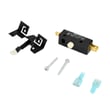




How to tell if a dryer thermal fuse is bad?
A bad thermal fuse in your Kenmore dryer model 11096282100 typically causes the dryer to stop heating or not run at all. The most reliable check is a continuity test with a multimeter; a blown fuse reads OL/infinite resistance (no beep), while a good fuse reads near 0 ohms (beep).
Quick symptoms to look for
- Dryer runs but produces no heat
- Dryer will not start (some designs route power through the fuse)
- Cycle ends early because airflow is restricted and the dryer overheats
- Burning smell or unusually hot cabinet (often caused by vent restriction)
How we test the thermal fuse (continuity)
- Unplug the dryer (or switch off the breaker).
- Access the fuse location using the steps and panel removal notes in the 11096282100 owner’s manual.
- Remove at least one wire from the fuse terminal.
- Set the meter to continuity or ohms.
- Touch probes to the fuse terminals.
What the meter should show
| Meter result | What it means | Next step |
|---|---|---|
| Beep or ~0 to 1 ohm | Fuse is good | Keep troubleshooting heat/airflow |
| OL / no beep / very high ohms | Fuse is blown | Replace the fuse and fix the overheating cause |
What usually blows a thermal fuse (and what to fix)
A thermal fuse opens when the dryer overheats. Replacing the fuse without fixing the cause often leads to repeat failures.
- Clean lint from the lint screen housing and blower area
- Check the vent hose for kinks, crushing, or long runs
- Clear the outside vent hood and confirm strong airflow
- Inspect the blower wheel for damage or looseness (a slipping wheel reduces airflow)
- Verify the operating thermostat is cycling correctly
Why it matters
The thermal fuse is a safety device. When it opens, it prevents unsafe overheating, but it also points to an airflow or temperature-control problem that needs attention.
Last updated: January 2026
How do I know if my dryer thermistor is bad?
A bad dryer thermistor typically shows up as poor temperature control: the Kenmore 11096282100 may run with little or no heat, overheat and shut down, or dry inconsistently. The most reliable way to confirm is a resistance (ohms) test at room temperature and again when warmed, using the wiring diagram in the 11096282100 manual.
Common symptoms we see
- Clothes take much longer than normal to dry
- Dryer tumbles but has no heat (or heat cuts in and out)
- Cycle stops early or shuts off mid-cycle from overheating protection
- Temperature feels erratic (too hot, then cool, then hot)
- Repeated thermal safety trips often tied to airflow issues (lint, vent restriction)
Quick checks before you test the thermistor
Many “bad thermistor” complaints are actually airflow or power problems. Check these first:
- Clean the lint screen and confirm strong airflow at the outside vent hood
- Inspect the vent duct for kinks, crushing, or heavy lint buildup
- Verify the correct power supply (electric dryers need full 240V; a half-tripped breaker can cause no-heat)
- Make sure the drum is turning normally; a slipping belt can affect cycle performance (see drum belt 341241)
How to test a dryer thermistor (basic method)
- Unplug the dryer.
- Access the thermistor (location varies by design; use the wiring diagram and component layout in the manual).
- Disconnect the thermistor wires.
- Measure resistance with a multimeter at room temperature.
- Warm the sensor slightly (hair dryer on low, briefly) and measure again.
What readings mean
| Test result | What it usually indicates | Next step |
|---|---|---|
| Open circuit (no continuity) | Failed sensor or broken wiring | Inspect harness, replace sensor if wiring is good |
| Near 0 ohms (short) | Failed sensor | Replace sensor |
| Resistance changes smoothly with heat | Sensor likely OK | Check airflow, thermostat, heater circuit |
Why it matters
The thermistor helps regulate drum temperature. When it reads wrong, the dryer can underheat (long dry times) or overheat (shutdowns and blown thermal protection), which also stresses the heating circuit and wiring.
Last updated: January 2026
How do I know if my dryer thermostat is bad?
A bad thermostat in your Kenmore dryer model 11096282100 usually shows up as no heat, overheating, or long dry times because it is not regulating drum temperature correctly. We confirm it by checking operating symptoms first, then testing the thermostat circuit with a meter using the wiring and component locations in the 11096282100 manual.
Common signs the thermostat is failing
- Clothes take much longer than normal to dry (even with a clean lint screen and vent).
- Dryer runs but produces little or no heat.
- Dryer overheats; loads feel excessively hot or the dryer shuts down mid-cycle.
- Heat seems to cycle erratically (hot, then cool for long stretches).
- A hot or “electrical” smell appears during operation (stop the dryer and inspect airflow).
Quick checks before you test parts
Poor airflow can mimic a bad thermostat, so we rule that out first.
- Clean the lint screen and confirm it is seated correctly.
- Check the exhaust vent for kinks, crushing, or heavy lint buildup.
- Run a timed heat cycle and verify strong airflow at the outside vent hood.
- Make sure the dryer is not pushed tight against the wall (vent restriction).
How we test the thermostat (basic method)
- Unplug the dryer (electric shock hazard).
- Access the thermostat using the component locations in the 11096282100 manual.
- Label and remove the wires from the thermostat terminals.
- Use a multimeter to check continuity at room temperature.
- If continuity is missing at room temp, or readings are unstable, replace the thermostat.
What readings mean (typical guidance)
| Test result | What it usually indicates | Next step |
|---|---|---|
| Continuity at room temp | Thermostat contacts are closed as expected | Check cycling behavior and airflow |
| No continuity at room temp | Thermostat stuck open or failed | Replace thermostat |
| Dryer still overheats with good airflow | Thermostat may be stuck closed or out of calibration | Replace thermostat and recheck venting |
Why it matters
This model uses an automatic dry thermostat control; when temperature regulation is off, drying performance drops and overheating can damage wiring, the heating circuit, and fabrics.
Last updated: January 2026
How to tell if the dryer heating element is bad?
If your Kenmore dryer model 11096282100 runs but won’t dry, the heating element is often bad when the dryer has no heat or takes far too long to dry. We confirm it by checking airflow first, then testing the heater circuit with a multimeter for continuity.
Quick symptoms that point to a bad heating element
- Dryer tumbles normally but clothes stay cold and damp
- Dryer heats sometimes, then stops heating mid-cycle
- Cycle times get much longer even on timed dry
- Burning smell or visible hot spot marks inside the heater housing area
- Breaker trips when heat should turn on (can also be wiring or motor)
How we test it (safe, reliable method)
- Unplug the dryer (and shut off gas if you have a gas model; 11096282100 is listed with an electric rating in the specs).
- Access the heater terminals using the disassembly steps in the 11096282100 owner's manual.
- Set a multimeter to resistance (ohms) and test across the heating element terminals.
- Interpret the reading:
- Normal: measurable resistance (not OL/infinite)
- Bad element: OL/infinite resistance (open circuit)
- Also check for a short to ground by testing from each heater terminal to the metal heater housing; you should read no continuity.
Don’t skip airflow checks (most “no-heat” calls start here)
Restricted venting can overheat the heater box and open safety devices.
- Clean the lint screen and lint duct
- Inspect the vent hose for kinks or crushing
- Confirm strong airflow at the outside vent hood
- If airflow is weak, correct venting before replacing heat parts
What else can mimic a bad heating element?
| Symptom | More likely cause | Common check |
|---|---|---|
| No heat at all | Thermal cut-off or fuse opened | Test the cut-off kit 279769 components for continuity |
| Heats then stops | Operating thermostat cycling abnormally | Test the dryer operating thermostat WP3387134 |
| Runs only when holding start | Motor switch issue | Inspect the dryer motor switch 279827 |
Why it matters
On model 11096282100, the heater circuit is protected by temperature safety parts. Replacing only the heating element without fixing restricted airflow can cause repeat failures and longer dry times.
Last updated: January 2026








