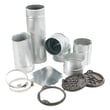
Installation guide
 Owner’s manual












What are common problems with Kenmore dryers?
Common problems we see with the Kenmore 11060222511 electric dryer include long dry times (airflow restriction), no heat (power or heating circuit issue), won’t start (door/start circuit), and squealing or thumping noises (drum support wear). The troubleshooting chart in the 11060222511 use & care manual helps narrow the cause by symptom.
Most common symptoms and what usually causes them
- Clothes take too long to dry: clogged lint screen, crushed/long vent run, blocked outside hood
- No heat but drum tumbles: one house fuse/breaker tripped (electric dryers use 2), failed heating circuit component
- Dryer won’t run: door not fully closed, start switch issue, power supply problem
- Loud squeal or rumble: worn belt, idler pulley, drum rollers, or front bearing surfaces
- Stops early on Auto Dry: dryer not level so the load does not contact moisture sensors consistently
Quick checks we recommend first (fast, no parts)
- Clean the lint screen before every load and wash it periodically to remove residue.
- Confirm strong airflow at the outside exhaust hood.
- Verify the dryer has correct power (240V supply; both breakers/fuses OK).
- Avoid overloading; heavy loads need room to tumble.
- Make sure the dryer is level (important for moisture-sensing cycles).
Common parts that match these symptoms (for this model)
| Symptom | Part that often fixes it | Notes |
|---|---|---|
| Won’t heat | Dryer heating element 279838 | Electric heat source; failures cause no-heat or weak heat |
| Won’t run or shuts off from overheating | Dryer thermal fuse WP3392519 | Often blows when venting is restricted |
| Thumping/squealing, drum not turning | Belt 341241 | A broken or stretched belt can stop tumbling |
Why it matters
Most “dryer problems” are really airflow or maintenance issues. Good venting and a clean lint screen reduce dry time, prevent overheating, and help protect key components like the thermal fuse and thermostats.
Last updated: January 2026
How do you reset a Kenmore dryer control board?
To reset the control board on your Kenmore dryer model 11060222511, disconnect power by unplugging the dryer (or switching off the breaker) for about 2 minutes, then restore power. This power-cycle can clear a temporary control glitch and reboot the electronics.
Safe reset steps (recommended)
- Turn the cycle knob to Off.
- Unplug the dryer from the wall outlet (or turn both dryer breakers off).
- Wait 2 minutes.
- Plug the dryer back in (or turn breakers back on).
- Select a cycle and press and hold Push to Start.
For normal operating and start instructions specific to this model, see the 11060222511 use & care manual.
If the dryer still will not start after a reset
A reset helps only if the issue is a temporary electronic lockup. If the dryer still will not run, we recommend checking these common causes next:
- Door not fully closed (door switch not engaging)
- Start switch not working
- House fuse or breaker issue (many electric dryers use 2 fuses/breakers)
- Loose or burned wiring at the terminal block
- Failed thermal fuse (often caused by restricted venting)
If you suspect a start-button problem, the dryer push-to-start switch WPW10563095 is the correct switch listing for this model.
Quick symptom guide
| What you see | What it usually points to | What to check first |
|---|---|---|
| Nothing happens at all | No power or open safety circuit | Breaker/fuses, door switch |
| Clicks but won’t run | Start circuit issue | Start switch, wiring |
| Runs but no heat | Heating circuit issue | Breaker/fuses, heater circuit |
Why it matters
Resetting is a fast, no-parts first step that can restore normal operation after a power surge or control hiccup. If the problem returns, it usually indicates an underlying issue (switch, wiring, airflow, or a safety fuse) that needs attention.
Last updated: January 2026
How to figure out dryer model number?
For Kenmore dryer model 11060222511, the model number is printed on the appliance’s identification label (model/serial tag). On this style of Kenmore dryer, the most reliable place to check first is the door opening area, then the rear panel if you do not see it inside the door.
Where to look on Kenmore model 11060222511
Check these common label locations in this order:
- Door opening: on the door frame, inner rim, or just inside the opening
- Back of the dryer: on the rear panel near the power cord entry or vent outlet
- Inside the cabinet: sometimes behind the lower front access area (less common on electric dryers)
- Control area: occasionally near the console or along the top panel edge
If you find multiple numbers, use the one that matches the full format 110.60222511 (sometimes printed with a dot) or 11060222511.
What the label usually includes (and what to write down)
We recommend copying the information exactly as shown:
- Model number (example: 11060222511)
- Serial number (unique to your unit)
- Electrical rating (volts/amps) for installation checks
- Manufacturing code/date (if listed)
For model-specific examples of what the tag information looks like and how it’s referenced, see the 11060222511 use & care manual.
Why it matters
The model number is how we match the correct Kenmore parts, diagrams, and repair instructions to your exact dryer. Even small model-number differences can change compatible items like a door switch, timer, or heating circuit parts.
Quick troubleshooting if you cannot find the tag
If the label is missing or unreadable:
- Check the rear panel carefully with a flashlight
- Look for a second sticker near the door opening
- Avoid using numbers from the control panel only (those are often not the model)
- Use the serial number if it’s still readable; it can help narrow the build
Common label locations by dryer type
| Dryer type | Most common model tag location | Second-best location |
|---|---|---|
| Electric dryer (like 11060222511) | Door opening/frame | Rear panel |
| Gas dryer | Door opening/frame | Behind lower front access panel |
Last updated: January 2026