 Owner’s manual
 Error Codes







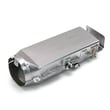

What is the error code tE5 on a Samsung dryer?
On Samsung dryer model DVE52M8650V, error code tC5 (often read as tE5) means Thermistor2 resistance is too low or too high, so the dryer is detecting an abnormal temperature-sensor reading. Start by checking airflow (lint screen and vent) and then retest the cycle using the steps in the DVE52M8650V owner's manual.
- Turn the dryer off, then restart the cycle.
- Clean the lint screen completely.
- Check the vent duct for kinks, crushing, or heavy lint buildup.
- Confirm the exterior vent hood opens freely while the dryer runs.
- Run a timed dry cycle briefly to see if the code returns.
A recurring tC5/tE5 code usually points to either restricted airflow (overheating) or a failing temperature sensor circuit.
| Likely cause | What you may notice | What to check |
|---|---|---|
| Clogged lint screen or restricted vent | Long dry times, hot cabinet | Lint screen, vent duct, outside hood |
| Loose wiring at sensor | Intermittent code | Harness connections at the sensor |
| Failed thermistor (temperature sensor) | Code returns quickly after restart | Test/replace the thermistor |
If you determine the sensor is faulty, the model-specific replacement is the dryer thermistor DC32-00007A.
Thermistor errors can cause poor drying performance and overheating protection shutdowns. Restoring proper airflow and accurate temperature sensing helps protect the heating system and keeps drying times consistent.
Last updated: February 2026
How do I find the part number for my dryer?
For your Samsung DVE52M8650V dryer, the fastest way to get the correct part number is to match the replacement part to your exact model number and the part’s name in the parts diagram and list. We recommend confirming the model and then cross-checking the part description before ordering.
- Locate your dryer’s model number on the rating label (use DVE52M8650V as your match point).
- Open the DVE52M8650V user manual to confirm features and terminology used for your dryer.
- Identify the failed symptom and the part category it points to (heat, no start, noise, long dry times).
- Use the parts list/diagram for DVE52M8650V to find the exact part name.
- Record the manufacturer part number exactly as shown (letters and dashes matter).
- Compare your old part to the listing (connectors, mounting holes, shape) before installing.
If you already know the symptom, these are common “starting point” parts for this Samsung dryer:
| Symptom | Part type to look up | Example part number from this model’s parts list |
|---|---|---|
| Dryer won’t heat or overheats | High-limit thermostat | DC47-00018A |
| Dryer shuts off due to heat issue | Thermal cut-off thermostat | DC47-00016A |
| Dryer takes too long to dry | Thermistor (temperature sensor) | DC32-00007A |
| Drum won’t tumble or squeals | Drum belt | 6602-001655 |
Samsung dryers often use multiple heat-safety parts that sound similar (thermistor, thermal cut-off, high-limit thermostat). Matching by model number + exact part name prevents ordering the wrong component and helps restore safe drying performance.
If your dryer is showing an information code on the display, use Samsung smart care dryer error codes to identify the code and the most likely part or condition to check.
Last updated: February 2026
What is the average lifespan of a Samsung dryer?
Most Samsung dryers, including model DVE52M8650V, typically last 10 to 15 years with normal household use. Consistent airflow maintenance (lint screen and venting) and avoiding overloads are the biggest factors that push lifespan toward the high end; see the DVE52M8650V owner's manual for model-specific care and maintenance guidance.
- Airflow restrictions (lint buildup in the lint screen housing, duct, or exterior hood)
- Overloading (extra strain on the drum belt, idler, and motor)
- Heat stress (repeated overheating can shorten heater and thermostat life)
- Moisture sensor and control behavior (long cycles can indicate airflow or sensor issues)
- Installation conditions (crushed vent, long duct runs, tight bends)
We recommend these practical habits for a Samsung dryer like DVE52M8650V:
- Clean the lint screen every load and keep the lint screen area clear
- Check and clean the vent duct periodically; keep the outside vent hood opening freely
- Dry similar fabrics together and avoid packing the drum tight
- Use Sensor Dry appropriately; it adjusts time based on load moisture (cycle time can vary)
- Address warning signs early (burning smell, weak airflow, repeated long dry times)
| Symptom | Most common cause | Typical fix |
|---|---|---|
| Drum will not turn, motor runs | Belt or idler issue | Inspect belt and idler, replace as needed |
| Long dry times, hot cabinet | Restricted airflow | Clean venting and lint path |
| No heat or overheating | Heater or safety thermostat/fuse issue | Test heating circuit components |
| Stops mid-cycle with code | Door or power issue | Check door closure and power supply |
A dryer that is forced to run hot or run long wears out parts faster and can trigger safety shutoffs. Keeping airflow strong is the simplest way to protect major components like the heating element, motor, and thermostats.
Last updated: February 2026
How do I know if my heating element is bad on my Samsung dryer?
If your Samsung dryer model DVE52M8650V runs but won’t heat (or takes much longer to dry), the heating element circuit is the first thing we test. A failed element typically shows no continuity on a multimeter, and you may also see heat-related symptoms like cycling issues or a hot, “overheating” smell.
- Dryer tumbles normally but clothes stay damp (no heat)
- Drying times suddenly get much longer
- Heat seems to come and go during a cycle
- A burning smell (often lint on a failing element or restricted airflow)
- The dryer may stop and show a heat-related code such as HC (high temperature heating check)
Before testing, unplug the dryer and let it cool.
- Check airflow first: clean the lint filter and confirm the vent is not restricted. Poor airflow can mimic a bad element and can also cause overheating.
- Run a continuity test on the heating element circuit components.
- Inspect visually (when accessible): a broken coil or obvious damage points to replacement.
| Test result | What it usually means | Next step |
|---|---|---|
| Continuity present | Element may be OK | Test thermostats, thermistor, airflow |
| No continuity (open/OL) | Element is failed | Replace the heating element assembly |
| Repeated overheating symptoms | Airflow restriction or control/thermostat issue | Clear vent; test high-limit and thermal cut-off |
If the element tests good, we move to the safety and sensing parts that control heater operation:
- Samsung dryer heating element assembly DC93-00154A
- Dryer high-limit thermostat DC47-00018A
- Dryer thermal cut-off thermostat DC47-00016A
- Dryer thermistor DC32-00007A (related to tC or tC5 information codes)
A dryer that “won’t heat” is often a simple electrical open in the heater circuit, but restricted venting can cause overheating, nuisance shutdowns, and repeated thermal cut-off failures. Following the diagnostic steps in the DVE52M8650V owner’s manual helps you pinpoint the real cause before replacing parts.
Last updated: February 2026
Is it worth replacing a heating element in a Samsung dryer?
Yes, it’s usually worth replacing the heating element in your Samsung DVE52M8650V dryer when the dryer otherwise runs normally (tumbles, timer advances, airflow is good) because the repair cost is typically far less than replacing the dryer. Use the DVE52M8650V owner’s manual troubleshooting section to confirm the symptom pattern before buying parts.
A failed element is a strong suspect when the dryer tumbles but produces little or no heat.
- The drum turns and the dryer runs, but clothes stay cold or damp
- You have strong airflow at the exhaust, but drying performance is poor
- The dryer heats briefly, then stops heating (can also be a thermostat or fuse issue)
- No unusual burning smell from lint buildup (if present, address venting first)
On this model, several safety and temperature-sensing parts can mimic a bad element.
| Symptom | More likely cause | Example model part to consider |
|---|---|---|
| Runs but never heats | Open heating circuit safety device | Dryer thermal cut-off fuse, 320-degree f DC47-00015A |
| Heats then shuts off | Overheating from restricted venting | Dryer high-limit thermostat DC47-00018A |
| Erratic temps, long dry times | Temperature sensing issue | Dryer thermistor DC32-00007A |
- Clean the lint filter and confirm it seats correctly
- Check the vent duct for crushing, kinks, or heavy lint buildup
- Run a timed dry cycle and verify whether heat is present at any point
- If you’re comfortable with electrical testing, check continuity of the heater circuit components (unplug power first)
A dryer that cannot move air properly can overheat and repeatedly open a thermal cut-off or high-limit thermostat. Fixing airflow first helps the new heating component last longer and restores normal drying times.
Last updated: February 2026
What is the error code E3 on a Samsung dryer?
On Samsung dryer model DVE52M8650V, the display uses Samsung “information codes.” In the troubleshooting table, the motor and load related code is typically shown as 3E (some people write it as E3). Start by reducing the load and checking the drum drive and airflow.
- Power reset: unplug for 5 minutes (or turn the breaker off and back on).
- Run a smaller load; bulky or soaking-wet items strain the drive system.
- Make sure the door closes fully and laundry is not caught at the opening.
- Clean the lint screen and confirm strong airflow at the outside vent hood.
- Use Smart Care to read the stored code and follow the app’s guidance.
For Smart Care steps and the information-code table, use the DVE52M8650V owner’s manual.
A 3E style code is triggered when the control detects abnormal motor operation, often because the drum cannot turn freely.
| Likely cause | Typical symptom | What we do next |
|---|---|---|
| Overloaded or unbalanced load | Drum starts then stops | Reduce and redistribute items |
| Belt or idler problem | Motor runs but drum does not turn; squeal/thump | Inspect belt and idler for wear or binding |
| Motor or blower binding | Humming, intermittent start | Check blower wheel area for lint or debris |
| Restricted venting (overheating stress) | Very long dry times; hot cabinet | Clear vent duct and outside hood |
If the drum is not tumbling or you hear belt or idler noises, these parts are commonly involved on this Samsung dryer:
When the drum drive is strained or airflow is restricted, the dryer can stop to protect the motor and electronic control. Correcting load size, venting, or worn drive parts restores normal tumbling and prevents repeat shutdowns.
Last updated: February 2026







