Installation guide
 Owner’s manual


What is the capacity of Kenmore model 11021252111?
The exact wash capacity (in cubic feet) for Kenmore washer model 11021252111 is listed in the product literature for this model; use the 11021252111 owner’s manual to confirm the official capacity rating for your specific configuration.
Capacity is typically shown in the specifications section of the Use and Care Guide. We recommend checking these spots:
- Specifications or Product features section
- Model and serial information page (sometimes includes capacity)
- Any cycle chart notes that mention load size guidance
- The installation space diagram (dimensions are often near specs)
Even without the cubic-feet number in front of you, you can size loads correctly by how the tub is filled.
- Load items loosely; do not pack them down
- Keep the top of the load below the tub rim
- For bulky items (blankets, jackets), wash fewer pieces at a time
- Balance mixed loads (large and small items together)
- If the washer struggles to spin or bangs, reduce the load and rebalance
The installation guide for this Kenmore top-load washer focuses on space and hookup requirements, which are different from wash capacity.
| Spec type | What it tells you | Where to confirm |
|---|---|---|
| Wash capacity (cu. ft.) | How much the tub holds for washing | 11021252111 owner’s manual |
| Cabinet width/footprint | How much floor space the washer needs | 11021252111 installation guide |
| Drain standpipe height | Proper drain setup to prevent siphoning/overflow | 11021252111 installation guide |
Using the correct capacity and load size helps your 11021252111 clean better, spin out more water, and reduce wear on key drive components like the belt and gear case.
Last updated: January 2026
How to fix fe code kenmore washer?
On Kenmore washer model 11021252111, an FE code typically points to an overfill condition; the washer may keep running the drain pump to protect against flooding. We fix it by checking whether the water inlet valves shut off fully and by inspecting the pressure-sensing hose for leaks or blockage.
- Unplug the washer before touching wiring or internal parts.
- Turn off both water supply valves at the wall.
- If water continues to enter the tub with the washer off, the inlet valve is sticking open and needs replacement.
- If the tub is not filling but FE appears, check the pressure system (hose and air dome) for a sensing problem.
- Review the error-code and diagnostic steps in the 11021252111 owner's manual.
- Stuck water inlet valve: Mineral buildup or a failed solenoid can prevent the valve from closing.
- Pressure switch hose issue: A loose, kinked, pinched, cracked, or clogged hose can make the control think the washer is overfilling.
- Drain system running as a symptom: The pump may run continuously because the control is trying to prevent an overflow.
| Symptom you see | Most likely area | What we do |
|---|---|---|
| Water keeps filling even when off | Water inlet valve assembly | Replace the valve assembly |
| FE with normal or low water level | Pressure sensing system | Inspect/replace the pressure hose |
| FE plus poor draining | Drain path/pump | Check for clogs; test pump operation |
If you find the pressure hose is damaged or loose, the correct replacement for this model is the hose WP353244.
An FE overfill condition can lead to leaks, floor damage, and repeated cycle interruptions. Fixing the inlet shutoff and pressure sensing issues restores proper fill control and prevents the washer from running the drain pump unnecessarily.
Last updated: January 2026
How to unclog drain hose on Kenmore washer?
On Kenmore washer model 11021252111, we unclog the drain hose by safely disconnecting power, draining any standing water, then removing the hose at the rear drain port and flushing or clearing the blockage. Reinstall the hose with the clamp secured so the washer drains and spins normally.
- Unplug the washer.
- Turn off both water faucets.
- Keep a shallow pan and towels ready; the hose can release water fast.
- If the tub is full, bail out water first or drain into a bucket as you loosen the hose.
- Pull the washer forward to access the back panel.
- Locate the black drain port and drain hose connection on the rear of the washer.
- Loosen the clamp, then slide the drain hose off the drain port.
- Check the hose for a kink, crushed section, or sock and lint blockage.
- Flush the hose with hot tap water; if needed, use a plastic zip tie or a small drain snake to push debris through.
- Reinstall the hose fully onto the drain port and secure it with the clamp.
- Confirm the standpipe setup is correct (about 4.5 in. of hose inside the standpipe; do not force excess hose down the pipe). See the 11021252111 installation guide.
- Verify the standpipe is not blocked (a clogged standpipe looks like a washer drain problem).
- Make sure the drain hose is not shoved too far into the standpipe.
- Avoid overloading; heavy loads shed more lint and can slow draining.
- Check pockets for coins, hair pins, and small items.
If the hose is clear but the washer still will not drain, the drain pump or hose can be the issue.
| Symptom | Most likely area | What we check next |
|---|---|---|
| Hums but will not drain | Pump obstruction or failure | Pump inlet for debris, pump impeller |
| Drains slowly | Partial blockage or kink | Hose routing, standpipe flow |
| Leaks at rear connection | Loose clamp or damaged hose end | Hose seating and clamp tension |
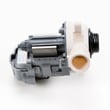
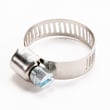
Relevant model parts:
A restricted drain hose can stop the spin cycle, leave clothes soaking wet, and strain the drain pump. Clearing the restriction and setting the standpipe depth correctly restores normal draining and helps prevent pump damage.
Last updated: January 2026
How to hard reset kenmore washer?
To hard reset your Kenmore washer model 11021252111, unplug it (or switch off the breaker) for 2 minutes, then restore power and start a normal cycle. This clears many temporary control glitches; if problems return, run the model’s diagnostic or calibration steps in the 11021252111 owner’s manual.
- Press Power/Cancel to stop the cycle.
- Unplug the washer (or turn OFF the dedicated breaker).
- Wait 2 minutes (gives the control board time to fully discharge).
- Restore power.
- Open and close the lid once, then select a Normal cycle and press Start.
- If the washer still will not start, confirm the outlet is a grounded 3-prong and not on an extension cord (power issues can mimic control failures).
Many Kenmore top-load washers clear persistent symptoms only after a calibration or diagnostic routine (especially after a power surge or control replacement). Use the exact button/knob sequence listed in the 11021252111 owner’s manual.
Common reasons to run calibration:
- Washer fills but will not agitate or spin
- Lid locks and unlocks repeatedly
- Cycle times seem wrong
- Error codes keep returning after a reset
| What you see | What to try next | Parts often involved |
|---|---|---|
| Won’t start, lid won’t lock | Hard reset; check lid strike and lock | Washer lid lock assembly W10404050 |
| Drains slowly or not at all | Check drain hose routing; inspect pump area | Washer drain pump assembly WPW10276397, washer drain hose W11244231 |
| Agitates weakly or not at all | Run calibration; inspect agitator drive parts | Agitator dog 80040, washer actuator WPW10006355 |
A hard reset clears temporary memory faults in the electronic control board, but it does not correct mechanical problems (like a failing drain pump) or installation issues (like an improperly routed drain hose). Using the correct reset and calibration steps helps prevent repeat shutdowns and nuisance error codes.
Last updated: January 2026