- Kenmore refrigerator water filters
- Whirlpool refrigerator water filters
- Samsung refrigerator water filters
- GE refrigerator water filters
- LG refrigerator water filters
- Frigidaire refrigerator water filters
- KitchenAid refrigerator water filters
- Maytag refrigerator water filters
- Kenmore Elite refrigerator water filters
- Estate refrigerator water filters
- GE Profile refrigerator water filters
- Amana refrigerator water filters
- Bosch refrigerator water filters
- Dacor refrigerator water filters
- Electrolux refrigerator water filters
Top DIY repair help
View All Repair Categories
Appliances
Lawn & Garden
Power Tools
Home Improvement
Sports & Leisure
Heating & Cooling
Quick Links
How to replace the light switch in a top-freezer refrigerator
less than a minute readMar 19Lyle Weischwill
Repair time and Difficulty
15 minutes or less
Tools Required
- Work gloves
- Slot screwdriver
- Nut driver set
The easy-to-follow instructions in this DIY repair guide explain how to replace the light switch in a top-freezer refrigerator. The light switch turns the refrigerator light on and off when you open and close the refrigerator door. The refrigerator light switch also monitors the door position for the electronic control board. If the door is open for more than 5 minutes, a door alarm sounds. If the light doesn't turn on when you open the refrigerator door or if the door alarm sounds when the door is closed, replace the light switch with a manufacturer-approved refrigerator part.
This basic procedure works for Kenmore, Frigidaire, Electrolux, Whirlpool, Maytag, Amana, GE, Gibson, Crosley and Haier refrigerators.
Instructions
- 1. Shut off the power
Unplug the power cord from the wall outlet.
- 2. Remove the control box
Remove the screw that secures the control box to the ceiling of the refrigerator compartment.
Pull the control box forward to disengage the tabs at the back of the control box.
Pull the control box down and unplug the control box wire harness from the ceiling of the refrigerator compartment.
Remove the control box and place it on a work table.
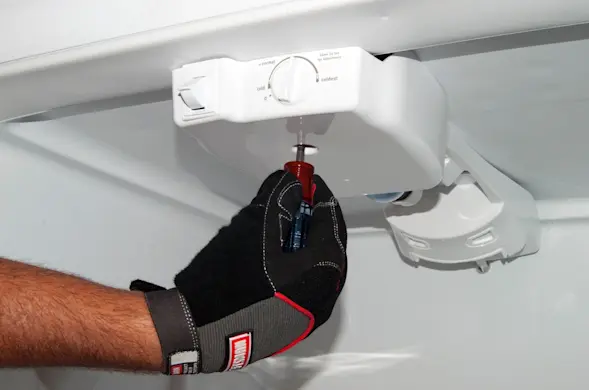
PHOTO: Remove the control box screw. 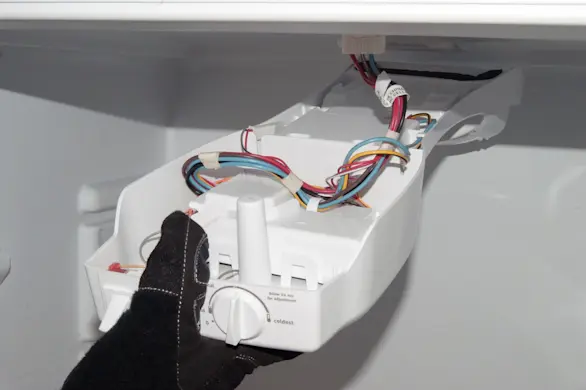
PHOTO: Pull the control box down. 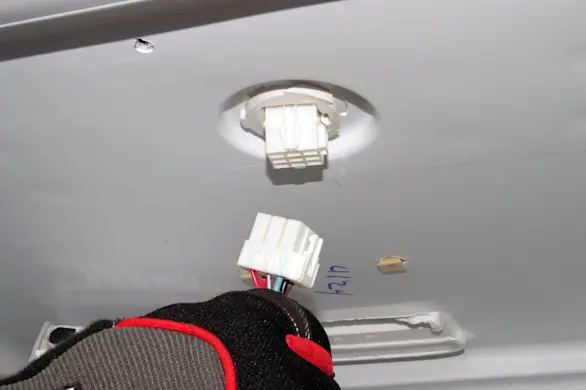
PHOTO: Unplug the wire harness.
- 3. Remove the light switch
Press the side locking tab in and push the light switch out of the control box.
Disconnect the wires from the light switch.
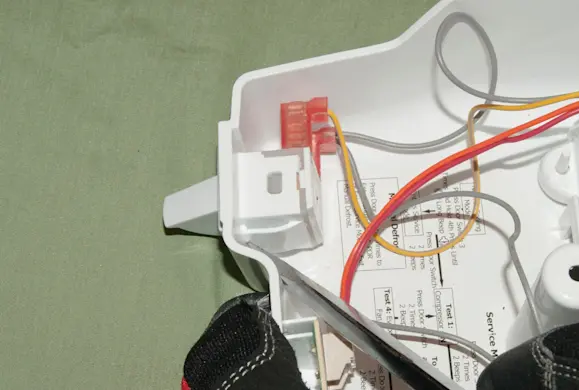
PHOTO: Release the locking tab. 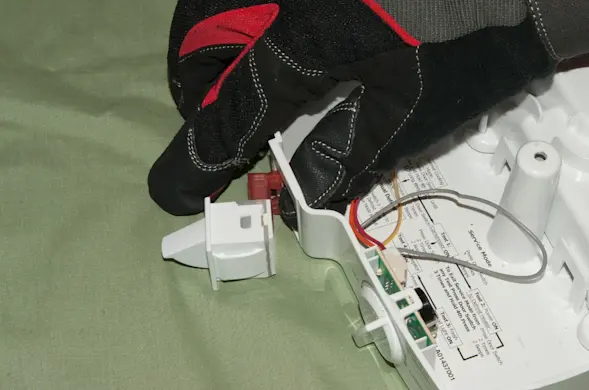
PHOTO: Push out the light switch. 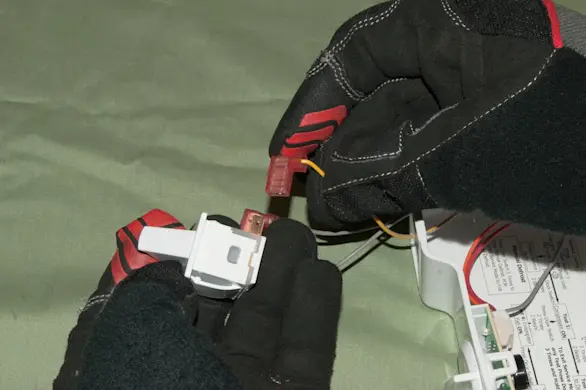
PHOTO: Disconnect the wires.
- 4. Install the new light switch
Connect the wires to the new light switch.
Push the new light switch into the control box and engage the side locking tabs.
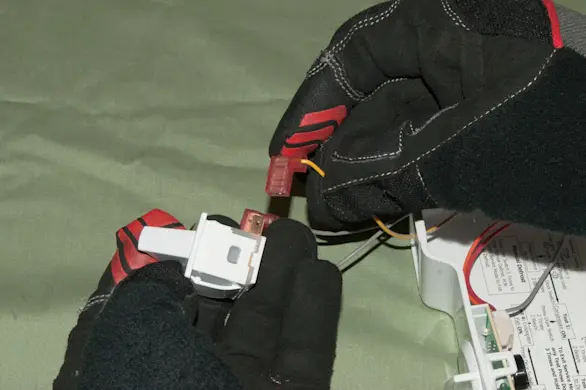
PHOTO: Connect the light switch wires. 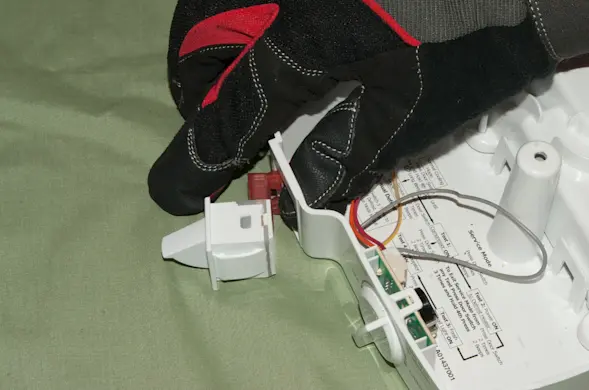
PHOTO: Install the light switch.
- 5. Reinstall the control box
Plug the control box wire harness into the refrigerator compartment ceiling connector.
Line up the drain tube spout at the back of the control box with the drain hole in the upper back wall of the refrigerator compartment.
Push the control box back across the ceiling of the refrigerator compartment, inserting the drain tube into the drain hole and engaging the tabs at the back of the control box.
Reinstall the screw that secures the control box to the ceiling of the refrigerator compartment.
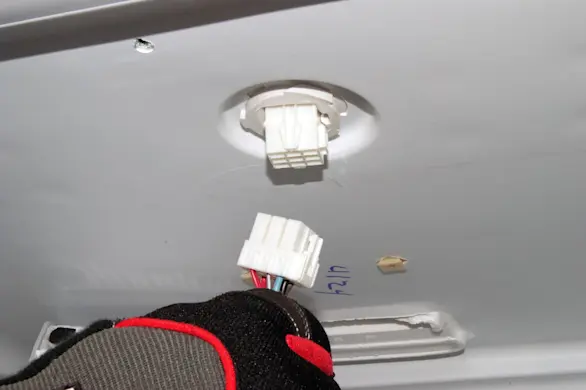
PHOTO: Plug in the wire harness. 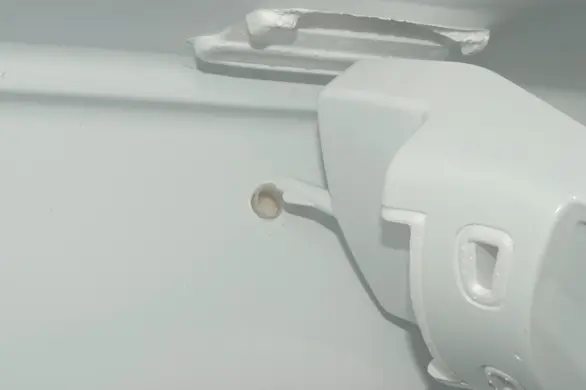
PHOTO: Line up the drain tube. 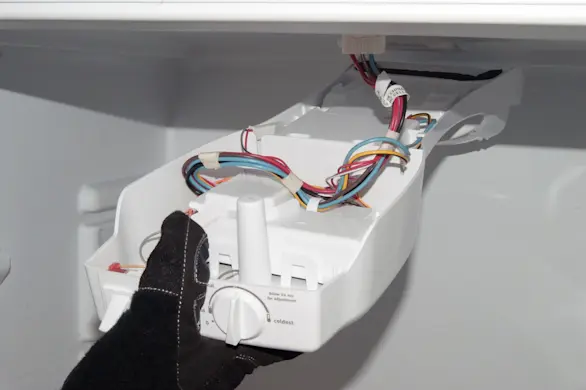
PHOTO: Reinstall the control box. 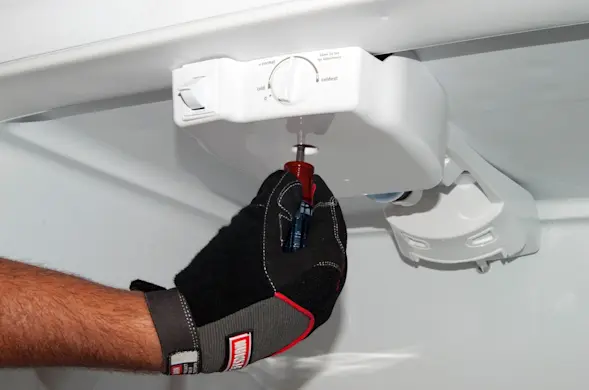
PHOTO: Reinstall the screw.
- 6. Restore electrical power
Plug in the refrigerator to restore power.