 Installation guide
 Owner’s manual
 Error Codes





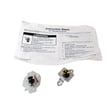
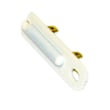
How do I know if my Maytag dryer thermal fuse is bad?
A bad (blown) thermal fuse in your Maytag MGDC200XW1 gas dryer usually shows up as a dryer that will not start at all, or a dryer that runs but will not heat. Because the fuse trips from overheating, we always check airflow and venting before replacing parts.
Quick symptoms checklist
- Dryer will not start even though the door is closed and the outlet has power
- Dryer runs but produces no heat (clothes stay damp)
- Dryer stops mid-cycle and then will not restart until it cools
- You find heavy lint buildup, a crushed vent, or a blocked outside hood
- The problem repeats soon after a fuse replacement (overheating is still present)
What to check first (most common causes)
Start with the basics called out in the installation instructions, then move to airflow.
| Check | What “good” looks like | What it points to if “bad” |
|---|---|---|
| Power and door closure | Plugged into a grounded 3-prong outlet; door fully closed | Not a fuse issue yet; correct power/door switch problems first |
| Vent condition | Heavy metal venting, not crushed or kinked; exhausts outdoors | Overheating risk that can blow the thermal fuse |
| Outside exhaust hood | Airflow is strong; hood flap opens freely | Blockage causing high temperature inside the dryer |
| Lint screen and housing | Screen clean; chute not packed with lint | Restricted airflow and overheating |
For model-specific safety and venting requirements (heavy metal venting, exhaust outdoors, hood clearance), follow the MGDC200XW1 installation guide.
Parts that commonly get involved
If airflow is good and the dryer still overheats or will not heat, these parts are common suspects on gas dryers:
- Dryer operating thermostat WP3387134 (controls normal cycling temperature)
- Dryer high-limit thermostat W11050897 (opens if temperatures get too high)
- Dryer gas valve coil kit 279834 (can cause intermittent or no heat)
Why it matters
The thermal fuse is a one-time safety device. If it is blown, replacing it without fixing the overheating cause (usually vent restriction) often leads to another failure and longer dry times.
Last updated: February 2026
How long does a Maytag MGDC200XW1 dryer last?
A Maytag MGDC200XW1 29" gas dryer typically lasts 10 to 15 years with normal household use. Regular vent cleaning, keeping the dryer level, and replacing wear items (belt, rollers, idler pulley) on time can push service life toward the high end.
Typical lifespan and what affects it
Most gas dryers land in the 10 to 15 year range; the biggest swing factors are heat stress, airflow restriction, and mechanical wear.
- Venting quality: Long or kinked venting increases run time and can shorten dryer life.
- Maintenance habits: Lint buildup and poor airflow are the most common life reducers.
- Load size and frequency: Heavy, frequent loads wear the drum support system faster.
- Installation conditions: A dryer that is not level can tumble poorly and strain moving parts.
- Operating environment: Very cold spaces can cause longer cycles and extra wear.
Quick maintenance checklist (best ROI)
Use these habits to extend the life of your MGDC200XW1.
- Clean the lint screen every load.
- Inspect and clean the vent path regularly; keep the vent from being crushed or kinked.
- Keep the dryer level so the drum rides correctly.
- Avoid overloading; it accelerates belt and roller wear.
- If drying times increase, address airflow first before replacing parts.
Common wear parts that often determine “end of life”
When a dryer is otherwise in good shape, these parts commonly restore quiet operation and proper tumbling.
| Symptom | Common cause | Example part for MGDC200XW1 |
|---|---|---|
| Squealing, thumping | Worn drum support components | Dryer drum support roller WPW10314173 |
| Drum not turning | Worn or broken belt | Dryer drum belt WPW10198086 |
| Rumbling, belt slipping | Worn idler pulley | Dryer idler pulley WP691366 |
Why it matters
A dryer that runs longer because of restricted venting or worn drum support parts uses more energy and puts extra heat and load on the motor, burner system, and thermostats. Keeping airflow and drum support in good shape is the simplest way to protect the whole machine.
For installation and venting limits that support best drying performance, follow the MGDC200XW1 installation guide.
Last updated: February 2026
How to reset a Maytag MGDC200XW1 dryer?
To reset your Maytag MGDC200XW1 gas dryer, unplug it (or switch off the breaker) for about 1 to 5 minutes, then restore power and start a new cycle. This clears many control glitches and is the safest first step before deeper troubleshooting.
Reset steps (safe and effective)
- Turn the dryer OFF.
- Unplug the power cord from the grounded outlet (or turn OFF the circuit breaker).
- Wait 1 to 5 minutes.
- Restore power.
- Select a cycle and press Start.
- If the dryer still will not start, confirm the door is fully closed.
If it still will not start after a reset
The installation checklist for this model points to a few basics that commonly stop a dryer from starting.
- Confirm the dryer is plugged into a grounded 3-prong outlet.
- Check the household fuse or circuit breaker.
- Make sure the door switch is being engaged (door closes firmly, no sagging).
- Verify the dryer is level; moisture sensing can act up when the cabinet is out of level.
- For gas models, make sure the gas shut-off valve is open (handle parallel to the gas pipe).
Quick checks and what they tell you
| What you notice | Most likely cause | What to do next |
|---|---|---|
| No lights, no response | No power to dryer | Check breaker, outlet, cord |
| Lights on, will not start | Door not closed or start not engaged | Re-close door, reselect cycle |
| Runs but no heat | Gas supply off or ignition issue | Open shut-off valve; then test heat |
| Long dry times | Vent restriction | Inspect and clean venting |
Why it matters
A power reset fixes temporary control issues without replacing parts. If the problem is actually power, door closure, leveling, or gas supply, a reset alone will not help, so these checks prevent wasted time and unnecessary part swaps.
For model-specific operating steps and the “will not start” checklist, follow the MGDC200XW1 owner’s manual.
Last updated: February 2026
What would cause a Maytag dryer not to spin?
If your Maytag MGDC200XW1 gas dryer runs but the drum will not spin, the most common causes are a broken or slipped drum belt, a worn idler pulley, or seized drum support rollers. If the motor hums but the drum does not turn, stop using the dryer and check the drive system.
Quick checks we recommend first
- Unplug the dryer before opening any panels.
- Try turning the drum by hand; if it is very hard to turn, a roller, bearing, or blower wheel may be binding.
- If the drum turns easily but will not tumble during a cycle, the belt or idler is usually the issue.
- Listen for a steady motor hum with no tumbling; that often points to a belt off or a jammed drum.
- If you smell gas or suspect a leak, follow the safety steps in the MGDC200XW1 installation guide and stop troubleshooting until the gas supply is made safe.
Parts that commonly stop the drum from turning
These are the most frequent “no spin” parts on MGDC200XW1:
- Dryer drum belt WPW10198086 (belt breaks or slips off the drum)
- Dryer idler pulley WP691366 (pulley seizes or the arm loses tension)
- Dryer drum support roller WPW10314173 (roller flats or locks up)
- Drive motor (can fail, but is less common than belt and rollers)
Symptom-to-cause guide
| What you notice | Most likely cause | What to do next |
|---|---|---|
| Dryer runs, no tumbling, drum turns easily by hand | Belt broken/off | Inspect belt routing and replace belt if damaged |
| Loud squeal or thump before it stopped tumbling | Rollers or idler failing | Replace worn rollers and idler (often done as a set) |
| Drum is hard to turn by hand | Roller/bearing binding or blower wheel jam | Inspect rollers, front bearing area, and blower housing |
| Motor hums, then stops | Jammed drum or weak motor | Check for binding first; then test motor if drum spins freely |
Why it matters
A dryer that will not spin can overheat the motor, damage the belt path, and increase wear on drum supports. Fixing the belt, idler, or rollers early usually prevents a bigger repair.
For model-specific disassembly steps and safety precautions, follow the MGDC200XW1 owner’s manual.
Last updated: February 2026
Where is the model number on a Maytag dryer?
On the Maytag MGDC200XW1 gas dryer, the model number is printed on the model and serial rating plate. You’ll typically find that label in the door opening (door well) on the cabinet frame; it’s meant to be readable with the door open.
Most common places to check
Look for a silver or white sticker or metal plate in these spots:
- Inside the dryer door opening on the cabinet frame (door well)
- Along the front panel opening near the lint screen housing
- On the back panel near the top (less common on this style)
- Behind the control panel end cap area (only if the label is missing or damaged)
How to read the label once you find it
The rating plate usually includes both identifiers. Use the model number when ordering parts; use the serial number when checking production details.
| What you need | What it’s used for | Example format |
|---|---|---|
| Model number | Matching parts and diagrams | MGDC200XW1 |
| Serial number | Manufacturing date and service history | Letters and numbers |
Why it matters
We use the exact model number to match the correct Maytag dryer parts list, diagrams, and compatible replacements. Even small model changes can affect fit for items like a drum belt, thermostat, or gas valve components.
Quick tip for gas dryers
On MGDC200XW1, the door-well rating plate can also list burner and gas type information, which is important when you’re confirming natural gas vs. LP setup. For label location and identification details, use the MGDC200XW1 installation guide.
Last updated: February 2026









