 Owner’s manual









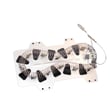


What is the most common problem with Samsung dryers?
A very common issue we see with Samsung dryers like model DV42H5200EF is no heat or poor heating, which often shows up as clothes taking too long to dry. The root cause is frequently an airflow restriction (lint buildup or venting issues) or a failed heating component (electric heater or gas ignition parts). For model-specific operating and troubleshooting steps, use the DV42H5200EF user manual.
- Clean the lint filter before every load.
- Confirm you are not using Air Fluff or another no-heat setting.
- Check the outside vent hood; it should open freely while the dryer runs.
- Inspect the exhaust duct for crushing, kinks, or heavy lint buildup.
- Avoid overloading; mixed heavy and light fabrics dry unevenly.
- If it is a gas model, confirm the gas shutoff valve is fully open.
On DV42H5200EF, the manual’s troubleshooting points to basics that commonly stop heating: power supply issues, incorrect cycle selection, gas supply (gas models), and restricted exhaust airflow. Airflow problems can also trigger safety devices to open, which stops heat until the underlying issue is corrected.
| Symptom | Most likely cause | What to do next |
|---|---|---|
| Runs but no heat | Wrong cycle, power issue, gas off (gas models) | Verify cycle, breaker/fuse, gas supply |
| Heats but dries slowly | Clogged lint screen, blocked/long venting | Clean lint screen; inspect and clean venting |
| Stops before clothes are dry | Load too small or too large | Add a few items or reduce load size |
| Uneven drying | Mixed fabric weights, bulky items | Sort loads; reposition bulky items |
If airflow is clear and settings are correct but DV42H5200EF still will not heat, the next suspects are internal components such as the heating element (electric models), thermistor, thermal fuse, igniter, flame sensor, or gas valve coils (gas models). At that point, we recommend testing with a multimeter or having a technician diagnose.
A dryer that is not heating or is drying slowly wastes energy and can overwork the motor and airflow system. Keeping venting clear also helps the dryer run safely and efficiently.
Last updated: January 2026
How do I know if my Samsung dryer heating element is bad?
If your Samsung dryer model DV42H5200EF runs but won’t heat (or heats inconsistently), a failed heating element is a common cause. The most reliable check is a multimeter test: the element should show continuity through the coil, and it should not show continuity from either element terminal to the metal heater housing.
- Dryer tumbles but clothes stay cold and damp
- Dryer heats briefly, then stops heating mid-cycle
- Burning smell or visible scorching near the heater area
- Breaker trips when heat turns on (can also indicate a short)
- Long dry times even with a clean lint filter and good airflow
- Unplug the dryer (or switch off the breaker) before opening any panels.
- Access the heater assembly using the disassembly guidance in the DV42H5200EF user manual.
- Set a multimeter to continuity or ohms.
- Test terminal-to-terminal on the element:
- Good: continuity (a measurable resistance)
- Bad: open circuit (no continuity)
- Test terminal-to-housing (metal canister):
- Good: no continuity
- Bad: continuity (element is shorted to ground)
Even if the element tests bad, we also check airflow and safety devices because they can cause no-heat symptoms.
| Symptom | Heating element likely? | Other common causes |
|---|---|---|
| Tumbles, no heat at all | High | Thermal fuse, wiring, control, poor power supply (electric) |
| Heats then stops | Medium | Restricted venting, thermostat/thermistor, control |
| Long dry times | Low to medium | Clogged vent, crushed duct, overloaded drum |
A heating element that is shorted to the heater housing can create unsafe operating conditions and can also damage other components. If you suspect a short, keep the dryer unplugged until it’s repaired.
Last updated: January 2026
How do I reset my Samsung dryer?
For Samsung dryer model DV42H5200EF, there is not a single “reset” button in the user guide. The most reliable reset-like step is to turn the dryer off, then restore normal operation by turning it back on; if the controls are locked, you reset access by turning Child Lock off as described in the DV42H5200EF user manual.
The manual for this model specifically documents these control behaviors:
- Power: press once to turn the dryer on; press again to turn it off.
- Child Lock: prevents most buttons from responding.
- Start/Pause: pauses and restarts programs.
If most buttons do nothing (except Power), Child Lock is often on.
To turn Child Lock on or off (DV42H5200EF):
- Press Temp. and Time simultaneously for 3 seconds.
- Confirm the Child Lock indicator turns off.
- Try starting a cycle again.
This model supports Smart Care for error-code help.
- Press and hold the Sound button for 3 seconds when an error occurs (or after powering on without pressing other buttons).
- The display will show the code.
- Use the code to guide troubleshooting with Samsung dryer error codes.
| Symptom on DV42H5200EF | What to try first | What it tells you |
|---|---|---|
| Buttons don’t respond | Turn off Child Lock | Control panel is locked, not failed |
| Dryer stops and shows a code | Use Smart Care to display the code | Points to a specific system to diagnose |
| Dryer runs but won’t heat | Use a heated cycle (not Air Fluff) and check airflow | Often venting or heating system issue |
Using the model-approved steps avoids guessing at undocumented button combinations. If Child Lock is off and the same information code returns, the dryer is usually reporting a condition that needs troubleshooting rather than a reset.
Last updated: January 2026









