Installation guide
 Owner’s manual







What is the most common problem with a GE dryer?
For the GE GTD42EASJ2WW electric dryer, the most common issues we see are “no heat” or “takes too long to dry.” Those problems are usually tied to restricted airflow (lint screen or venting) or a failed heating component such as a thermostat or heating element; see the GTD42EASJ2WW owner’s manual.
- Dryer runs but no heat: often a tripped breaker (electric dryers typically use 2), a failed heating circuit component, or a wiring connection issue.
- Clothes take too long to dry: most often restricted venting, a clogged lint screen, or crushed/kinked ducting.
- Dryer won’t start: commonly a door switch issue, start switch issue, or power supply problem.
- Unusual noise: can point to wear items like belt, idler pulley, or drum glides.
- Clean the lint screen and confirm strong airflow at the outside vent hood.
- Check the home breaker panel; reset both dryer breakers if applicable.
- Verify the vent path is short, not crushed, and uses 4-inch metal ducting (not plastic).
If airflow is good and power is correct, these model-compatible parts are common suspects:
- Dryer heating element WE11M10001
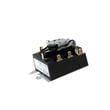
- Dryer operating thermostat WE04X25201
- Dryer high-limit thermostat WE04X26139
| Symptom | Most likely area | Example compatible part |
|---|---|---|
| Tumbles, no heat | Heating circuit | Heating element or thermostat |
| Long dry times | Airflow/venting | Lint screen, lint chute, ducting |
| Won’t start | Door/start circuit | Door switch or push-to-start switch |
Airflow restrictions can cause long dry times and overheating, which can damage heating components. Fixing venting first often prevents repeat failures and restores normal drying performance.
Last updated: January 2026
What is the life expectancy of a GE dryer?
A GE electric dryer like model GTD42EASJ2WW commonly lasts about 10 to 14 years with normal household use. Actual life varies most with venting condition, load habits, and routine cleaning; consistent airflow and basic maintenance usually make the biggest difference.
- Venting and airflow: restricted ducts make the dryer run hotter and longer
- Lint control: cleaning the lint screen every load reduces strain on the motor and heater
- Load size: chronic overloading stresses the drum belt, idler pulley, and drum supports
- Heat settings: high heat on every load can shorten component life
- Installation quality: crushed or long duct runs increase run time and wear (see GTD42EASJ2WW installation guide)
We recommend these habits to help your dryer reach the higher end of the typical range:
- Clean the lint screen before or after each load
- Inspect and clean the exhaust duct at least yearly (more often with heavy use)
- Keep the outside vent hood opening freely and closing properly
- Avoid overloading; dry bulky items in smaller batches
- If drying times increase, address airflow first before replacing parts
| What you notice | Often points to | Usually worth doing first |
|---|---|---|
| Longer dry times | Vent restriction, thermostat cycling, heater issues | Clean venting and lint path; then diagnose heat/airflow |
| Thumping/squealing | Worn belt, idler, glides | Inspect drive system; consider dryer drum belt WE03X29897 if belt is worn |
| Won’t start | Door switch, start switch, timer/control | Check door closure and switches; review troubleshooting steps |
A dryer that takes longer to dry is not just inconvenient; it typically runs hotter and longer, which increases wear on key components (heater, motor, thermostats) and can shorten the overall service life.
Last updated: January 2026
Why does my GE dryer run but no heat?
If your GE GTD42EASJ2WW electric dryer tumbles but won’t heat, the most common causes are a power supply issue (only one 240V leg working), restricted venting that overheats the dryer, or a failed heating component such as the heating element or thermostats. Use the GTD42EASJ2WW owner’s manual to confirm basic checks and settings.
- Confirm full 240V power: Many electric dryers can run on 120V but need the full 240V supply to heat.
- Check airflow first: Clean the lint screen, then inspect the vent duct and outside hood for clogs or crushed ducting.
- Test heat components (unplug dryer first): Check continuity on the heating circuit parts.
- Clean the lint screen and make sure it seats correctly.
- Verify the vent is rigid metal or UL-listed metal and not kinked.
- Check the home breaker: most electric dryers use 2 breakers/fuses.
- Run a timed heat cycle (not Air Fluff/No Heat) to rule out a setting issue.
- If airflow is good, test the heating element and thermostats with a multimeter.
On GTD42EASJ2WW, these model-matched parts are common “no heat” suspects:
- Dryer heating element WE11M10001
- Dryer operating thermostat WE04X25201
- Dryer high-limit thermostat WE04X26139
- Dryer safety thermostat WE04X25194
| Symptom you notice | More likely cause | What to do next |
|---|---|---|
| Dryer runs, no heat at all | One breaker tripped or loose power connection | Reset both breakers; verify proper outlet power |
| Dryer heats briefly then stops | Restricted venting causing overheating | Clean/shorten vent run; confirm outside damper opens |
| Long dry times and weak airflow | Clogged lint screen housing or vent duct | Clean lint path and venting end-to-end |
| No heat after airflow is corrected | Failed heating element or thermostat | Test continuity; replace failed part |
A clogged vent can cause overheating that repeatedly trips safety devices and can damage the heating circuit. Fixing airflow first often restores heat and helps prevent repeat failures.
Last updated: January 2026
Where is the thermal fuse on a GE dryer model number GTD42EASJ2WW?
On the GE electric dryer model GTD42EASJ2WW, the exact thermal fuse location is not identified in the model’s published owner documentation, and GE often does not call out internal safety cutoffs by location in user materials. In many GE electric dryers, the thermal fuse or thermal cut-off is mounted on the heater housing or blower housing inside the cabinet.
The model’s user documentation focuses on operation, venting, and basic troubleshooting rather than internal component locations. Use these model-specific references for safe handling and airflow guidance:
- Follow electrical safety and general use guidance in the GTD42EASJ2WW owner’s manual
- Follow venting and access clearances in the GTD42EASJ2WW installation instructions
- If you need a wiring diagram, GE notes it is typically located in the control console (not in the user manual)
Because the thermal fuse is an internal safety device, access usually requires cabinet disassembly. Common locations to check once the cabinet is open include:
- Heater housing area (near the heating element duct)
- Blower housing area (near the exhaust outlet)
- A small flat device with 2 wires, usually held by screws
Before assuming a thermal fuse failure, the GTD42EASJ2WW manual points to power-related causes:
- Verify the dryer is fully plugged in
- Check house fuses or reset both breakers (many electric dryers use 2)
- Confirm the door is fully closed
| Symptom | First checks | Next likely internal checks |
|---|---|---|
| Won’t start | Outlet, breakers/fuses, door closed | Door switch, start switch, timer contacts |
| Tumbles but no heat | Both breakers/fuses good | Heating circuit components, airflow restriction |
If you’re diagnosing a no-start condition and the start switch tests bad, the compatible part is the dryer push-to-start switch WE4M416.
A thermal fuse or thermal cut-off usually opens because the dryer overheated, and restricted airflow is a common root cause. Correcting venting issues helps prevent repeat failures.
Last updated: January 2026