




How do I tell what model my Kenmore dryer is?
Your Kenmore dryer’s model number is printed on the appliance’s ID label; for Kenmore model 11076712692, you’ll use that exact number to match the correct gas dryer parts and diagrams. The label is usually easy to spot once you know the common locations.
Check these spots on most Kenmore gas dryers:
- Inside the dryer door opening on the cabinet frame
- On the back panel of the dryer
- Around the lint screen housing area (near the lint filter opening)
- On the inside edge of the door itself (less common)
Kenmore model numbers are typically a long string of numbers. For parts lookup, you want the full model number exactly as printed (no extra spaces).
| What you see on the label | What it means for parts |
|---|---|
| 11076712692 | Use this full number to match parts for your exact dryer |
| 110.76712692 | Same model; the dot is formatting, the digits are what matter |
| Serial number | Not used to select most replacement parts |
When you write down the model number, we recommend:
- Copying every digit in order (take a photo first)
- Using the full model number, not just the first three digits
- Confirming the appliance type is a gas dryer before ordering ignition or gas parts
- Matching the part by name and ID when possible, such as the dryer door switch WP3406105
Kenmore dryers can look similar across different series, but internal components (like the igniter, gas valve coils, belt routing, and thermostats) can vary by model. Using the exact model number helps ensure the replacement part fits and functions correctly.
Last updated: February 2026
How to open Kenmore dryer control panel?
To open the control panel on your Kenmore gas dryer model 11076712692, we typically remove the end-cap screws (or rear console screws), then tilt the console forward and lift it up to access the timer, wiring, and control components. Unplug the dryer first.
- Unplug the dryer from the wall outlet.
- Shut off the gas supply valve to the dryer.
- Work with good lighting; keep screws in a cup.
- Wear cut-resistant gloves; console panels can have sharp edges.
- Take a quick photo of wire routing before moving anything.
Kenmore 110-series dryers are usually built on a Whirlpool-style platform, and the console is held by screws in one of these locations.
- End-cap screws: Remove the plastic end caps (they usually pop off from the top or rear edge), then remove the screws underneath.
- Rear console screws: Remove screws along the back edge of the console (accessible from the rear/top).
- Hidden spring clips (less common): After removing any visible screws, release clips with a putty knife at the seam.
- Remove the screws securing the console.
- Tilt the console forward slightly.
- Lift the console up and back about 1 inch, then set it on the top (or support it) without straining wires.
Use the symptom to decide what to check once the console is open.
| Symptom | What to inspect first | Related part you may need |
|---|---|---|
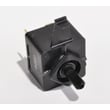
| Dryer will not start | Door switch, timer contacts, wiring | Dryer door switch WP3406105 |
| Runs but no heat (gas) | Igniter, radiant sensor, gas valve coils | Dryer valve coil kit 279834 |
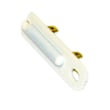
| Stops mid-cycle or overheats | Operating thermostat, high-limit kit, airflow | Dryer operating thermostat WP3387134 |
Opening the control panel the right way prevents broken console tabs, pinched harnesses, and loose connections that can cause intermittent starting, timer issues, or heat complaints.
Last updated: February 2026
What is the average lifespan of 11076712692?
The average lifespan of the Kenmore 11076712692 gas dryer is 13 years with normal household use and basic maintenance (lint removal, proper venting, and avoiding overloads). Replacing common wear parts on time often helps you reach that full service life.
- Vent restriction (long runs, crushed flex duct, clogged exterior hood) increases heat and wear
- Lint buildup inside the cabinet or blower housing stresses airflow and heating components
- Overloading accelerates belt, drum support, and motor wear
- High heat cycles used constantly can shorten thermostat and sensor life
- Moisture and corrosion (damp laundry area) can affect electrical connections
If your dryer still heats and tumbles but is getting noisy, slipping, or inconsistent, these are frequent wear items for this model:
| Symptom | Commonly involved part | Example from this model’s parts list |
|---|---|---|
| Drum not turning, squealing, or burning-rubber smell | Belt and idler system | Drum belt 341241, dryer idler pulley WP691366 |
| No heat or heat cuts in and out | Gas ignition and safety controls | Igniter 279311, dryer valve coil kit 279834, dryer high-limit thermostat W11050897 |
| Loud rumble or thump | Drum support/bearing surfaces | Dryer drum front bearing W11035878 |
A dryer that runs hot from poor airflow can fail earlier and dry slower. Keeping airflow strong and replacing worn drive or heating parts when symptoms start protects the motor, drum, and gas burner system.
Last updated: March 2026









