Installation guide
 Owner’s manual





Does Amana make electric dryers?
Yes. Amana makes electric dryers, and the Amana NED4500VQ0 is an electric dryer model that uses a 240-volt power supply. For cycle features and electrical requirements specific to your dryer, follow the NED4500VQ0 owner's manual.
How to confirm your dryer is electric (not gas)
We use these quick checks to identify an electric dryer:
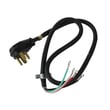
- The power cord is a large 3-prong or 4-prong 240V dryer cord (not a standard 120V plug)
- There is no gas shutoff valve and no flexible gas connector behind the dryer
- Heating is produced by a heating element (common electric-dryer design)
- The manual notes electric dryers require a 240-volt power supply
What “electric dryer” means for power and heating
Electric dryers like the Amana NED4500VQ0 typically use 240V for heat and 120V for the motor and controls. If the dryer runs but does not heat, a common cause is a tripped breaker or blown fuse on one leg of the 240V supply.
| Symptom | Common electrical cause | What to check first |
|---|---|---|
| Dryer will not run | No power, door not closed, start not pressed | Breaker/fuses, door switch, start procedure |
| Drum turns but no heat | One breaker tripped or one fuse blown | Both breakers/fuses for the 240V circuit |
| Intermittent heat | Loose connection at terminal block/outlet | Outlet, cord, terminal block connections |
Why it matters
Knowing your dryer is electric helps you troubleshoot correctly and buy the right replacement parts. For example, electric dryers rely on a heating element and safety thermostats; airflow restrictions can also cause overheating and shutdowns.
If you are diagnosing a no-heat issue on NED4500VQ0, the dryer element 279838 is one of the key heating components used in this design.
Last updated: February 2026
How do you know if a thermal fuse is blown on an Amana dryer?
On an Amana NED4500VQ0 dryer, a blown thermal fuse typically shows no continuity when tested with a multimeter. With power disconnected, remove the fuse wires and check resistance across the two fuse terminals; a good fuse reads near 0 ohms, and a blown fuse reads open (OL/infinite).
How to test the thermal fuse (safe, accurate method)
- Unplug the dryer (or shut off the breaker) before opening any panels.
- Access the thermal fuse (commonly on the blower housing or exhaust duct area).
- Pull the two wire connectors off the fuse terminals (do not test through the wiring).
- Set your multimeter to continuity or the lowest ohms setting.
- Touch one probe to each terminal:
- 0 to 1 ohm (or a beep): fuse is good
- OL/infinite/no beep: fuse is blown
For panel access and component locations specific to your dryer, use the NED4500VQ0 owner's manual.
What a blown thermal fuse usually looks like in symptoms
A thermal fuse is a one-time safety device; when it opens, the dryer often will not run at all (or may run but not heat, depending on the design).
Common symptoms include:
- Dryer will not start even though the door is closed
- Start button is pressed but nothing happens
- Dryer runs but has no heat (less common on many electric models)
- Problem appears after restricted airflow (lint buildup, crushed vent)
Quick checks before replacing parts
Our troubleshooting steps for this model line up with these basics:
- Confirm the dryer is getting full power; many electric dryers use two household fuses or breakers.
- Make sure the cycle is set to a running position and the Start button is pressed firmly.
- Verify the door is fully closed.
Power and heat check (what to expect)
| What you see | What it often means | What to do next |
|---|---|---|
| Drum turns, no heat | One breaker/fuse tripped (240V issue) or heating circuit problem | Check both breakers/fuses; then test heating components |
| No run at all | Blown thermal fuse, door switch, start switch, or no power | Test fuse and switches; confirm power |
Why it matters
A thermal fuse usually blows because the dryer overheated from poor airflow. If you replace the fuse without fixing the venting or lint restriction, the new fuse can blow again quickly. Use the how to clean and maintain your clothes dryer guide to reduce overheating and long dry times.
Last updated: February 2026
How do you reset an Amana dryer?
To reset an Amana dryer like model NED4500VQ0, we do a simple power reset: unplug the dryer (or switch the breaker off) for 5 to 10 minutes, then restore power and start a new cycle. This clears many minor control and cycle issues.
Quick reset steps (NED4500VQ0)
- Turn the cycle control knob to OFF.
- Unplug the dryer (or turn both dryer breakers off for an electric dryer).
- Wait 5 to 10 minutes.
- Restore power.
- Close the door, select a cycle and temperature, then press Start.
If you need the exact start and restart procedure for this model, follow the NED4500VQ0 owner's manual.
If it still will not start after a reset
These checks solve most “won’t run” complaints on this style of Amana dryer:
- Confirm the door is fully closed and latched.
- Make sure a cycle is selected (do not leave the knob in an OFF area).
- Press and hold the Start button firmly.
- For electric models, check the home power supply: dryers typically use 240V and can run with partial power (drum turns but no heat).
- If a breaker trips again, correct the electrical issue before running the dryer.
What a reset can and cannot fix
| Symptom | Reset helps most when | Usually not a reset issue when |
|---|---|---|
| Dryer won’t start | Control got “stuck” after a power glitch | Door switch, start switch, timer, motor problem |
| No heat | Breaker/fuse issue was corrected | Heating circuit parts failed |
| Stops mid-cycle | Overload or temporary power drop | Vent restriction causing overheating |
Why it matters
A power reset is the fastest safe first step because it rules out a temporary control glitch before you spend time diagnosing parts like the drive motor, timer, or heating circuit.
Last updated: February 2026
How to fix a squeaking Amana dryer?
A squeak in your Amana NED4500VQ0 dryer almost always comes from a worn drum support part (roller, idler pulley, or belt) or a blower wheel rubbing. We fix it by inspecting those moving parts, replacing any worn components, and confirming the dryer is level and venting correctly.
Quick checks before taking the dryer apart
- Unplug the dryer before any inspection or service.
- Confirm the dryer sits level; an out-of-level cabinet can make the drum ride and squeal (see the NED4500VQ0 installation guide).
- Run a short cycle empty and listen: squeaks that change with drum speed usually point to drum support parts.
- Check airflow at the outside vent hood; restricted airflow can overheat parts and accelerate wear.
Most common squeak sources (and the usual fix)
- Idler pulley: Worn pulley bearing squeals; replace the dryer idler pulley WP691366.
- Drive belt: Glazed, cracked, or frayed belt can chirp; replace the belt 341241.
- Drum rollers and shafts: Flat spots or dry bearings squeak; replace the roller set (often done as a kit).
- Blower wheel: Lint buildup or a loose wheel can rub and squeal; inspect and replace if damaged.
What to replace together (best practice)
Replacing wear items as a set reduces repeat tear-downs.
| Symptom | Most likely area | Common parts to replace together |
|---|---|---|
| High-pitched squeak, steady with drum rotation | Idler/belt path | Idler pulley, belt |
| Thump plus squeak | Drum rollers | Roller set, shafts, belt |
| Squeal near exhaust area | Blower housing/wheel | Blower wheel (and clean housing) |
A convenient option for drum support wear items is a dryer repair kit 4392065 (commonly includes multiple wear components).
Why it matters
A squeak is early warning of friction. If you keep running the NED4500VQ0, a seized roller or idler can shred the belt, strain the drive motor, and turn a simple maintenance repair into a no-start problem.
Last updated: February 2026
Is 6.7 cubic feet a big dryer?
Yes; 6.7 cubic feet is a large-capacity dryer size. For the Amana NED4500VQ0 specifically, the drum capacity is typically listed around 6.5 cubic feet, which is still considered large and handles bulky items and family-size loads well when you avoid overpacking. For cycle and load guidance, use the NED4500VQ0 owner's manual.
What “large capacity” means for everyday loads
A large-capacity drum (about 6.5 to 7.4+ cu. ft.) is designed to dry bigger loads efficiently because items have room to tumble and airflow can move through the load.
- Comforters and blankets fit more easily
- Large towel loads dry more evenly when not packed tight
- Fewer loads per week for families
- Less wrinkling when items can tumble freely
Load size tips that improve drying performance
Even with a large drum, drying time depends on tumbling space and airflow.
- Load items loosely; do not press clothes down
- Keep similar fabrics together (towels with towels, lightweight with lightweight)
- Clean the lint screen before every load
- Keep the room temperature above 45°F (7°C) for proper cycle operation
- If installed in a closet, maintain the required clearances and ventilation openings
Quick capacity comparison
| Dryer capacity | Common label | Best for |
|---|---|---|
| 3.4 to 4.4 cu. ft. | Compact | Small loads, apartments |
| 5.0 to 6.0 cu. ft. | Medium | Couples, moderate laundry |
| 6.5 to 7.4+ cu. ft. | Large | Families, bulky items |
Why it matters
Choosing the right load size helps the dryer heat and vent properly; that means shorter dry times, fewer re-runs, and less wear on parts such as the belt and blower system. For maintenance habits that support good airflow, follow how to keep a dryer clean and economical.
Last updated: February 2026
What is the most common problem with the Amana dryer?
The most common issue we see with the Amana NED4500VQ0 dryer is poor drying performance: no heat or long dry times caused by restricted airflow (lint buildup or a clogged vent). A close second is a no-start or no-heat condition tied to power supply problems or a blown thermal safety device.
Quick checks that fix the most calls
- Clean the lint screen before every load; wash it with warm water if you use dryer sheets.
- Check airflow at the outside vent hood; you should feel a strong, steady blast.
- Inspect the vent path for kinks, crushed flex duct, or heavy lint buildup.
- Confirm the door closes firmly and the Start button is pressed with a cycle selected.
- For electric models, check both household fuses or breakers (electric dryers use two).
Most common symptoms and likely causes
| Symptom | Most likely cause | Common parts involved |
|---|---|---|
| Runs but no heat | One fuse/breaker tripped, heater circuit failure | Dryer element 279838, dryer operating thermostat WP3387134 |
| Takes too long to dry | Restricted venting, weak airflow | Lint screen, vent ducting, dryer blower wheel WP694089 |
| Won’t start | Door not shut, dial position, power supply issue | Start switch, timer, house power |
| Stops mid-cycle or overheats | Airflow restriction causing safety trip | Dryer thermal cut-off fuse kit 279816 |
Why it matters
Airflow problems do more than slow drying; they can overheat the heater housing and trip thermal protection. Fixing venting first prevents repeat failures of heating and safety parts and helps the dryer run more efficiently.
Model-specific notes for NED4500VQ0
The NED4500VQ0 is an electric dryer; the NED4500VQ0 owner’s manual specifically notes that a dryer can tumble but still have no heat if one of the two household fuses or breakers trips. Use the manual’s troubleshooting section to match your symptom to the fastest checks.
Last updated: February 2026