 Owner’s manual


How to fix 4E error on Samsung washer?
A 4E code on a Samsung washer indicates a fill problem (the washer is not getting water fast enough). On the Samsung WF210ANW, we fix it by confirming both HOT and COLD faucets are fully open, hoses are not kinked, and the inlet hose screens are clean; then restart the cycle.
Quick checks that solve most 4E errors
- Verify both HOT and COLD supply valves are turned on all the way (this model expects both connected).
- Straighten the inlet hoses; remove any kinks or crushing behind the washer.
- Unscrew the hoses at the back of the washer and clean the small mesh screens in the inlet ports.
- Confirm household water pressure is strong at the faucets.
- Power the washer off, wait 30 seconds, then start a normal cycle again.
What to inspect next (WF210ANW-SPECIFIC fill causes)
If the basics look good, the next most common causes are a restricted inlet valve or a control not sensing the water level correctly.
- Listen during fill: if you hear a hum but little or no water enters, the inlet valve is restricted or failing.
- Check for sediment in the hose screens and at the valve inlets.
- Make sure the hot and cold hoses are connected to the correct ports.
Parts that commonly relate to a 4E/no-fill symptom
| Symptom | Most likely area | What you do |
|---|---|---|
| No water enters at all | Water supply, inlet screens, inlet valve | Clean screens; test fill again |
| Slow fill on one temperature | One side of inlet valve | Verify that faucet and hose flow are strong |
| Intermittent fill | Inlet valve or wiring | Inspect connections; replace valve if needed |
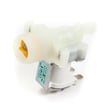
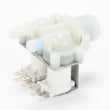
If you determine the valve is the issue, match the replacement to your configuration using the parts list for WF210ANW; common options include washer water inlet valve DC62-30314K or washer water inlet valve DC62-30312J.
Why it matters
A fill error stops the cycle and can leave detergent undissolved and laundry unwashed. Restoring proper hot and cold water flow also prevents related “no fill” conditions noted for this washer.
Helpful references
- Use the troubleshooting and setup steps in the WF210ANW owner’s manual.
- For more code-specific tips, see Samsung front load washer nf error code (closely related fill troubleshooting).
Last updated: February 2026
How to reset a Samsung VRT washer?
To reset your Samsung WF210ANW washer (VRT), turn it off, unplug it for about 5 minutes to clear the control, then plug it back in and press Power. If an error code returns right away, use the steps in the WF210ANW owner's manual to match the code to the next check.
Quick reset steps (safe and effective)
- Press Power to turn the washer off.
- Unplug the power cord (or switch the breaker off).
- Wait 5 minutes to let the control fully discharge.
- Restore power, then press Power.
- Start a Rinse/Spin or Spin cycle to confirm operation.
If the washer still will not start after a reset
These checks come straight from common WF210ANW troubleshooting items:
- Confirm the door is firmly closed; the washer will not tumble or spin with the door open.
- Press Start/Pause (the washer will not start until you do).
- Verify the outlet has power; reset the circuit breaker if needed.
- Make sure both water faucets are fully open and inlet hoses are not kinked.
- If the washer is noisy or vibrating, level the unit and confirm shipping bolts were removed.
What a reset can and cannot fix
| Situation | Reset helps? | What to do next |
|---|---|---|
| Power glitch or control “freeze” | Yes | Power cycle for 5 minutes |
| Door will not unlock during a hot cycle | Sometimes | Wait for the lock to disengage, then try Power off/on |
| Drain or fill problem (NF/ND/OC-type symptoms) | Sometimes | Check hoses, clean the pump filter, then retry |
| Repeating error code immediately | No | Follow the manual’s code-specific steps |
Why it matters
A proper reset clears temporary control issues without replacing parts. If the problem is caused by a real drain, fill, or door-lock condition, the washer will usually show the same code again, which points you to the correct next repair step.
Last updated: February 2026
What is the capacity of Samsung WF210ANW XAA?
The Samsung WF210ANW washer is a large-capacity front-load washer; it holds about 3.5 cu. ft. This size is designed to handle bigger loads (like towels and mixed laundry) while still cleaning efficiently. For model-specific specs, use the WF210ANW owner's manual.
How to confirm you are matching the right model
Samsung model numbers can look similar, so we recommend confirming the exact model tag on the cabinet (typically around the door opening) and matching it to the manual.
- Confirm the model number reads WF210ANW
- Match the control panel layout and cycle names
- Check for optional accessories listed for this series (pedestal, stacking kit)
- Use the spec section in the manual to verify dimensions and electrical requirements
What 3.5 cu. ft. means in everyday use
A 3.5 cu. ft. washer is considered “extra large” for many front-load designs and is meant to reduce the number of loads you run each week.
| Load type | Typical fit in 3.5 cu. ft. | Best practice |
|---|---|---|
| Everyday mixed laundry | Full basket | Do not pack tightly; allow tumbling |
| Towels | Large load | Balance items to reduce vibration |
| Bulky items (single) | 1 comforter or blanket | Use the right cycle; avoid overstuffing |
Why it matters
Capacity affects cleaning and spin performance. Overloading reduces tumbling action and can increase vibration; underloading can lead to imbalance during high-speed spin.
Last updated: February 2026
Why is my Samsung washer leaking water from underneath?
If your Samsung WF210ANW washer is leaking from underneath, the most common causes are a drain problem (water backing up), a loose or damaged hose, or a leak at the pump or tub seal area. Start by stopping the cycle, unplugging the washer, and checking for a drain restriction and visible drips.
Quick safety steps first
The WF210ANW manual emphasizes unplugging the washer if flooding or water intrusion is present before troubleshooting.
- Press Power to stop the washer
- Unplug the power cord before inspecting underneath
- Turn off both water faucets
- If the washer is actively overflowing, do not keep running cycles to “clear it”
- Wipe up water to prevent slipping
For model-specific safety and handling notes, use the WF210ANW owner's manual.
Most common leak sources (what to check)
Work from easiest to most likely:
- Drain hose and standpipe: Kinked hose, clogged standpipe, or a hose shoved too far down can cause backup and overflow that looks like an “underneath” leak.
- Drain pump and filter area: A loose filter cap, cracked filter housing, or leaking pump can drip from the bottom front.
- Door boot and clamp: A torn door boot can run down the front frame and drip underneath; a loose clamp can also let water escape.
- Dispenser hose: A split dispenser hose can leak during fill and wash.
- Fill valves and inlet hoses: Leaks at the rear connections can run along the base and appear underneath.
Parts that commonly fix bottom leaks on this model
If you find the leak source, these are common replacement parts for WF210ANW:
| Leak symptom | Likely area | Example part to consider |
|---|---|---|
| Water on floor during drain/spin | Pump or pump connections | Washer drain pump DC31-00054D |
| Slow drain, water backing up | Drain restriction or filter issue | Washer drain pump filter DC97-16991A |
| Drips near door area | Door boot or clamp | Washer door boot DC64-00802B |
| Leak during fill | Inlet valve or hose connection | Washer water inlet valve DC62-30314K |
Why it matters
A leak from underneath is often tied to draining or pumping. If the washer keeps running while water is pooling, it can trigger drain-related errors and can also create an electrical hazard. Fixing the restriction or the leaking component restores proper water level control and drainage.
Last updated: February 2026




