 Installation guide
 Owner’s manual
 Error Codes
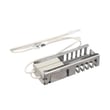


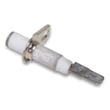
Why is my Jenn-Air gas range oven not igniting?
If your Jenn-Air gas range model JGS9900CDB01 oven is not igniting, the most common causes are loss of electrical power to the range (this model uses pilotless ignition), a weak or failed oven igniter, or a gas supply issue. Start with power and gas checks, then inspect the igniter.
Quick checks first (most common)
- Confirm the range has power; this oven will not operate during a power failure because it uses pilotless ignition.
- Make sure the gas shutoff valve is fully open.
- Verify other gas appliances in the home work normally.
- If the control is in a demo or display mode, turn that mode off.
- Try both BAKE and BROIL; if neither ignites, the igniter or control circuit is a top suspect.
What to look for with the oven igniter
A failing igniter can glow but still not pull enough current to open the gas valve, so the burner never lights.
Common symptoms
- No glow at all: open igniter, wiring issue, or control problem.
- Slow ignition (long preheat, delayed light-off): weak igniter.
- Gas smell with no ignition: stop and ventilate; do not keep retrying.
If you need a replacement for this model, match by part ID and mounting style; a common bake igniter option is the whirlpool range bake igniter W11596211.
Troubleshooting map
| What you observe | Most likely cause | What we recommend |
|---|---|---|
| No power, display off | No electrical supply | Reset breaker, check outlet, restore power |
| Display on, no ignition, no igniter glow | Failed igniter or wiring | Inspect harness connections; replace igniter if open |
| Igniter glows, burner never lights | Weak igniter | Replace igniter |
| Ignites sometimes, sometimes not | Weak igniter or control issue | Replace igniter first; then evaluate controls |
Why it matters
On JGS9900CDB01, the oven safety system depends on the igniter and electrical power to open the gas valve. When the igniter is weak or power is interrupted, the oven will not light by design.
For model-specific operating details and settings (including demo mode), use the JGS9900CDB01 owner’s manual.
Last updated: January 2026
How do I reset my gas oven?
To reset your JGS9900CDB01 gas range oven, we recommend clearing the control first by pressing CANCEL, then doing a quick power reset by turning the range power off at the breaker for 1 to 5 minutes and restoring power. This clears many display faults after a power interruption.
Quick reset steps (safe and effective)
- Press CANCEL on the oven control to stop any active cycle and clear many messages.
- Turn OFF the range circuit breaker (or unplug the range if accessible).
- Wait 1 to 5 minutes.
- Restore power and reset the clock if needed.
- Try BAKE again and confirm the oven ignites and heats.
If the oven still will not heat after a reset
A gas oven needs both gas flow and electrical power for the igniter and control. Use these checks:
- Confirm the range is plugged into a grounded 3-prong outlet and the breaker is not tripped.
- Make sure the gas supply line shutoff valve is open.
- Start BAKE and wait up to 5 minutes; if the oven stays cold, press CANCEL.
- If you smell gas without ignition, stop and have the range serviced.
- If you suspect a weak igniter (slow ignition, no heat), the bake igniter is a common fix.
| Symptom after reset | Most common cause | What we recommend |
|---|---|---|
| Display shows flashing time | Power failure occurred | Clear the display and reset the clock using the JGS9900CDB01 owner’s manual |
| Message is a letter + number | Control detected a fault | Press CANCEL; if it returns, service is typically needed |
| Oven will not ignite or heats very slowly | Weak igniter | Inspect/replace the whirlpool range bake igniter W11596211 |
Why it matters
A proper reset helps you separate a simple control glitch (power interruption, fault message, stuck cycle) from a real heating problem like a failing igniter, closed gas shutoff valve, or an electrical supply issue.
Last updated: January 2026
What are common problems with Jenn-Air stoves?
Common problems on the Jenn-Air JGS9900CDB01 gas range include burners that will not ignite, an oven that will not heat or heats unevenly, and control or ignition issues. Many symptoms trace back to dirty burner ports, a weak igniter, or a failing spark module.
Most common symptoms and what they usually point to
- Surface burner clicks but won’t light: clogged burner ports, wet igniter area, or low gas flow
- Oven won’t heat (bake): weak bake igniter or ignition circuit issue
- Oven heats slowly or unevenly: weak igniter, door not sealing, or calibration needed
- Constant clicking from burners: moisture/soil around igniters or a spark switch issue
- Dead display or erratic buttons: control board or control panel problem
Quick checks we recommend before replacing parts
- Confirm the gas shutoff valve is fully open.
- Make sure burner caps and heads are seated correctly after cleaning.
- Clean and dry burner heads and around igniters; food spills commonly block ignition.
- If the range is unresponsive, reset power at the breaker for 1 minute.
- If you suspect a bake ignition problem, compare broil vs. bake performance (broil working but bake not working often points to the bake igniter).
Parts that commonly fix “no heat” or “no ignition” complaints
| Problem area | Common failing part | Example part for this model |
|---|---|---|
| Oven will not bake | Bake igniter | Range bake igniter W11596211 |
| Surface ignition issues | Igniter | Igniter WP74009336 |
| Repeated clicking / weak spark | Spark module | Module- sp WPW10475147 |
Why it matters
Gas ignition and temperature control problems can look similar, but the fix is different. A weak igniter can prevent the oven from opening the gas valve fully, causing slow preheat, low heat, or no heat at all, while a spark module issue usually shows up as burner ignition problems.
When to use the manual and when to call for service
Our best next step is to follow the troubleshooting guidance and record the complete model and serial number before scheduling service or ordering parts. The Jenn-Air documentation also recommends using factory specified replacement parts for proper fit and performance; see the JGS9900CDB01 owner’s manual for troubleshooting and service information.
Last updated: January 2026
How long should a Jenn-Air oven last?
A Jenn-Air oven in a gas range like model JGS9900CDB01 typically lasts 15 to 20 years with normal household use and basic maintenance. Keeping the burner and ignition system working correctly and following the care instructions in the JGS9900CDB01 owner’s manual helps you reach that lifespan.
Typical lifespan and what changes it
Most ovens land in a predictable range, but a few factors move the needle.
- Usage frequency: daily high-heat cooking shortens life compared to occasional use
- Cleaning habits: heavy grease buildup stresses burners, igniters, and airflow
- Installation quality: correct gas supply, electrical supply, and venting reduce failures
- Wear parts: igniters, door gaskets, and control components wear out before the cabinet does
- Service history: timely repairs prevent small issues from damaging larger systems
Common “age-related” repairs (and what they affect)
These are some of the most common parts that can make an older gas oven feel “worn out” even when the range is still worth keeping.
| Symptom | Often related to | What it impacts |
|---|---|---|
| Oven won’t heat or heats slowly | Ignition system | Bake performance and preheat time |
| Uneven baking, heat escaping | Door sealing | Temperature stability and energy use |
| Clicking, weak flame, poor ignition | Burner/ignition components | Reliability and safety shutoffs |
If your oven is not heating consistently, a worn bake igniter is a frequent cause; the whirlpool range bake igniter W11596211 is one example of an igniter used on this model.
Why it matters
Knowing the 15 to 20 year lifespan helps you decide whether to repair or replace. If the range is heating well and the cabinet is solid, replacing a wear part (like an igniter or door gasket) often restores normal performance for years.
Quick maintenance habits that extend life
- Keep spills from baking onto the oven bottom
- Avoid harsh cleaners on control areas
- Make sure the oven door closes firmly and seals evenly
- Address slow preheating early (often an igniter issue)
- Follow venting and setup guidance in the JGS9900CDB01 installation guide
Last updated: January 2026






