 Installation guide
 Owner’s manual
 Error Codes








How long do Frigidaire gas ranges last?
Most Frigidaire gas ranges last 13 to 19 years with normal household use. Even though the Frigidaire FFEF3052TSE is an electric freestanding range, the same lifespan range is a solid expectation for full-size ranges when they are kept clean, properly installed, and repaired promptly using the procedures in the FFEF3052TSE owner's manual.
Typical lifespan and what affects it
A range’s service life depends more on heat exposure, cleaning habits, and timely part replacement than the fuel type.
- Cooking frequency (daily use shortens life compared to occasional use)
- Cleaning routine (grease and spills accelerate wear on controls and wiring)
- Power quality and wiring condition (loose connections cause overheating)
- Ventilation and heat management (excess heat stresses the control area)
- Replacing wear parts early (elements, sensors, switches)
Common parts that fail first (and what you’ll notice)
On ranges like the FFEF3052TSE, these issues often show up years before the appliance is “worn out.”
| Symptom | Likely area | Example part on this model |
|---|---|---|
| Burner stays too hot or won’t regulate | Surface control | Range surface element control switch 316436001 |
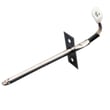
| Oven temperature swings, underbakes/overbakes | Temperature sensing | Range oven temperature sensor 316233903 |
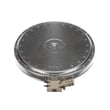
| Oven won’t heat in bake | Bake circuit | Frigidaire range bake element 316225001 |
| Oven light out | Lamp or socket | Appliance light bulb, 40-watt 316538904 |
Maintenance that helps you reach the full lifespan
We recommend following the care and cleaning schedule and “Before You Call” checks outlined in the FFEF3052TSE owner's manual.
- Wipe up spills quickly to prevent baked-on residue
- Keep the oven cavity and door seal clean and intact
- Avoid slamming the oven door and storage drawer
- If a burner or oven heat seems inconsistent, troubleshoot early
- Use correct cookware size to reduce overheating on surface elements
Why it matters
A range that is cleaned regularly and repaired when symptoms first appear typically reaches the upper end of the 13 to 19 year range, while ignored heating or wiring problems often shorten service life.
Last updated: January 2026
How to reset a Frigidaire Gallery electric stove?
To reset a Frigidaire electric range like model FFEF3052TSE, turn the range off and disconnect power for about 30 seconds, then restore power and reset the clock. This clears many control glitches after a power interruption or lockup; it does not fix a heating circuit problem.
Reset steps (safe and effective)
- Turn all surface element knobs to OFF.
- Unplug the range, or switch OFF the range breaker.
- Wait 30 seconds.
- Restore power.
- Set the time of day (the manual notes you should reset the clock after power is restored).
- Test one surface element and Bake to confirm operation.
For model-specific operating and clock-setting steps, use the FFEF3052TSE owner's manual.
If burners or the oven still will not heat after a reset
A reset helps when the control is confused, but no-heat symptoms usually point to power supply or a failed heating component.
Check these common causes:
- Incorrect supply voltage after installation (range needs full 240V; a missing leg can cause weak or no heat).
- Loose or overheated power cord connections at the terminal block.
- Failed surface element switch (a burner stays cold or only works on one setting).
- Failed bake or broil element (oven will not heat properly).
- Failed oven temperature sensor (baking temperatures are erratic).
Quick symptom-to-part guide
| Symptom | Most likely area | Example part for FFEF3052TSE |
|---|---|---|
| One burner will not heat | Infinite switch or element | Range surface element control switch 316436001 |
| Oven light out (no heat otherwise OK) | Bulb or socket | Appliance light bulb, 40-watt 316538904 |
| Oven temps inaccurate | Sensor | Range oven temperature sensor 316233903 |
Why it matters
Disconnecting power resets the electronic control and forces the range to restart cleanly after a power failure. If the range still will not heat, focusing on voltage, wiring, and the specific heating circuit prevents repeated resets that do not address the real failure.
Last updated: January 2026
Why is my Frigidaire oven beeping and flashing F1?
On the Frigidaire FFEF3052TSE electric range, an F1 code with beeping typically points to a control-panel fault, most often a shorted or stuck keypad. Start by clearing the code with OFF, then reset power; if F1 returns, the touch panel or oven control needs attention.
Quick reset steps (try first)
- Press OFF to clear the F1 code.
- Turn the range power off at the breaker (or unplug if accessible).
- Wait 5 minutes, then restore power.
- Set the clock, then try Bake or Broil again.
- If F1 repeats, stop using the oven until the control issue is corrected.
These steps match the troubleshooting flow in the FFEF3052TSE owner's manual.
What usually causes F1 on this model
F1 is commonly triggered when the oven control senses an input problem from the keypad or an internal control failure. Typical causes include:
- A stuck key on the touchpad (often after cleaning or moisture exposure)
- Moisture or residue behind the overlay causing false key presses
- A failing electronic oven control (clock/control board)
- Wiring connection issues at the control (less common)
What to check next (safe, no-disassembly checks)
- Wipe the control area with a lightly damp cloth, then dry it fully.
- Make sure no buttons are being held in by a misaligned overlay.
- If the beeping starts immediately at power-up, the keypad circuit is usually the trigger.
Parts that are commonly involved
If the reset does not hold, the repair typically centers on the control assembly components.
| Symptom pattern | Most likely area | What it means |
|---|---|---|
| F1 returns right after power is restored | Keypad/touch input | Control thinks a key is pressed |
| F1 appears during cooking, then repeats | Oven control electronics | Control is detecting an internal fault |
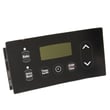
If you are diagnosing the electronic control, the range oven control board and clock 5304518660 is a common related part for this model.
Why it matters
An F1 fault can disable normal oven operation and the beeping is the control’s way of warning that it is detecting an unsafe or invalid input condition. Addressing it quickly helps prevent interrupted cooking and repeated nuisance alarms.
Last updated: January 2026




