 Installation guide
 Owner’s manual









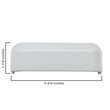
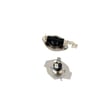

Can I replace the heating element myself in the dryer?
Yes, on Kenmore electric dryer model 11067132411, replacing the heating element is a realistic DIY repair if you’re comfortable removing panels and reconnecting wires exactly as found. The key is safety: disconnect power first and follow the step-by-step access and reassembly details in the 11067132411 installation guide.
Dryer repairs involve 240 volts, sharp metal edges, and hot components. We recommend these basics before opening the cabinet:
- Unplug the dryer (or switch both dryer breakers off at the panel).
- Let the dryer cool completely.
- Take a clear photo of every wire connection before you remove it.
- Wear cut-resistant gloves; cabinet panels can be sharp.
- Clean the lint screen and remove lint buildup around the heater area while you’re in there.
Exact access varies by design, but most Kenmore 110-style electric dryers follow this general flow:
- Disconnect power.
- Remove the rear panel (common access point for the heater housing).
- Label and disconnect wires from the heating element terminals.
- Remove the heater housing cover, then swap in the new element.
- Reinstall covers/panels, restore power, and run a short heated test cycle.
If your dryer also has a no-heat symptom, check airflow and safety devices at the same time; a restricted vent can overheat the heater circuit.
For this model, the heating element itself is available as dryer heating element 279838. Depending on the failure, you may also end up testing or replacing temperature safety parts.
| Symptom | Most common cause | What to check next |
|---|---|---|
| Drum turns, no heat | Power supply issue or heater circuit open | Breakers/fuses, element continuity, thermostats |
| Heat cuts out mid-cycle | Overheating from poor airflow | Venting, lint buildup, high-limit thermostat |
| Burning smell | Lint near heater or overheated component | Clean lint, inspect heater housing and wiring |
A correctly installed heating element restores normal drying performance, but airflow is what keeps the heater from overheating. Keeping the lint screen and vent system clean helps prevent repeat failures and long dry times.
Last updated: February 2026
How do I tell what model Kenmore dryer I have?
To tell what Kenmore dryer model you have, we look for the model and serial number label on the dryer cabinet. For Kenmore model 11067132411, the label is typically in the door opening area or on the back panel; matching that number ensures you get the right parts and instructions.
Check these common locations on Kenmore electric dryers:
- Inside the dryer door opening on the cabinet frame
- On the back panel of the dryer
- Around the lint screen housing area (near the top opening)
- On a side panel near the front edge (less common)
Kenmore model numbers are long numeric strings. Once you find it, match it exactly, character for character.
| What you see on the label | What it tells us | Why you need it |
|---|---|---|
| Model number (example: 11067132411) | The exact dryer design | Ensures correct parts like a heating element, door switch, or thermistor |
| Serial number | Production run info | Helps confirm compatible revisions when ordering parts |
Use these checks before you buy a replacement part:
- Confirm the model number from the label, not from the control panel styling
- Write the full number down (or take a clear photo) before shopping
- Use the model number to follow the correct disassembly steps in the 11067132411 owner's manual
- If the dryer will not start during testing, confirm the door is fully closed; a failed door switch such as the dryer door switch WP3406107 can prevent operation
Kenmore uses multiple model families that can look nearly identical. The exact model number is what ties your dryer to the correct wiring, heating system, drum support parts, and troubleshooting steps.
Last updated: February 2026
Is there a way to reset a Kenmore dryer?
Yes. For the Kenmore 11067132411 electric dryer, the most reliable “reset” is a power reset: turn the dryer off, disconnect power for about 1 minute, then restore power and start a cycle again. This clears many control glitches after a power interruption.
- Touch Power/Cancel to turn the dryer off.
- Unplug the dryer (or switch the breaker off) for 60 seconds.
- Restore power.
- Close the door fully.
- Touch and hold START/PAUSE for up to 3 seconds to begin a cycle.
- If the display shows PF (power failure), touch START to clear it, then press and hold START to resume.
For model-specific control and display behavior, follow the steps in the 11067132411 owner’s manual.
These checks solve most “won’t start” complaints on electric dryers:
- Door not shut: confirm the door latches firmly; a failed switch can prevent starting.
- Start not held long enough: hold START/PAUSE with the pad of your finger.
- Power supply issue: electric dryers need 240V (or 208V) and often use two breakers/fuses.
- L2 code (low/no line voltage): clear the code, then correct the home power issue.
- Control in pause mode: if the door was opened during Wrinkle Guard, touch Power to turn off or Start/Pause to continue.
| What you see | What it points to | What to do next |
|---|---|---|
| Drum turns, no heat | One breaker/fuse tripped | Reset both breakers; verify 240V |
| “PF” on display | Power interruption | Clear PF; restart cycle |
| “L2” on display | Low line voltage | Check cord, breaker, outlet |
| Won’t start at all | Door circuit not made | Check latch and door switch |
If the door is closed but the dryer acts like it is open, the door switch is a frequent fix: dryer door switch WP3406107.
A “reset” can clear a temporary control lockup, but repeated PF or L2 messages usually mean a power supply problem that can stop heating or prevent reliable operation.
Last updated: February 2026
What are signs of a bad dryer heating element?
If our Kenmore electric dryer model 11067132411 runs but doesn’t produce heat, takes much longer to dry, or shows an L2 (low/no line voltage) message, the heating circuit needs attention; a failed heating element is a common cause, but power supply and safety thermostats can look similar.
- Drum tumbles normally but clothes stay cool and damp.
- Dry times suddenly get much longer on heated cycles.
- Dryer runs, but heat comes and goes during the cycle.
- You smell a “first heat” odor only on a brand-new element; persistent burning smells point to airflow or overheating issues.
- Display shows L2 and the dryer continues to run (heater may not be turning on).
- Confirm you are using a heated cycle (Timed Dry with heat, not Air Only).
- Check the home power supply: electric dryers need 240V (or 208V) and typically use two fuses/breakers; one tripped breaker can let the motor run with no heat.
- Inspect airflow: a crushed vent, clogged lint screen, or blocked exterior hood can overheat the heater housing and trip safety devices.
- If the dryer is in a cold area (below about 45°F), sensor cycles can run longer and seem like “no heat.”
| What you observe | Most likely area to check | Why |
|---|---|---|
| Tumbles, no heat, no error | Heating circuit | Element or thermostat could be open |
| L2 code appears | Power supply | Heater not getting full line voltage |
| Overheats, shuts heat off | Airflow or high-limit safety | Safety thermostat/cutoff can open to prevent overheating |
- Dryer heating element 279838 (the heater that produces heat)
- Dryer high-limit thermostat WP3977767 (opens if the heater area overheats)
- Amana dryer thermal cut-off fuse kit, 309-degree f W10900067 (one-time safety cutoff on some heater housings)
A weak or failed heating circuit wastes energy and can lead to repeated safety trips if airflow is restricted. Verifying power and venting first helps us avoid replacing the wrong part.
For cycle selection, diagnostic codes like L2, and electrical requirements, follow the 11067132411 owner's manual and the 11067132411 installation guide.
Last updated: February 2026
What does PF stand for on a Kenmore dryer?
On Kenmore dryer model 11067132411, PF stands for power failure. It means the drying cycle was interrupted by a loss of power; clear the message and restart or resume the cycle using the steps in the 11067132411 use and care guide.
- Touch START once to clear the PF message.
- Press and hold START to resume the cycle.
- If the cycle will not resume, reselect your cycle and start it again.
- Check that the dryer is plugged in firmly and the outlet is not loose.
- If PF happens repeatedly, check for a tripped breaker or a blown fuse.
Power interruptions can be external (utility outage) or internal (loose cord, weak outlet, breaker issue). For electric dryers, a partial power problem can also cause heating issues.
- Verify both dryer breakers are ON (many electric dryers use a 2-pole breaker).
- Inspect the power cord connection at the terminal block (follow the 11067132411 installation instructions for safe access and wiring guidance).
- Avoid using extension cords or power strips.
| Display code | What it means | What you’ll notice |
|---|---|---|
| PF | Power was interrupted | Cycle stops or resets; message appears |
| L2 | Low or no line voltage condition | Dryer may run but not heat well |
A single PF is usually harmless, but repeated PF messages can point to an electrical supply problem that can interrupt drying, extend cycle times, and contribute to poor heating performance.
Last updated: February 2026
What size is a Kenmore Model 11067132411 dryer?
The Kenmore electric dryer model 11067132411 is approximately 29 inches wide, 28 1/4 inches deep, and 40 7/8 inches tall (to the top of the cabinet). For installation planning, also allow extra room for venting, the power cord, and the door swing; see the 11067132411 installation guide.
These measurements help you confirm fit through doorways and in a laundry alcove or closet.
- Width: about 29 in.
- Depth (cabinet): about 28 1/4 in.
- Height (cabinet): about 40 7/8 in.
- Depth with door open: plan for additional clearance so the door can fully open
- Rear clearance: leave space for the exhaust vent and electrical connection
| Measurement | Approx. size | Notes |
|---|---|---|
| Width | 29 in. | Standard full-size footprint |
| Depth | 28 1/4 in. | Cabinet depth; venting adds space behind |
| Height | 40 7/8 in. | Cabinet height; leveling legs affect final height |
Even when the cabinet fits, installation usually needs extra space for airflow, noise reduction, and service access.
- Leave room so the dryer door fully opens
- Add spacing on all sides to reduce noise transfer
- If installing in a closet, the door typically needs top and bottom air openings
- Use a level floor (a noticeable slope can affect tumbling and sensor cycles)
- For an electric dryer, plan for a dedicated 30-amp circuit
Correct sizing prevents delivery surprises, crushed venting, and overheating from restricted airflow. It also helps avoid longer dry times caused by poor exhaust routing or tight clearances.
For additional model details and operating features, use the 11067132411 owner's manual.
Last updated: February 2026










