 Owner’s manual









What is error code E64 on Samsung dryer?
On a Samsung DV456GWHDSU dryer, error code E64 points to a drive system problem, most often the motor circuit or the main control not sensing the motor correctly. We focus first on power reset, wiring connections, and motor overheat protection before replacing parts; see the DV456GWHDSU user manual.
- Unplug the dryer for 2 minutes, then restore power and retry a cycle.
- Confirm the door fully closes and the latch engages.
- Reduce load size; an overloaded drum can stall the motor.
- Check the drum turns by hand; it should rotate smoothly without grinding.
- Listen for a hum with no drum movement (common sign of a stuck drum, belt issue, or motor problem).
| What you notice | Most likely cause | What to do next |
|---|---|---|
| Drum will not turn, motor hums | Drum jam, belt issue, or motor struggling | Inspect belt and drum support system; check for binding |
| Runs briefly then stops, code returns | Motor overheating or airflow restriction | Clean lint path and venting; re-test |
| No motor sound, code appears quickly | Wiring/connection issue or control problem | Inspect harness connections; consider control diagnosis |
If the drum is hard to turn or you hear thumping/squealing, mechanical drag can overload the motor and trigger errors.
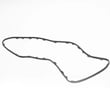
- Samsung dryer drum belt 6602-001655: a broken or slipped belt can prevent drum rotation.
- Samsung dryer drum support roller DC97-16782A: worn rollers can bind and strain the motor.
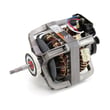
- Dryer drive motor DC31-00055H: a failing motor can overheat, stall, or fail to start.
E64 is often a “motor not behaving as expected” signal. Fixing the root cause (binding drum, restricted airflow, loose wiring, or a weak motor) prevents repeat shutdowns and helps protect the control board from repeated stress.
Last updated: February 2026
What is the average lifespan of a Samsung dryer?
A Samsung dryer typically lasts 10 to 15 years with normal household use. For your Samsung DV456GWHDSU dryer, consistent airflow maintenance (lint screen and venting) and avoiding overloads are the biggest factors that push lifespan toward the high end; see the DV456GWHDSU owner's manual for model-specific care guidance.
A dryer’s life is usually determined by heat stress, airflow restriction, and wear on moving parts.
- Clean the lint screen before every load; restricted airflow overheats components
- Keep the vent duct short, smooth, and clear; long dry times strain the heater and motor
- Avoid overloading; it stretches the belt and stresses drum rollers
- Use the right cycle and heat setting; high heat all the time shortens component life
- Listen for early warning noises (squeal, thump, rumble) and address them promptly
If your DV456GWHDSU is still heating but gets noisy or stops tumbling, these parts are common culprits:
| Symptom | Common cause | Example part for this model |
|---|---|---|
| Squealing or rumbling | Worn drum support rollers | Samsung dryer drum support roller DC97-16782A |
| Drum not turning, motor runs | Worn or broken belt | Samsung dryer drum belt 6602-001655 |
| Long dry times, overheating, shutdown | Airflow restriction or failed safety thermostat | Dryer thermal cut-off thermostat DC47-00016A |
A dryer that is forced to run hot or run long (usually from lint buildup or vent restrictions) wears out the drive system, thermostats, and controls faster. Good airflow maintenance is the simplest way to protect the motor, drum support system, and heating circuit.
For efficiency tips that also reduce wear, follow guidance in how to keep a dryer clean and economical.
Last updated: February 2026
How to find part number for Samsung dryer?
To find the correct part number for your Samsung dryer, we match parts to the exact model number first. On Samsung model DV456GWHDSU, the model and serial tag is typically on the front frame behind the door; if it’s missing, check the back panel and then confirm the part in the DV456GWHDSU manual.
- Open the dryer door and look on the front frame (door opening area).
- Write down the model number and serial number exactly as shown.
- If the tag is worn or missing, check the rear panel for a secondary label.
- Use the model number to identify the part by name (for example: belt, door switch, thermistor).
- Confirm the manufacturer part number before ordering (Samsung parts often start with DC).
These are examples of part names and manufacturer part numbers that are commonly replaced on this model:
| What you’re fixing | Part name (example) | Manufacturer part number (example) |
|---|---|---|
| Dryer won’t tumble | Drum belt | 6602-001655 |
| Dryer won’t start when door closes | Door switch | DC64-00828B |
| Dryer overheating or shutting off | Thermal cut-off thermostat | DC47-00016A |
| Dryer takes too long to dry | Thermistor | DC32-00007A |
If you already know the failed component, matching by part name is often fastest; for example, the dryer drum belt 6602-001655 is the correct belt listing for this model.
Samsung dryers can look similar across series, but parts like a control board, belt, or thermostat can vary by revision. Using the exact DV456GWHDSU model tag prevents ordering a part that fits a different Samsung dryer.
Last updated: February 2026
How to tell if Samsung dryer thermal fuse is bad?
On the Samsung DV456GWHDSU dryer, a bad thermal fuse typically shows up as a dryer that will not start (most common) or runs with no heat. The reliable way to tell is a continuity test with a multimeter; a good fuse reads closed (beeps), a blown fuse reads open (no beep).
- Dryer won’t start at all (no motor run)
- Drum turns but there’s no heat (on some designs)
- Cycle stops early after a short run
- Burning smell or very hot cabinet before the failure (overheating event)
- Unplug the dryer (and shut off gas if you have a gas model).
- Access the fuse area using the disassembly steps in the DV456GWHDSU owner’s manual.
- Pull at least one wire off the fuse terminal.
- Set the meter to continuity (or lowest ohms).
- Touch probes to the fuse terminals:
- Beep / near 0 ohms: fuse is good
- No beep / OL / infinite resistance: fuse is blown
A thermal fuse usually opens because the dryer overheated. Before replacing parts, we correct airflow and heat-control issues:
- Clean the lint screen and lint chute
- Inspect and clear the vent duct to the outside (crushed hose, lint clog, long run)
- Confirm the outside vent flap opens strongly
- Check for a restricted blower housing or damaged blower
- If overheating continues, test temperature-sensing parts such as the thermistor and thermostats
| What you’re seeing | Likely area to check | Example part for DV456GWHDSU |
|---|---|---|
| Long dry times, weak airflow | Venting, blower | Dryer blower wheel DC67-00180B |
| Overheats or temp swings | Temperature sensing | Dryer thermistor DC32-00007A |
| No heat or shuts down on high temp | Safety thermostats | Dryer high-limit thermostat DC47-00017A |
The thermal fuse is a one-time safety device. Replacing it without fixing restricted airflow can lead to repeat failures, longer dry times, and overheating that stresses the heater, motor, and control.
Last updated: February 2026
How to reset Samsung dryer error code?
For Samsung dryer model DV456GWHDSU, we reset most error codes by doing a simple power reset: unplug the dryer (or switch the breaker off) for about 1 to 5 minutes, then restore power and try a cycle. If the code returns, the dryer is detecting an ongoing problem that needs troubleshooting, not just a reset.
- Turn the dryer OFF.
- Unplug the power cord (or turn the circuit breaker OFF).
- Wait 1 to 5 minutes.
- Restore power.
- Start a timed dry cycle and watch for the code to reappear.
Many Samsung dryer codes are triggered by airflow, temperature sensing, or a control input that is still present.
- Airflow restriction: Clean the lint screen, check the vent hose for kinks, and confirm strong airflow outside.
- Overheating or temperature-related codes: A failed sensor or safety thermostat can retrigger the code.
- Button or control issues (common with “button” style codes): Make sure no key is stuck and the control panel is clean and dry.
- Door-related codes: Confirm the door closes firmly and the switch clicks.
- Intermittent shutdowns: Listen for unusual blower or drum noises that point to a mechanical drag issue.
If the dryer repeatedly shows temperature or heating-related errors, these parts are frequent suspects.
| Symptom after reset | What it often points to | Example part for DV456GWHDSU |
|---|---|---|
| Code returns quickly, poor drying | Airflow problem or temperature sensing | Dryer thermistor DC32-00007A |
| Code returns with overheating behavior | Safety thermostat opening | Dryer high-limit thermostat DC47-00017A |
| Dryer stops heating mid-cycle | Safety cut-off opened | Dryer thermal cut-off thermostat DC47-00016A |
Resetting clears a temporary control glitch, but a repeating error code is the dryer protecting itself (and your laundry) from issues like restricted venting, overheating, or a failed sensor. Fixing the root cause prevents long dry times and repeat shutdowns.
Use the DV456GWHDSU manual to match the exact code on your display to the recommended checks and any model-specific reset behavior.
Last updated: February 2026
How to tell if a Samsung dryer heating element is bad?
On Samsung dryer model DV456GWHDSU, “no heat” troubleshooting depends on whether your unit is gas or electric. If it is electric, a failed heating element shows as an open circuit or a short to the heater housing when tested with a multimeter; confirm access points in the DV456GWHDSU manual.
Use the rating label and the parts breakdown in the DV456GWHDSU manual. A gas model will use a burner and gas valve instead of an electric heating element.
- Electric dryer: has a heater housing with element terminals; no gas line
- Gas dryer: has a gas line connection and burner assembly components
- Symptom overlap: both types can tumble normally but produce no heat
- Disconnect power (unplug or switch off the breaker).
- Access the heater terminals using the disassembly steps in the DV456GWHDSU manual.
- Set your multimeter to ohms (Ω) or continuity.
- Terminal-to-terminal: you should read continuity (low resistance). No continuity means the element is open.
- Terminal-to-housing (ground test): you should read no continuity. Continuity to metal means the element is shorted.
| Meter check | Normal result | If not normal |
|---|---|---|
| Terminal-to-terminal | Continuity | Open element (replace heater/element) |
| Terminal-to-housing | No continuity | Short to ground (replace heater/element) |
On a gas model, “no heat” is usually caused by ignition, flame sensing, airflow restriction, or gas valve issues.
- Verify strong airflow at the outside vent
- Clean lint buildup in the lint screen housing and duct
- Check safety thermostats and wiring connections
- If the burner is not lighting, the gas valve circuit is a common suspect; see dryer gas valve DC62-00201A
Testing the correct heat system (electric element vs gas burner) prevents buying the wrong part and helps you fix the real cause of no heat faster.
Last updated: February 2026







