 Installation guide
 Owner’s manual
 Error Codes






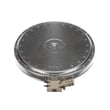


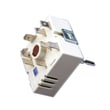
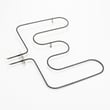

Where is the model number on my Kenmore electric stove?
On Kenmore electric range model 79046593504, the model and serial number are printed on the serial plate on the oven front frame, typically behind the oven door. On some versions, the serial plate is behind the storage drawer. See the 79046593504 owner's manual for the exact illustration.
Where to look (fast checklist)
- Open the oven door and look along the front frame (door opening area).
- Check the left and right sides of the front frame for a rating plate sticker.
- If you do not see it, pull out the storage drawer and look on the frame behind it.
- Use a flashlight; the plate can be low-contrast or partially hidden.
- Write down model number, serial number, and any lot number/letter shown.
Why you need the model and serial number
Having the full model and serial information helps us match the correct Kenmore range parts (like a bake element, control panel, or terminal block) and avoid ordering a similar-looking part that will not fit.
What you should record
| Item on serial plate | What it’s used for |
|---|---|
| Model number | Identifies the exact range design and parts list |
| Serial number | Helps confirm production details for correct part revisions |
| Lot number/letter (if shown) | Helps narrow down compatible part versions |
Tips if the label is hard to read
- Wipe gently with a damp cloth and mild dish soap; dry completely.
- Take a close-up photo and zoom in to read faded characters.
- Avoid abrasive cleaners that can remove printed text.
Why it matters: Kenmore ranges often share similar styling across model series, but internal components and wiring can differ; the serial plate is the most reliable way to identify your exact unit.
Last updated: January 2026
What causes a Kenmore oven to stop working?
On the Kenmore electric range model 79046593504, an oven can stop working because it is not getting power, the oven controls are not operating correctly after a power interruption, or a key heating component (like the bake element or temperature sensor) has failed. Use the troubleshooting steps in the 79046593504 owner’s manual to narrow it down safely.
Quick checks that solve many “dead oven” problems
- Confirm the range has power (check the house breaker for a tripped 240V range circuit).
- Make sure the oven is not in a power-failure state; if power went out, turn the oven off before restarting.
- Verify you are selecting a cooking mode correctly (BAKE vs BROIL vs CLEAN).
- Check for obvious signs of heating: in BAKE at 350°F, the lower element should glow red; in BROIL, the upper element should glow red.
- Do not block the oven vent; blocked venting can cause poor performance and overheating.
Most common repair causes (and what they look like)
| Symptom | Likely cause | What to check next |
|---|---|---|
| Display is blank, oven won’t respond | Power supply issue (breaker, cord, terminal connections) | Inspect wiring connections at the range power cord area; look for heat damage |
| Oven runs but will not heat | Failed bake or broil element | Look for blisters, cracks, or burned spots on the element |
| Oven heats but temperature is inaccurate | Temperature sensor out of range | Test/replace the frigidaire range oven temperature sensor 316217002 |
| Oven heats intermittently | Loose wiring, failing control, or failing element | Check harness connections and element terminals for discoloration |
Why it matters
When the oven stops working, the cause is often electrical (power delivery) or heat-generation related (element or sensor). Confirming whether the elements should glow in BAKE/BROIL helps you quickly separate a control or power issue from a heating-component failure.
Safety notes we follow during diagnosis
- Do not touch heating elements; they can cause burns.
- Do not attempt to operate the oven during a power failure; turn the oven off and restart only after power is stable.
Last updated: January 2026
How do you reset a Kenmore electric stove?
To reset a Kenmore electric range model 79046593504, we recommend doing a full power reset: turn the range off at the breaker (or unplug it), wait about 1 minute, then restore power and re-test Bake or a surface element. See the 79046593504 owner's manual for control-specific steps.
Quick reset steps (safe and effective)
- Turn all surface burner knobs to OFF.
- Switch the range circuit OFF at the home breaker panel (preferred) or unplug the cord.
- Wait 60 seconds so the electronic oven control fully powers down.
- Restore power.
- Set Bake to 350°F and confirm the oven begins heating.
- If the display shows an error again, note the exact code before resetting a second time.
If the reset does not fix the problem
A reset clears many temporary control glitches, but it will not correct a failed part or wiring issue. These checks help narrow it down:
- If the oven will not heat, check the Bake function first, then Broil.
- If the cooktop element will not heat, test a different element size or burner position.
- If the display shows an error code, use Kenmore 790 self-cleaning range error codes to match the code to likely causes.
- If the range is completely dead, check the house breaker and the power cord connection at the terminal block.
Common causes and what to check
| Symptom after reset | Most likely area | What we recommend |
|---|---|---|
| Display works, oven will not heat | Heating circuit | Check bake element and wiring; test Bake at 350°F |
| Error code returns quickly | Sensor or control issue | Look up the code; inspect sensor harness |
| No power at all | Power supply connection | Verify breaker, cord, and terminal block connections |
Why it matters
A power reset is the fastest way to clear a locked-up electronic oven control and confirm whether you have a temporary glitch or a true failure (like a sensor, heating element, or power connection issue). For installation and power-connection details, use the 79046593504 installation guide.
Last updated: January 2026





