Installation guide
 Owner’s manual
 Error Codes









How many years should a GE washing machine last?
A GE washing machine typically lasts 10 to 14 years with normal household use. Although this page is for the GE GTX22GASK0WW gas dryer, washer life is not model-specific to this dryer; use the same lifespan expectation for most modern GE washers and focus on maintenance to reach the upper end. See the GTX22GASK0WW owner’s manual for care habits that also apply to laundry appliances.
Typical lifespan (what to expect)
Most GE washers land in this range when used and maintained normally:
- 10 to 14 years is the typical service life
- Heavy weekly use, frequent overloading, and poor drainage can shorten life
- Good habits (proper loading, correct detergent, periodic cleaning) extend life
- Repairs are often worthwhile in mid-life if the tub and drive system are sound
What shortens washer life fastest
These are the most common “wear accelerators” we see:
- Overloading the basket (extra strain on bearings, suspension, and motor)
- Too much detergent (buildup that affects draining and spinning)
- Skipping periodic cleaning cycles (odor and residue issues)
- Running with an unbalanced load repeatedly (stress on suspension)
- Ignoring small leaks (water damage to components and wiring)
Quick maintenance checklist
Use this simple schedule to help a GE washer reach its expected lifespan:
| Task | How often | Why it helps |
|---|---|---|
| Clean the dispenser and door/bellow area (front-load) | Monthly | Reduces residue and odor |
| Run a cleaning cycle (or hot empty cycle) | Monthly | Helps prevent buildup |
| Check hoses for bulges/cracks | Every 6 months | Prevents leaks and water damage |
| Level the washer and reduce vibration | As needed | Protects suspension and bearings |
Why it matters
Washer lifespan is mostly about mechanical wear and moisture management. Keeping loads balanced, preventing detergent buildup, and catching leaks early reduces stress on high-cost components like bearings, the drive system, and the drain path.
Last updated: January 2026
What is the most common problem with a GE dryer?
For the GE GTX22GASK0WW gas dryer, the most common issues we see are “no heat” or “takes too long to dry”, and the root cause is often restricted airflow (lint screen or venting) rather than a failed gas component. Start with cleaning and verifying proper venting per the GTX22GASK0WW installation guide.
Quick checks first (fast, no parts)
- Clean the lint screen before every load; wash it with warm, soapy water if you see a waxy film.
- Confirm the dryer is vented outdoors with 4-inch metal ducting (no plastic); keep the run short and unkinked.
- Check the outside vent hood damper opens freely and is not blocked by lint or debris.
- Avoid overloading; large, heavy loads can mimic a “no heat” complaint by extending dry time.
- If you smell gas: do not operate the dryer; shut off the gas and contact your gas supplier or a qualified technician.
Most common symptom-to-cause map (GE gas dryers)
| Symptom | Most likely cause | What to do next |
|---|---|---|
| Runs but no heat | Gas supply off or airflow restriction | Verify gas shutoff valves are open; inspect venting and lint path |
| Takes too long to dry | Partially clogged venting or lint buildup | Clean lint screen, lint chute, and exhaust duct |
| Won’t start | Door not closed, door switch issue, start switch issue | Check door closure; test switches if needed |
| Shuts off early | Overheating from poor airflow | Correct venting and lint restrictions before replacing parts |
When a part is likely involved
If airflow and venting check out, these parts are common next suspects on the GTX22GASK0WW:
- GE dryer lint screen WE03X23881 if the screen is torn, warped, or will not seat correctly.
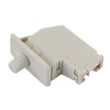
- Door switch (if the dryer will not start when the door is closed).
- Ignition components (if the dryer tumbles but never lights after confirming gas is on).
Why it matters
Restricted airflow is the number one driver behind long dry times and overheating. Fixing venting and lint buildup improves drying performance, helps prevent nuisance shutdowns, and reduces wear on thermostats, the igniter, and the motor.
Last updated: January 2026
How do I find the model number on my GTX22GASK0WW?
You’ll find the model and serial number for your GE GTX22GASK0WW gas dryer on the rating label located on the front of the dryer, behind the door. Write both down exactly as shown; you’ll need them to match the correct parts and diagrams.
Where to look on the dryer
Open the dryer door and check these spots:
- The front frame (door opening area) behind the door
- A label or sticker on the front panel just inside the opening
- The label that lists both Model # and Serial #
For a picture-style reference and wording from GE, see the owner's manual.
What to record (and why)
Record both numbers exactly, including any letters.
- Model number: identifies the exact design and parts list (example: GTX22GASK0WW)
- Serial number: helps confirm production details when parts changed during a model run
- Brand: GE (useful when searching across similar dryers)
Quick checklist
| Item | What it’s used for | Tip |
|---|---|---|
| Model number | Selecting the correct replacement parts | Match every character |
| Serial number | Verifying version and compatibility | Copy it from the same label |
| Product type | Choosing the right instructions | This is a gas dryer |
Why it matters
GE often uses similar-looking cabinets across multiple dryer models; the model number ensures you get the correct components (like a door switch, timer, or drum belt) that fit and function properly.
Last updated: March 2026