 Installation guide
 Owner’s manual







What is the capacity of the Amana nfw7200tw?
The Amana NFW7200TW10 washer has a 3.5 cu. ft. capacity. That is the approximate tub volume available for washing; for best cleaning and spin performance, load items loosely and avoid packing the drum.
How to use that capacity in real life
A 3.5 cu. ft. front-load washer like the NFW7200TW10 typically handles everyday family loads well, but performance depends on fabric type and how tightly the drum is filled.
- Load the drum loosely so items can tumble freely.
- Avoid overloading; overloading can reduce cleaning and increase wear.
- For bulky items that do not fill the tub (like a small rug or a pillow), add a few towels to improve tumbling and spin.
- Use HE detergent to prevent oversudsing in a high-efficiency washer.
- If you need to add a forgotten item, pause and wait for the door lock to release before opening.
Quick reference: capacity vs. loading guidance
| What you are washing | What to do | Why it helps |
|---|---|---|
| Mixed everyday load | Fill loosely, do not pack | Better wash action and rinsing |
| Bulky single item (rug/pillow) | Add a few towels | Improves balance and spin |
| Heavily soiled load | Reduce load size | Improves cleaning results |
| Small load (1-2 items) | Add a few similar items | Helps prevent imbalance |
Where to confirm cycle and loading tips for this model
For model-specific cycle options, loading notes, and control behavior, use the NFW7200TW10 use & care manual.
Why it matters
Capacity is useful for planning load size, but how you load matters just as much. Proper loading helps the washer tumble correctly, rinse detergent out, and reach full spin speed with less vibration.
Last updated: January 2026
How to put an Amana washing machine in diagnostic mode?
For the Amana NFW7200TW10, the model-specific Use & Care information we have does not list a consumer “diagnostic mode” key sequence. However, you can still use the built-in display information codes (like door lock, fill, drain, or unbalanced load codes) to guide troubleshooting; see the NFW7200TW10 owner’s manual.
What you can do on this model instead (built-in checks)
These steps help you confirm what the washer is “seeing” without entering a hidden test mode:
- Pause the cycle by pressing the Cycle Selector dial; wait for the Door Lock light to go out before opening.
- If the washer won’t start, confirm the door is firmly closed and Control Lock is off.
- If you see a code, note it exactly (letters and symbols) and address the related condition.
- If the washer won’t drain/spin, check for a kinked drain hose and try redistributing the load.
- If the washer won’t fill, verify both hot and cold faucets are fully open.
Common information codes and what they usually mean
The NFW7200TW10 can display information codes to help identify what’s happening.
| Code (example) | What it points to | First thing to try |
|---|---|---|
| dC | Unbalanced load | Redistribute load; restart cycle |
| dS | Door open | Close door firmly; restart |
| FL | Door failed to lock | Close door; restart; check latch alignment |
| “_ _” (drain-related) | Not draining | Check drain hose; possible pump restriction |
| PF | Power interruption | Restart cycle |
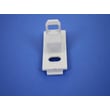
If you repeatedly get door-lock related codes or the door won’t latch consistently, inspect the strike and lock area; the washer door strike WP34001260 is the part that the lock grabs when the door closes.
Why it matters
“Diagnostic mode” procedures vary widely by platform. Using the NFW7200TW10’s built-in information codes helps you avoid incorrect button sequences (often meant for other Amana or Whirlpool-built models) and gets you to the right repair path faster.
Last updated: January 2026
How to hard reset Amana washing machine?
To hard reset an Amana NFW7200TW10 washer, disconnect power for about 5 minutes, then restore power and restart a cycle. This can clear a temporary control glitch after a power interruption or unresponsive controls.
Hard reset steps for NFW7200TW10
- Press Power Off to stop the washer.
- Unplug the power cord from the outlet.
- Wait 5 minutes.
- Plug the washer back in.
- Select a cycle and press the Cycle Selector dial to start.
If your washer is on a dedicated breaker:
- Switch the washer’s breaker OFF.
- Wait 5 minutes.
- Switch the breaker ON.
For control-panel indicators and lock features, see the NFW7200TW10 use & care manual.
If it still will not start after the reset
These checks match common “won’t start” causes described for this model’s operation and troubleshooting:
- Confirm the door is fully closed; the washer will not tumble or spin unless the door is closed.
- Make sure Control Lock is not enabled (it can prevent the controls from responding).
- Verify the outlet has power (test with a small appliance).
- Make sure both hot and cold water faucets are fully open.
- If an error code returns repeatedly, follow the troubleshooting guidance in the manual before repeating resets.
Quick reference: what a reset helps (and what it usually won’t)
| Symptom | Reset worth trying? | Next step if it comes back |
|---|---|---|
| Display frozen or buttons not responding | Yes | Check Control Lock; then follow troubleshooting steps |
| Washer stopped after a brief power loss | Yes | Restart the cycle after power is stable |
| Door will not unlock (LO) | Sometimes | Power Off, then retry; if it repeats, service may be needed |
Why it matters
A hard reset is a safe first step because it can clear a temporary control “hang” without disassembly. If the same symptom returns quickly, the issue is usually power, door lock/strike alignment, fill, or drain related and needs targeted troubleshooting.
Last updated: January 2026


