Installation guide
 Owner’s manual









How to hard reset a Maytag dryer?
To hard reset your Maytag MGDX655DW1 gas dryer, we recommend a full power reset: turn the dryer off, unplug it (or switch the breaker off) for 5 minutes, then restore power and try a cycle. This clears many control glitches and temporary error conditions.
Hard reset steps (power reset)
- Turn the dryer OFF.
- Unplug the power cord (or turn the dryer circuit breaker OFF).
- Wait 5 minutes.
- Plug back in (or turn the breaker ON).
- Start a timed cycle and press Start.
If you need model-specific control and safety notes, follow the shutdown steps in the MGDX655DW1 owner's manual.
If the dryer still will not run after a reset
A reset will not fix a failed safety device or a door switch problem. Check these common causes next:
- Door not fully closed or door switch not working
- Blown household fuse or tripped breaker (power present but controls act odd)
- Gas supply shut-off valve closed (gas models can run but not heat)
- Venting restriction causing overheating and safety shut-down
- Loose wiring connection after moving the dryer
Quick part checks that match this model
| Symptom after reset | Most likely check | Example part for MGDX655DW1 |
|---|---|---|
| Dryer does nothing when Start is pressed | Door switch | Dryer door switch WP3406107 |
| Dryer runs but has no heat | Burner ignition system | Igniter 279311 |
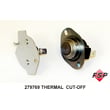
| Dryer shuts down or overheats | Thermal protection | Cut-off kit 279769 |
Why it matters
A hard reset clears the control’s temporary memory, but it does not bypass built-in safety circuits. On a gas dryer like the MGDX655DW1, issues such as a failed door switch, restricted exhaust airflow, or a tripped thermal cut-off can prevent normal operation even after power is restored.
Installation-related note (after moving the dryer)
If the problem started right after a move or reinstall, use the MGDX655DW1 installation guide to confirm the dryer is level, properly connected, and the gas shut-off valve is open.
Last updated: February 2026
How to remove front panel of Maytag front load dryer?
On the Maytag MGDX655DW1 gas dryer, front access typically starts by removing the door and then taking out the front mounting screws so the front panel (or front bulkhead) can be lifted off its retaining tabs/clips and moved forward carefully without straining the door switch wiring. See the MGDX655DW1 installation guide for the door removal steps used during service access.
Safe prep (gas dryer)
- Unplug the dryer (or disconnect power at the breaker).
- Close the gas shut-off valve.
- Let the dryer cool completely.
- Protect the finish; place a towel on top of the dryer before setting the door there.
- Keep screws grouped by location; hinge screws and door screws are different sizes.
Door removal steps (used before front panel access)
These steps are pulled directly from the MGDX655DW1 installation instructions and are the cleanest way to open up the front of the cabinet.
- Open the door.
- Remove the bottom hinge-side screws from the cabinet.
- Loosen (do not remove) the top hinge-side screws.
- Lift the door so the top screws align with the large part of the hinge slot, then pull the door forward off the screws.
- Set the door (handle side up) on a towel on top of the dryer.
Removing the front panel (general MGDX655DW1-STYLE cabinet guidance)
After the door is off, the front panel or front bulkhead is typically secured with screws and tabs.
- Remove the screws securing the front panel/bulkhead to the cabinet.
- Tilt the panel forward to release it from the retaining tabs/clips.
- If wiring is attached (door switch or drum light harness), disconnect the wiring connectors before fully removing the panel.
- Set the panel aside where it will not bend.
Common fastener locations
| Area | What you’ll usually find | What to do |
|---|---|---|
| Hinge side | Cabinet-to-hinge screws | Remove/loosen as directed |
| Front panel/bulkhead edges | Mounting screws | Remove and keep organized |
| Panel tabs/clips | Retaining points | Lift/tilt to release |
Why it matters
Removing the front panel the right way prevents bent sheet metal, stripped screw holes, and damaged wiring. It also gives you access to common wear parts like the dryer door switch WP3406107 and drum support components.
Last updated: February 2026
What if I can't find my part on Sears PartsDirect?
If you can’t find a part for your Maytag MGDX655DW1 gas dryer, we recommend confirming the full model number and then using the parts diagram and manual to match the exact part name and ID. If it’s still not showing, our parts specialists can help you identify the correct replacement.
Quick checks that usually solve it
- Recheck the model number on the dryer’s model/serial tag and match it exactly to MGDX655DW1.
- Use the exploded-view diagrams and part lists in the MGDX655DW1 owner's manual to confirm the correct part description.
- Search by the part name (example: “dryer door switch”) instead of a partial number.
- If you have a part number, try searching both the manufacturer number and the Sears Part ID.
- Look for common “kit” listings when multiple wear items are replaced together (example: dryer repair kit 4392065).
When to call for help (and what to have ready)
Having the right details speeds up part matching and avoids ordering the wrong item.
Bring these items:
- Model number: MGDX655DW1
- Serial number (from the same tag)
- A short symptom description (won’t start, no heat, noisy, long dry times)
- Any numbers printed on the old part (if readable)
Common reasons a part doesn’t appear
| What you’re seeing | What it usually means | What to do next |
|---|---|---|
| Multiple similar parts | Variations by revision or color | Match by diagram callout and description in the manual |
| Part name doesn’t match your wording | Listings use manufacturer terminology | Search by a broader term (switch, roller, igniter) |
| You only have a partial number | Suffix/prefix matters | Search the full number from the old part label |
Why it matters
Dryer parts are often model- and revision-specific. Using the manual and diagrams helps ensure the replacement fits and works correctly, especially for safety-related items like gas ignition components.
Last updated: February 2026
What is the capacity of the MGDX655DW1?
The Maytag MGDX655DW1 gas dryer is a 29-inch wide “Super Capacity Plus” style dryer; its drum capacity is about 7.0 cu. ft. For the exact capacity listing and feature set for your specific unit, confirm it in the MGDX655DW1 owner’s manual.
How we identify capacity on this model
On MGDX655DW1, capacity is typically tied to the drum size class (for example, 29-inch “Super Capacity Plus”). In the manual excerpt for this model family, the drying rack accessory is listed as fitting 29-inch Super Capacity Plus dryers, which aligns with the common ~7.0 cu. ft. class.
- Look for “capacity” or “super capacity” wording in the specifications section
- Match the dryer width (29-inch) to the capacity class
- Use the model number (MGDX655DW1) when comparing specs across similar Maytag dryers
- If you use a drying rack, confirm it is the correct fit for 29-inch models
Quick reference
| Item | What to expect for MGDX655DW1 |
|---|---|
| Dryer type | Gas dryer |
| Width class | 29-inch |
| Capacity class | Super Capacity Plus |
| Typical drum capacity | ~7.0 cu. ft. |
Why it matters
Capacity affects how much laundry you can dry per load and how well clothes tumble for even drying. Overloading a 7.0 cu. ft. class dryer can increase dry time and reduce airflow, especially if the lint screen or venting is restricted.
Last updated: February 2026
What is the code F01 on a Maytag dryer?
On the Maytag MGDX655DW1 gas dryer, error code F01 points to an electronic control problem, most often the main control board not processing inputs correctly (and sometimes a related wiring or motor-circuit issue). Start with a power reset and basic checks, then move to control and harness diagnostics using the MGDX655DW1 owner's manual.
What to do first (safe, quick checks)
- Unplug the dryer (or switch off the breaker) for 5 minutes, then restore power and try a cycle.
- Confirm the door fully closes and the latch engages; a bad door switch can cause confusing symptoms.
- Check for a loose console connection (power off first); vibration can work connectors loose.
- If the dryer starts but acts erratic, avoid repeated restarts; it can worsen overheating or component stress.
Likely causes and what they mean
| Likely cause | What you may notice | Typical fix |
|---|---|---|
| Electronic control board fault | F01 returns quickly, random beeping, cycle won’t run correctly | Replace the control board (model-specific part) |
| Wiring/connector issue (console to main harness) | Intermittent F01, works after tapping or moving dryer | Reseat connectors, repair harness damage |
| Motor circuit problem | Hums, stops, or won’t tumble; code appears during start | Test motor circuit; replace motor if failed |
Parts that commonly relate to “won’t run” symptoms
If your MGDX655DW1 won’t start or stops mid-cycle along with F01, these parts are common checks:
- Dryer door switch WP3406107 (door switch not closing electrically)
- Drive motor (if drum won’t tumble)
- Main harness connections (pin fit, corrosion, heat damage)
Why it matters
F01 is a control-level fault; the dryer can misread inputs (door, motor circuit, sensors) and shut down to prevent unsafe operation. Fixing the underlying control or connection issue restores reliable starting, tumbling, and cycle control.
When installation and airflow still matter
Even though F01 is not a vent code, poor airflow can overheat components and contribute to repeated failures. Follow venting and safety guidance in the MGDX655DW1 installation guide (rigid venting, no crushed flex duct, proper grounding).
Last updated: February 2026
Where can I find the model number on a Maytag dryer?
On a Maytag dryer like model MGDX655DW1, the model number is printed on the model and serial number label. You’ll typically find that label on the dryer cabinet frame when you open the door, or on the back of the dryer near the top. See the MGDX655DW1 owner’s manual for the exact label location and what the tag looks like.
Common places to check first
- Open the dryer door and look on the cabinet frame around the door opening
- Check the back panel near the top edge
- Look for a sticker or metal tag labeled Model and Serial
- Wipe lint and dust off the label so the full number is readable
- Write down the complete model number and serial number for parts lookup and service
What the label usually includes
| Label item | What it’s used for | Example of what you’ll see |
|---|---|---|
| Model number | Matching parts and diagrams | MGDX655DW1 |
| Serial number | Identifying production details | A longer letter/number code |
| Electrical/gas info | Installation and troubleshooting | Ratings and approvals |
Why it matters
We use the complete model number to match the correct Maytag gas dryer parts and service information. Even small model-number differences can change which components fit, such as a door switch, igniter, or drum support roller.
Last updated: February 2026