 Owner’s manual
 Error Codes










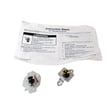
How to hard reset a Kenmore dryer?
To hard reset your Kenmore Elite dryer model 11095862401, unplug the power cord (or switch the breaker off) for 1 to 5 minutes, then restore power and start a cycle. This clears many temporary control glitches and lets you reselect cycle settings.
Hard reset steps (safe and effective)
- Turn the dryer OFF.
- Unplug the dryer (or turn OFF the dedicated breaker).
- Wait 1 to 5 minutes.
- Restore power.
- Close the door and press and hold START for about 3 seconds to begin a cycle (this matches the normal start method in the 11095862401 owner's manual).
If the dryer is “stuck” in a cycle or won’t accept changes
On this model, clearing the current selection is often the real “reset.” Use the control sequence below:
- Press PAUSE/CANCEL twice to stop the dryer and clear the current settings.
- Select a new cycle and options.
- Press and hold START to restart.
Quick comparison: reset vs cancel
| What you need | What to do | What it affects |
|---|---|---|
| Clear a glitch or frozen control | Unplug 1 to 5 minutes | Control board power reset |
| Stop and clear current cycle/settings | PAUSE/CANCEL twice | Current program and selections |
| Pause and continue same cycle | PAUSE/CANCEL once, then START | Resumes where it left off |
Why a reset sometimes does not fix the problem
A hard reset clears the control, but it does not fix airflow, heat, or mechanical failures. If the dryer still will not run or heat after resetting, common causes include:
- Restricted venting or lint buildup (long dry times, overheating)
- Failed heat components (gas models: igniter or coils)
- Drum not turning (belt, idler, rollers)
- Motor issue
If you have squealing, thumping, or a drum that will not turn, a common maintenance fix is replacing wear items such as the dryer idler pulley 279640 and drum rollers.
Why it matters
Resetting correctly helps you avoid unnecessary part replacement and gets you back to diagnosing the real issue (controls vs airflow vs heat vs drive system) on the Kenmore Elite 11095862401.
Last updated: January 2026
Where is the moisture sensor in a Kenmore Elite dryer?
On Kenmore Elite dryer model 11095862401, the moisture sensor is mounted inside the drum area at the front, typically on or near the lint screen housing (lint screen grille) where clothes pass close to the sensor bars during Auto Dry cycles. See the 11095862401 owner's manual for the exact access steps for your configuration.
How to find it (quick location check)
The moisture sensor is designed to touch or closely “see” the load as it tumbles, so it sits in the airflow path near the lint screen area.
- Open the dryer door and look toward the front bulkhead area.
- Check around the lint screen housing/grille area inside the drum opening.
- Look for two metal sensor bars/strips mounted to a small holder.
- If your Auto Dry cycles end early, the load may not be contacting the sensor strips; leveling the dryer can help sensor cycles work correctly.
What it does (and why it matters)
The moisture sensor helps Auto Dry cycles adjust drying time by detecting moisture in the load. When the sensor cannot detect moisture correctly, the dryer can shut down too soon or run longer than needed.
Common symptoms of a moisture sensor issue
- Auto Dry ends early and clothes are still damp
- Drying times vary a lot from load to load
- “Wet” detection seems inconsistent at the start of a cycle
Quick care tips before replacing parts
In many cases, cleaning and airflow checks restore normal sensing.
- Clean the lint screen and confirm strong airflow at the exhaust outlet
- Wipe the sensor bars with rubbing alcohol to remove residue from dryer sheets
- Use only one fabric softener sheet per load (overuse can leave a coating)
- Avoid overloading; the load must tumble and contact the sensor
Related parts that can affect drying performance
If drying performance is still poor after cleaning and vent checks, these model-compatible parts are commonly involved in drying complaints:
| Symptom | Common area to check | Example model-compatible part |
|---|---|---|
| Auto cycles act “off” | Temperature sensing | Dryer thermistor WP8577274 |
| Long dry times, weak airflow | Air movement | Dryer blower wheel WP697772 |
| Clothes still damp, gas heat issues | Burner ignition/sensing | Dryer radiant sensor WP338906 |
Last updated: January 2026
What does AF mean on Kenmore Elite dryer?
On Kenmore Elite dryer model 11095862401, the AF code means the dryer is sensing restricted airflow. In most cases, the fix is to clear lint buildup and correct venting issues so the dryer can exhaust properly and dry efficiently (and safely). See the venting and care sections in the 11095862401 owner's manual.
What to check first (fast airflow fixes)
- Clean the lint screen completely (wash with mild soap and water if it has fabric softener residue).
- Inspect the vent hose behind the dryer for kinks, crushing, or a long run.
- Check the outside vent hood; make sure the flap opens fully and is not blocked.
- Remove lint buildup from the exhaust path inside the dryer and the vent duct.
- Confirm the dryer is installed where it can exhaust correctly (gas dryers must vent outdoors).
Why AF happens
Restricted airflow traps heat and moisture in the drum. That can cause:
- Longer dry times
- Overheating and cycling issues
- Lint accumulation inside the cabinet and ducting
Common causes and what they look like
| Symptom | Most likely cause | What to do |
|---|---|---|
| Clothes take too long to dry | Vent restriction | Shorten/straighten vent, clear ducting |
| Dryer feels very hot | Poor exhaust flow | Clean lint screen, check outside hood |
| Burning smell or lots of lint | Lint buildup in duct or cabinet | Stop using and clean the full exhaust path |
Parts that can contribute (if airflow is clear)
If the venting is clear but airflow still seems weak, a failing blower can reduce exhaust flow.
- Consider inspecting the dryer blower wheel WP697772 for cracks, looseness on the shaft, or heavy lint packing.
Why it matters
Good airflow protects drying performance and helps prevent overheating. Keeping the lint screen and vent system clean is the most effective way to prevent AF from returning.
Last updated: January 2026
What is the cubic foot of my Kenmore dryer model 11095862401?
Kenmore Elite dryer model 11095862401 is a full-size dryer; most Kenmore 110-series full-size dryers are about 6.5 to 7.0 cu. ft. capacity. For the exact cubic-foot rating for your unit, use the specifications section in the 11095862401 owner's manual.
How to find the exact capacity for your dryer
Use the model documentation first, then the model/serial tag to confirm you are reading the right spec set.
- Open the dryer door and find the model/serial label inside the door opening.
- Confirm the model is 11095862401 (match all digits).
- In the manual, look for a “Specifications” or “Features” section that lists drum capacity.
- If the manual covers multiple 110.9586 or 110.9587 variations, use the listing that matches your exact model.
- If you are comparing dryers, use capacity plus venting setup and cycle type (timed vs. automatic) to judge real-world performance.
Quick reference: typical capacity ranges
| Dryer type | Typical capacity (cu. ft.) | What it’s best for |
|---|---|---|
| Compact | 3.4 to 4.4 | Small loads, apartments |
| Full-size (most Kenmore 110-series) | 6.5 to 7.0 | Family loads, bulky items |
| Extra-large | 7.2+ | Very bulky loads, fewer cycles |
Why it matters
Capacity affects how well items tumble and how evenly they dry. A drum that is too full restricts airflow, increases dry time, and can cause overheating symptoms that look like a venting or thermostat problem.
Tip to get the best results from a large drum
- Dry similar fabrics together.
- Avoid packing the drum tight; leave room for tumbling.
- Clean the lint screen every load.
- Keep the vent run short and use rigid or heavy metal venting.
Last updated: January 2026










