 Installation guide
 Owner’s manual
 Error Codes





How do you clear the error code on a Maytag oven?
On the Maytag MER5770AAW electric range, you typically clear an error (fault) code by pressing Cancel once to stop the beeping and clear the display. If the code returns, reset power to the range; if it still comes back, the control is detecting an ongoing problem.
Steps to clear the code (MER5770AAW)
- Press Cancel to clear the fault code and stop the beeps.
- Wait about 30 seconds and see if the display stays normal.
- If the code returns, turn off power to the range at the breaker for 1 minute, then restore power.
- If the code returns again, stop using the oven and schedule service (the fault is active, not just stored).
Quick checks before you reset power
- Make sure the control panel keys are not stuck (wipe the panel and press each key once).
- Let the oven cool down if the code appeared during high-heat cooking or self-clean.
- Confirm the range has steady power (no tripped breaker, no loose cord connection).
What the beeping and “F + number” means
The display showing F plus a number indicates a fault code. Use the table below to decide what to do next.
| What you see | What to do now | What it usually means |
|---|---|---|
| Code appears once, clears with Cancel | Keep cooking and monitor | Temporary control glitch |
| Code returns right away after Cancel | Reset power at breaker | Active fault condition |
| Code returns after power reset | Arrange service | Component or control issue |
Why it matters
Clearing the code stops the alarm, but a repeating fault code helps protect the range from overheating, sensor failures, or control problems that can affect baking and broiling performance.
For model-specific keypad locations and operating details, follow the MER5770AAW owner's manual.
Last updated: January 2026
What are the most common issues with MER5770AAW?
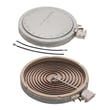
On the Maytag MER5770AAW electric range, the most common problems we see involve uneven or no oven heating, a surface burner that will not heat or overheats, indicator lights that stay on, and door sealing issues that cause temperature swings. Use the MER5770AAW owner's manual for model-specific operating checks.
Most common symptoms and likely causes
- Oven not heating or baking unevenly: failed bake element, poor electrical connection, or temperature control issue
- Broil works but bake does not: bake element is the first part to check
- One surface element not working or stuck on high: surface element control switch or element connection problem
- Hot surface/on indicator light stays on: indicator light circuit or switch issue
- Heat escaping around the door: worn door gasket or hinge alignment problem
Quick checks we recommend first
- Confirm the range has full power (a range typically needs 240 volts; a tripped breaker can leave you with partial power).
- For oven issues, look for visible damage on the bake element (blisters, cracks, burn spots).
- For a single bad burner, swap to a different burner setting and watch for cycling; “always high” points to a control switch.
- Inspect the door seal for gaps, tears, or hardened spots.
- If you see scorched wiring at the power connection, stop using the range until it is repaired.
Parts that commonly fix these issues
| Symptom | Common fix | Part to consider |
|---|---|---|
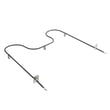
| No bake heat | Replace bake element | Bake element WP74010750 |
| Heat leaking at door | Replace door gasket | Door gasket WPW10162384 |
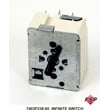
| Burner stuck on high or dead | Replace surface control switch | (match the correct switch by burner position) |
| Power connection overheating | Replace terminal block | Terminal block WPW10245259 |
Why it matters
Heating and power-connection problems affect cooking performance and can damage wiring. Catching a weak bake element, failing switch, or loose terminal block early helps prevent bigger repairs and keeps temperatures stable.
Last updated: March 2026
How do I find the model number on my MER5770AAW?
On the Maytag MER5770AAW electric range, the model number is printed on the data plate located on the storage drawer frame. Pull the storage drawer out and look along the frame area to find the model and serial number together.
Where to look (quick steps)
- Turn the range off and let it cool completely.
- Pull the storage drawer straight out (lift slightly if it stops on the rails).
- Look for a sticker or metal tag on the storage drawer frame.
- Record both the model number and the serial number.
- Keep the numbers with your purchase paperwork for future parts matching.
What you should see on the data plate
| Item on tag | What it’s used for |
|---|---|
| Model number (MER5770AAW) | Ensures the correct Maytag parts and diagrams match your exact range |
| Serial number | Identifies the production run; helps confirm compatible revisions |
Why it matters
We use the model number to match exact-fit parts for your electric range, such as a bake element, surface element components, or an oven door gasket. Even small model differences can change wiring, controls, or mounting details.
Helpful reference
The location of the data plate is shown in the MER5770AAW owner's manual.
Last updated: March 2026




