 Owner’s manual



How to factory reset LG sensor dryer?
A true factory reset is not a standard feature on the LG DLE7200VE dryer. For most “reset” needs (controls acting up, cycle won’t start, odd behavior), we restore normal operation by power-cycling the dryer and then restarting the cycle using the correct control sequence shown in the DLE7200VE manual.
Quick reset steps (recommended)
- Press POWER to turn the dryer off.
- Unplug the dryer (or switch the breaker off) for 2 to 5 minutes.
- Restore power.
- Press POWER.
- Re-select the cycle (Sensor Dry or Manual Dry).
- Press START/PAUSE to begin.
If the dryer still won’t start after “resetting”
These checks solve most sensor-dry complaints and “won’t run” symptoms.
- Confirm the door is fully closed and latching.
- Make sure the lint filter is installed; this model will not operate without it.
- Verify you pressed START/PAUSE (the dryer will not begin a cycle until you do).
- If a cycle was paused, restart within 60 minutes or the dryer turns off automatically.
- Clean the lint screen and check venting; restricted airflow can cause long dry times and unusual cycle behavior.
What “reset” does and does not do
| Action | What it fixes | What it does not change |
|---|---|---|
| Power-cycle (unplug/breaker) | Clears many temporary control glitches | Does not erase stored options like a true factory reset would |
| Re-select cycle + START/PAUSE | Restarts the control logic for the chosen cycle | Does not recalibrate sensors |
Why it matters
Sensor dry cycles use moisture sensing to adjust time automatically. If the control is confused by a power interruption, a paused cycle, or airflow problems, a power-cycle plus a clean lint filter and good venting gets the dryer back to normal performance.
Last updated: February 2026
How do I fix the D80 code on my LG dryer?
The D80 code on your LG DLE7200VE dryer is a Flow Sense™ venting restriction warning. Fix it by cleaning the lint filter and clearing restrictions in the exhaust hose and home ductwork; once airflow is restored, the warning clears after normal use.
What D80 means on this model
On DLE7200VE, D80 indicates the dryer detected restricted airflow in the external venting. It is a venting issue, not a failed dryer component.
Step-by-step: clear the restriction
- Clean the lint screen before every load; if it looks film-coated, wash it with warm water and a soft brush, then dry it fully.
- Inspect the flexible exhaust hose behind the dryer for kinks, crushing, or tears; straighten or replace as needed.
- Check the wall duct and vent hood for lint buildup, stuck damper, or a bird screen packed with debris.
- Confirm strong airflow outside while the dryer runs; weak airflow points to a blockage or an overly long duct run.
- Reduce duct length and turns where possible; long runs and multiple elbows commonly trigger Flow Sense warnings.
- If the warning persists across multiple cycles after cleaning, use the troubleshooting guidance in the DLE7200VE owner’s manual.
Quick checks and what to do next
| What you see | Most likely cause | What we do |
|---|---|---|
| D80 after a cycle | Partial restriction | Clean lint screen; clear hose and vent hood |
| Long dry times + hot cabinet | Poor airflow | Check for crushed hose; clean ductwork |
| Warning stays on after cycle | Flow Sense indicator behavior | Open door or press Power to turn off display |
Why it matters
Restricted venting makes drying take longer and increases energy use. Keeping the lint screen and vent path clear helps your LG dryer heat and dry efficiently and reduces overheating stress on components like thermostats and the heater assembly.
Helpful related guide
For additional code definitions and tips, use our LG dryer error codes reference.
Last updated: February 2026
Why does my LG dryer keep saying check filter?
On our LG DLE7200VE dryer, the Clean Filter or Check Filter message is a normal reminder that appears when you power the dryer on. It is there to prompt you to check and clean the lint filter; it turns off when you press START/PAUSE and the cycle begins (it is not an error).
What to do when you see “Check filter”
- Pull out the lint screen and remove lint before every load.
- Rinse the screen with warm water if you see a waxy film (often from dryer sheets); let it dry fully before reinstalling.
- Make sure the lint screen seats flat and fully in its housing.
- If drying times are getting longer, check the vent hood outside for a strong airflow.
- If you also see Flow Sense warnings (such as duct restriction messages), clean the exhaust duct system.
When it is more than just a reminder
If the reminder is accompanied by poor drying performance, overheating, or duct restriction warnings, airflow is usually the real issue. A clogged lint screen or restricted vent can cause long dry times and higher energy use.
| What you notice | Most common cause | What we recommend |
|---|---|---|
| “Check filter” at power-on only | Normal reminder | Clean lint screen; start cycle |
| Long dry times | Lint screen residue or vent restriction | Clean screen and inspect/clean venting |
| Duct restriction warning stays on after cleaning | System needs several cycles to reset | Run multiple cycles; recheck venting |
Parts that commonly affect airflow
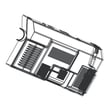
If your lint screen is damaged, warped, or will not seat correctly, replacing it restores proper airflow.
Why it matters
Good airflow protects the heater system, improves drying performance, and helps prevent repeated service issues. The reminder is designed to keep the lint filter and exhaust system maintained.
For control panel indicators and operating details specific to this model, follow the steps in the DLE7200VE owner's manual.
Last updated: February 2026
Why is my LG sensor dryer leaking water?
On the LG DLE7200VE, water leaking is usually caused by moisture condensing in the venting system or a restriction that prevents humid air from exhausting properly; it can also happen if the steam water supply or internal drain path is leaking. Start by checking airflow and venting, then inspect steam-related connections if your cycle uses steam.
Quick checks we recommend first
- Clean the lint filter and confirm it seats fully in the housing.
- Run the dryer and check for strong airflow at the outside vent hood.
- Inspect the entire vent run for kinks, crushed sections, or heavy lint buildup.
- Make sure you are using a heavy metal vent (not plastic or thin foil).
- Verify the vent hood flap opens freely and is not clogged.
Most common causes (and what to look for)
| Likely cause | Where you see water | What to check |
|---|---|---|
| Condensation from restricted venting | Puddle near the dryer base or along the duct | Long vent run, clogged duct, weak airflow outside |
| Loose steam water connection (steam models/cycles) | Drips at the back near the inlet area | Hose connection tightness, cracked hose, leaking fitting |
| Internal drain or moisture path issue | Water under the cabinet after a steam cycle | Signs of dripping inside cabinet, wet marks near blower area |
| Door seal or door not closing fully | Water at the front, dampness around door opening | Debris on gasket area, door alignment, lint preventing closure |
Model-specific venting notes that matter
Your DLE7200VE ships set up to vent out the rear, and it can be reconfigured to vent to the bottom or side using the correct duct components and safe vent materials. Follow the venting instructions and safety guidance in the DLE7200VE owner's manual before changing vent direction or ducting.
Why it matters
A dryer that cannot exhaust humid air efficiently can create condensation that looks like a “leak,” and restricted airflow also increases drying time and heat stress on components such as thermostats and the heater assembly.
If you need a part
If the leak is tied to poor airflow, also inspect the lint filter for damage or poor fit; the correct replacement is the dryer lint screen by LG 5231EL1001C.
Last updated: February 2026







