 Owner’s manual










How to tell if a Samsung dryer heating element is bad?
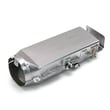
A bad heating element in your Samsung dryer (including model DV45K6500EV) typically shows up as no heat or weak heat even though the drum tumbles. We confirm it by unplugging the dryer, inspecting the element for a broken coil, then testing the element for continuity and for a short to the metal housing using a multimeter; details are in the DV45K6500EV manual.
Quick symptoms that point to a failed heater
- Dryer runs but clothes stay cold or take much longer to dry
- Timer advances but temperature never rises on heated cycles
- Burning smell or visible hot spot marks near the heater area
- Breaker trips shortly after starting a heated cycle (possible short)
- Repeated overheating shutdowns (often airflow-related, but can involve heater circuit)
How we test the heating element (safe, reliable checks)
- Disconnect power (unplug; for electric dryers, confirm the unit is fully de-energized).
- Access the heater terminals (panel removal varies by design; follow the DV45K6500EV manual).
- Continuity test (element coil):
- Set the meter to ohms (Ω) or continuity.
- Probe the two element terminals.
- Good element: shows continuity (a resistance reading, not “OL”).
- Bad element: “OL” or no continuity (open coil).
- Ground/short test (critical):
- Probe one terminal and then the metal heater housing.
- Good element: no continuity to the housing.
- Bad element: continuity to the housing (shorted element).
What else can look like a bad heating element
If the element tests good, we check these common no-heat causes:
- Thermal cut-off thermostat (overheat protection) such as dryer thermal cut-off thermostat DC47-00016A
- High-limit thermostat such as dryer high-limit thermostat DC47-00018A
- Thermistor (temperature sensing) such as dryer thermistor DC32-00007A
- Restricted venting or a clogged lint path (most common reason safety parts open)
Fast comparison: what your meter results mean
| Test result | What it usually means | Next step |
|---|---|---|
| No continuity across element terminals | Element coil is open | Replace the heating element assembly |
| Continuity from terminal to metal housing | Element is shorted to ground | Replace the heating element assembly |
| Element tests good but no heat | Control, sensor, safety device, or airflow issue | Test thermostats/thermistor; verify vent airflow |
Why it matters
A shorted or open heating element stops proper drying and can overheat wiring or trip breakers. Just as important, a clogged vent can cause repeated thermal cut-off failures, so we always correct airflow issues before installing new heater-related parts.
Last updated: February 2026
What is the average lifespan of a Samsung dryer?
Samsung dryers typically last 10 to 15 years. For your Samsung DV45K6500EV, consistent airflow maintenance (lint and venting), avoiding overloads, and catching wear parts early usually keeps the dryer closer to the high end of that range; see the DV45K6500EV owner's manual for model-specific care guidance.
What affects dryer lifespan the most
- Airflow restrictions (lint screen, vent duct, outside hood) that cause overheating
- Load size and cycle choices (frequent overloading increases strain)
- Heat and moisture exposure (laundry room humidity, poor vent routing)
- Wear parts condition (belt, rollers, motor)
- Cleaning habits (lint screen every load; periodic deep cleaning)
Typical lifespan by what fails first
| Component area | What you notice | Common fix type |
|---|---|---|
| Drum support and drive | Thumping, squealing, drum not turning | Replace wear parts (belt, rollers) |
| Heating and temperature control | No heat, overheating, long dry times | Test/replace thermostats, thermal fuse, heater |
| Controls and sensing | Won’t start, stops mid-cycle, odd behavior | Check door switch, control board, wiring |
Maintenance that extends life (and saves drying time)
- Clean the lint filter every load.
- Inspect and clean the vent duct and outside hood regularly.
- Keep loads balanced and not packed tight.
- If you hear thumping or squealing, address drum support early; a worn roller such as the Samsung dryer drum support roller DC97-16782A can accelerate belt and motor wear.
- If drying time suddenly increases, troubleshoot airflow first before replacing parts.
Why it matters
Most “dryer failures” start as airflow or wear-part issues. Fixing those early helps your DV45K6500EV run cooler, dry faster, and reduces stress on the heating system and drive motor.
Last updated: February 2026
How can I reset a Samsung dryer?
To reset your Samsung dryer model DV45K6500EV, we recommend a simple power reset: turn the dryer off, disconnect power (unplug or switch the breaker off) for about 5 minutes, then restore power and try a cycle. This clears many temporary control glitches.
Reset steps (safe, standard method)
- Press Power to turn the dryer off.
- Unplug the dryer, or switch the dryer breaker OFF.
- Wait 5 minutes (10 minutes if the control panel was frozen).
- Restore power (plug back in, or switch breaker ON).
- Press Power, select a cycle, and press Start/Pause.
- If an error code returns immediately, stop the cycle and troubleshoot the cause.
What a reset does (and does not do)
A reset is best for a non-responsive panel, a cycle that will not start, or a one-time error code. It does not fix a failed part such as a thermostat, thermistor, or heating element.
| Symptom after reset | Most likely next step | Common related part (if needed) |
|---|---|---|
| Dryer runs but will not heat | Check airflow and heating circuit | Samsung dryer heating element assembly DC93-00154A |
| Stops mid-cycle or overheats | Check venting, then safety thermostats | Dryer high-limit thermostat DC47-00018A |
| Takes too long to dry | Clean lint screen, inspect vent restriction | (Often venting, not a part) |
If the dryer still will not run
These checks solve many “won’t start” complaints after a reset:
- Confirm the door fully closes; listen for the door switch click.
- Verify the breaker is fully reset (OFF then ON); electric dryers often use a 2-pole breaker.
- Reduce the load size and try Timed Dry.
- Clean the lint screen and make sure the vent flap opens outside.
- Review any displayed error code and follow the model’s guidance in the DV45K6500EV owner’s manual.
Why it matters
Resetting is the fastest way to clear a temporary control-board lockup, but repeated errors usually point to airflow restrictions or a failing heating or temperature-sensing component. Addressing the root cause helps prevent no-heat problems and nuisance shutdowns.
Last updated: February 2026
How to tell if Samsung dryer thermal fuse is bad?
On our Samsung dryer model DV45K6500EV, a bad thermal fuse typically shows up as a dryer that won’t start or runs but won’t heat. The reliable way to confirm is a continuity test with a multimeter; a good fuse reads closed (continuity), and a blown fuse reads open (no continuity).
Quick symptoms checklist
- Dryer has power but won’t run at all
- Drum tumbles but no heat on heat cycles
- Cycle stops early after overheating
- Burning smell or very hot cabinet (often points to restricted airflow)
- Lint screen area feels unusually hot
How we test the thermal fuse (safe, accurate method)
- Unplug the dryer (electric shock hazard if you skip this).
- Access the fuse location using the steps in the DV45K6500EV manual.
- Pull at least one wire off the fuse terminal so you are not reading the rest of the circuit.
- Set the meter to continuity (or lowest ohms).
- Touch probes to the fuse terminals.
What the meter reading means
| Meter result | What it means | What to do next |
|---|---|---|
| Beep or near 0 Ω | Fuse is good | Check airflow, thermostats, heater circuit |
| No beep or OL/infinite | Fuse is blown | Fix overheating cause, then replace fuse |
Parts that are commonly involved on this model
If the fuse is blown, we fix the overheating cause first so the replacement does not fail again.
- Clean the venting and confirm strong airflow at the outside hood
- Check the high-limit thermostat Dryer high-limit thermostat DC47-00018A
- Check the thermal cut-off thermostat Dryer thermal cut-off thermostat DC47-00016A
- Inspect the heater housing for lint buildup and heat damage
- If the dryer runs but heat is unstable, test the thermistor Dryer thermistor DC32-00007A
Why it matters
The thermal fuse is a one-time safety device; it opens when the dryer overheats. On DV45K6500EV dryers, the most common reason is restricted airflow (lint screen, vent hose, wall duct, or outside hood), which also causes long dry times and poor heating.
Last updated: February 2026









