Owner’s manual
 Error Codes





Is it worth replacing a heating element in a Samsung dryer?
Yes. For Samsung dryer model DV5471AEP, replacing the heating element is usually worth it when the dryer otherwise runs normally (drum turns, controls work) but won’t heat; the repair cost is typically far less than replacing the entire dryer. Confirm the diagnosis in the DV5471AEP owner's manual before ordering parts.
When replacement is the smart move
We recommend replacing the heating element when these conditions fit your situation:
- The dryer tumbles but clothes stay cold or take much longer to dry
- Airflow is strong at the outside vent, but heat is missing
- The unit is in good overall condition (no major noise, no burning smell, no repeated shutdowns)
- You have basic DIY skills and can safely access the heater housing
- You plan to keep the dryer for a few more years
Parts that commonly go with a “no heat” repair
A failed heater is common, but overheating from restricted airflow can also damage safety parts. For DV5471AEP, these are frequent matches depending on symptoms:
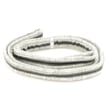
- Samsung dryer heating element DC47-00019A
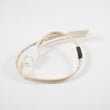
- Dryer high-limit thermostat DC47-00018A
- Dryer thermal cut-off fuse, 320-degree f DC47-00015A
- Dryer thermistor DC32-00007A
Quick decision guide
| What you observe | Most likely direction | Why |
|---|---|---|
| Tumbles, no heat, airflow OK | Replace heater or heat circuit part | Heat system failure is isolated |
| No heat and weak airflow | Fix venting first, then test parts | Poor airflow overheats and blows fuses |
| Loud rumbling/squealing plus no heat | Consider a broader repair | Multiple wear items may be due |
Why it matters
A heating element can fail on its own, but many “heater failures” start with lint buildup or a crushed/long vent run that overheats the heater housing. Restoring proper airflow helps the new element and thermostats last.
What we do first (safe, practical steps)
- Unplug the dryer (and shut off gas if applicable, though this model is typically electric)
- Clean the lint screen and lint screen housing
- Inspect and clear the vent duct to the outside
- Check for error codes and match them to symptoms using Samsung dryer error codes
- If airflow is good, test the heater circuit components with a multimeter before replacing parts
If you’re ready to buy, you can order DV5471AEP replacement parts from the parts list for this model, or search by model number on Sears PartsDirect.
Last updated: February 2026
How to tell if Samsung dryer thermal fuse is bad?
A bad (blown) thermal fuse in your Samsung DV5471AEP dryer tests open on a multimeter (no continuity). A good fuse tests closed (continuity) and reads near 0 ohms. Fix the overheating cause (usually restricted airflow) before replacing the fuse; use the DV5471AEP owner's manual.
How we test the thermal fuse
- Unplug the dryer.
- Access the fuse (commonly on the heater housing or blower housing).
- Remove at least one wire from the fuse terminal.
- Set the meter to continuity (beep) or ohms.
- Probe both fuse terminals.
What the meter reading means
| Meter result | What it means | What to do |
|---|---|---|
| Beep or ~0 to 1 ohm | Fuse is good | Keep troubleshooting heat/airflow |
| No beep, OL, or infinite | Fuse is blown | Replace fuse after fixing airflow |
Common symptoms of a blown thermal fuse
- Dryer will not start, or stops soon after starting
- Dryer runs but will not heat
- Dryer overheats, then shuts down
Prevent the replacement fuse from blowing again
Poor airflow is the most common reason a thermal fuse opens.
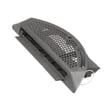
- Clean the lint screen every load; replace a damaged screen such as dryer lint screen DC97-16742A
- Clear lint from the lint duct and blower housing
- Check the vent hose for kinks, crushing, or long runs
- Make sure the outside vent hood opens fully
Why it matters
The thermal fuse is a one-time safety device. Restoring proper venting protects the heating system, improves drying time, and helps prevent repeat failures.
For additional troubleshooting, use our Samsung dryer error codes resource. To order DV5471AEP parts, use the parts list for this model or search by model number on Sears PartsDirect.
Last updated: February 2026
What's the average lifespan of a Samsung dryer?
Most Samsung dryers, including the Samsung DV5471AEP, last 10 to 15 years with normal household use. Consistent airflow maintenance and replacing wear parts when symptoms first appear are the biggest factors in reaching the high end of that range; see the DV5471AEP owner's manual for care and cleaning guidance.
What affects dryer lifespan the most
- Vent and airflow: restricted airflow overheats components and shortens life.
- Lint control: clean the lint screen every load; keep the lint screen area clear.
- Load size: chronic overloading strains the drum belt, drum supports, and motor.
- Heat system health: weak or cycling heat can stress thermostats and thermal fuses.
- Timely repairs: replacing a failing wear part early helps prevent secondary damage.
Common wear parts that can limit longevity
If your DV5471AEP starts squealing, thumping, overheating, or taking too long to dry, these model-matched parts are common fixes:
- Samsung dryer drum belt 6602-001655
- Dryer thermistor DC32-00007A
- Dryer high-limit thermostat DC47-00018A
- Dryer thermal cut-off fuse, 320-degree f DC47-00015A
Quick “repair vs. replace” guide
| What you notice | Most likely area | Typical next step |
|---|---|---|
| Loud thump/squeal | Drum support and drive | Inspect belt and drum support components; replace worn parts |
| Runs but no heat | Heating circuit | Check heating element, thermal cut-off, thermostat |
| Long dry times | Airflow or heat | Clean venting, confirm strong airflow, then test heat parts |
| Won’t start | Door/controls/power | Check door switch and power supply |
Why it matters
A dryer that runs hot or cannot move air efficiently wears out the heating system and drum support parts faster. Keeping airflow strong and addressing early symptoms helps your Samsung DV5471AEP reach its full service life.
For replacement parts, we list model-matched options for DV5471AEP on this page; you can also search by model number on Sears PartsDirect.
Last updated: February 2026