 Installation guide
 Owner’s manual
 Error Codes




How long do Amana dryers last?
Most Amana dryers, including model NED7200TW10, typically last 10 to 15 years with normal household use. Regular lint removal, good airflow through the vent, and avoiding chronic overheating are the biggest factors that help a dryer reach the high end of that range.
Typical lifespan and what affects it
A dryer’s life is mostly determined by heat stress, airflow restriction, and wear on moving parts.
- Vent and lint maintenance: restricted airflow makes the heater run hotter and longer
- Load size: frequent overloading strains the drum support rollers and belt
- Cycle choices: high heat on every load increases wear on thermostats and the heating system
- Installation quality: correct power cord and grounding reduce electrical issues
- Environment: dusty laundry rooms and long vent runs increase lint buildup
Maintenance checklist (best return for the effort)
Use this routine to extend the life of your NED7200TW10 dryer.
- Clean the lint screen every load
- Check airflow at the outside vent hood monthly (strong, steady exhaust)
- Clean the vent duct at least once a year (more often with long runs)
- Keep the area around the dryer clean so the blower does not pull in dust
- Do not run the dryer with a crushed or kinked vent
Quick guide: symptoms that shorten dryer life
| What you notice | What it usually means | What to do first |
|---|---|---|
| Long dry times | Vent restriction or lint buildup | Clean venting and confirm strong exhaust |
| Burning smell or very hot cabinet | Overheating from poor airflow | Stop use, clean venting, inspect lint buildup |
| No heat | Heating circuit issue | Follow the checks in the NED7200TW10 owner’s manual |
| Thumping/squealing | Roller or belt wear | Inspect drum support system and belt |
Why it matters
When airflow is restricted, the dryer runs hotter and longer; that accelerates wear on key components like the heating element, operating thermostat, and safety thermostat. Keeping the venting clear is the simplest way to protect performance and lifespan.
Last updated: February 2026
What are common dryer part failures?
On the Amana NED7200TW10 dryer, the most common part failures we see involve the heating system and airflow safety controls (thermostats, thermal safety devices, and the heating element), plus wear items that affect tumbling and noise. Start by confirming proper venting in the NED7200TW10 installation guide.
Most common failures by symptom
- No heat or weak heat: heating element, operating thermostat, safety thermostat, heater box connections
- Long dry times: restricted exhaust duct, lint buildup, thermostat cycling issues
- Shuts off early: airflow restriction, overheating protection opening, load size issues
- Noisy or thumping: support rollers, idler components, drum support wear
- Uneven drying: mixed load weights, bulky items needing repositioning
Model-relevant parts to check first
These are common heat-related parts for NED7200TW10 that often solve “no heat” or “overheating” complaints:
| Symptom | Part to inspect | What it does |
|---|---|---|
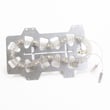
| No heat | Dryer heating element WP35001247 | Produces heat for electric drying |
| Overheats, cycles oddly | Dryer operating thermostat WP35001092 | Regulates normal drum temperature |
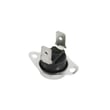
| Overheats, shuts down | Dryer safety thermostat WP35001087 | Backup safety temperature control |
Airflow and venting problems (very common)
Poor airflow can mimic a bad heater because the dryer overheats and the safety controls interrupt heat.
- Use 4-inch metal ducting (rigid is best)
- Never use plastic or nonmetal flexible duct
- Keep the run short and straight; avoid sharp bends
- Don’t run flexible duct through walls or ceilings
- Clean lint accumulation regularly; don’t secure joints with screws
Why it matters
Most “failed heater” calls are actually restricted venting. Fixing airflow first protects the heating element and thermostats, improves drying time, and reduces nuisance shutoffs.
For load-related issues (small loads not tumbling, bulky items drying unevenly), follow the cycle and loading guidance in the NED7200TW10 owner’s manual.
Last updated: February 2026
How do you know if a thermal fuse is blown on an Amana dryer?
On an Amana NED7200TW10 dryer, we confirm a blown thermal fuse by testing it with a multimeter for continuity. If the fuse reads OL/infinite resistance (no continuity) after you disconnect power and remove the wires, the fuse is blown and must be replaced.
Quick continuity test (what to look for)
- Unplug the dryer (or switch off the breaker) before opening any panels.
- Access the thermal fuse (commonly on the blower housing or exhaust duct area).
- Pull the two wires off the fuse terminals (note their positions).
- Set your meter to ohms (Ω) or continuity.
- Touch one probe to each terminal.
- Results:
- 0 to 1 Ω or a beep: fuse is good
- OL or very high resistance: fuse is blown
Before you replace the fuse
A thermal fuse usually blows because the dryer overheated from restricted airflow. We address the airflow issue first so the new fuse does not fail again.
- Clean the lint screen thoroughly
- Inspect and clean the exhaust duct and outside hood
- Use 4-inch rigid metal duct where possible; avoid plastic or thin foil duct
- Keep the vent run short and straight
- Make sure the outside hood flap opens freely
For model-specific access steps and safety notes, follow the NED7200TW10 owner’s manual.
Common symptoms vs. what they usually mean
| Symptom | What it often points to | What to check next |
|---|---|---|
| Dryer will not run | Blown thermal fuse or door/power issue | Fuse continuity, door latch, breaker |
| Runs but no heat | Heating circuit problem | Heating element, thermostats, airflow |
| Long dry times | Restricted venting | Lint screen, duct, outside hood |
If your NED7200TW10 runs but does not heat, the heating circuit parts that commonly get tested include the dryer heating element WP35001247 and the dryer operating thermostat WP35001092.
Why it matters
A blown thermal fuse is a safety cutoff. Replacing it without fixing vent restriction can cause repeat overheating, longer dry times, and additional part failures.
Last updated: February 2026
What is the most expensive part to replace on a dryer?
On an Amana NED7200TW10 dryer, the most expensive repair is usually a major assembly that takes significant labor to access, most often the drive motor area or the electronic control area. In real-world repairs, labor time and teardown drive the total cost more than the price of a single small part.
What typically costs the most (and why)
- Drive motor related repairs: deep disassembly to reach the motor and blower housing
- Electronic control repairs: higher-priced electronics when the dryer uses a control board
- Heater system repairs: costs rise when multiple heat parts fail together
- Drum support repairs: rollers, idler, and belt work can be labor-heavy
- Wiring and terminal repairs: overheating damage can spread to multiple connections
Common “big ticket” categories (typical repair impact)
| Repair category | What you’re paying for | Why it adds up |
|---|---|---|
| Motor area | Motor access and reassembly | Drum and front panel teardown is common |
| Controls | Control diagnostics and replacement | Electronics cost plus troubleshooting time |
| Heating system | Element plus safety controls | Multiple parts can fail from poor airflow |
| Drum support | Rollers, idler, belt service | Often replaced together to avoid repeat teardown |
Model-matched parts that can increase the total when heat problems stack up
If your NED7200TW10 is overheating, not heating, or taking too long to dry, these model-matched parts are commonly involved in the same repair:
- Dryer heating element WP35001247
- Dryer operating thermostat WP35001092
- Dryer safety thermostat WP35001087
How to avoid paying for the wrong “expensive” repair
- Clean the lint screen before every load
- Verify strong airflow at the outside vent hood
- Keep the exhaust duct from being kinked or crushed
- Use the correct electrical supply and a dedicated circuit (no extension cord)
- Address long dry times early; restricted venting can overheat the heater circuit
Why it matters
A clogged vent or weak airflow can cause long dry times and overheating; that can take out a heating element or thermostats and make the repair look like a major failure. Use the safety and setup steps in the NED7200TW10 installation guide before troubleshooting or replacing parts.
Last updated: February 2026







