Installation guide
 Owner’s manual


Can too much detergent cause an E3 error?
Yes. On the Whirlpool CAE2743BQ0 commercial washer, using too much detergent can create heavy suds that interfere with water-level sensing and draining; that can contribute to an E3-type drain or water-level fault. For detergent guidance specific to this model, use the CAE2743BQ0 use & care manual.
What to do on CAE2743BQ0 (using the available cycles)
Because this model uses fixed wash cycles (not a dedicated “rinse-only” program), we recommend using a regular cycle with no detergent to flush suds out.
- Cancel the cycle and wait 5 minutes so suds can collapse.
- Run a Normal cycle with no detergent to rinse out excess soap.
- If you still see suds, run another Normal cycle with no detergent.
- Reduce load size for the next wash; overloading traps detergent.
- Use HE detergent and measure carefully, especially with soft water.
Why excess suds can trigger E3-type behavior
Too many suds can trap air in the pressure system and slow water flow through the drain path. That can confuse the control’s expected water-level changes during drain, which may stop the cycle and display an error.
| What you notice | What it often points to |
|---|---|
| Suds remain after the washer tries to drain | Too much detergent or non-HE detergent |
| Washer pauses and attempts to drain again | Suds slowing drain flow |
| Clothes feel slippery after washing | Detergent not rinsing out |
| Musty odor over time | Residue buildup in tub and hoses |
When it is not just detergent (parts to check)
If correct dosing does not stop the E3 behavior on CAE2743BQ0, we typically check for a real restriction or a sensing issue.
- Look for a kinked drain hose or a partially blocked standpipe.
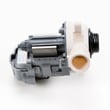
- Check for debris at the pump clean-out area.
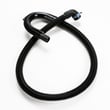
- Inspect the water-level pressure hose for soap residue, cracks, or pinches.
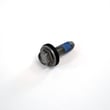
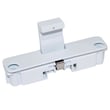
Model-matched parts that relate to these checks:
Why it matters
On a commercial washer like CAE2743BQ0, chronic over-sudsing can cause repeated stoppages, poor rinsing, and residue buildup that eventually turns into real drain restrictions and longer cycle times.
Last updated: January 2026
What is the most common problem with whirlpool washers?
On Whirlpool washers like model CAE2743BQ0, the most common service complaint is a no-start condition (the washer has power, but the cycle will not begin). On this model, that symptom is often tied to the start input, lid/door locking, or the main control not accepting the start command.
Quick checks we recommend first
- Confirm the outlet has power and the cord is firmly seated.
- Close the lid fully; press down on the lid to rule out a misalignment.
- Select a cycle again, then press Start with steady pressure.
- Unplug the washer for 1 minute to reset the control, then retry.
- If the washer is coin-operated, verify the coin slide and meter case are operating normally.
For model-specific control behavior and operating steps, follow the CAE2743BQ0 use & care manual.
Parts to consider when it has power but will not start
If the basic checks do not help, these model-listed parts are common suspects for a “lights on but won’t start” complaint:
| What you notice | What it can point to | Compatible part for CAE2743BQ0 |
|---|---|---|
| Lid/lock related behavior (won’t start unless lid is held, stops if bumped) | Lid/door lock sensing | Washer door lock WPW10482836 |
| Start input seems fine but the washer will not respond consistently | Control not processing inputs | Washer electronic control board W10860464 |
| Washer starts filling/draining but won’t transition correctly | Drain system restriction or pump issue | Washer drain pump clean-out filter WPW10215093 |
Why it matters
On a commercial washer like Whirlpool CAE2743BQ0, a no-start issue can look like a major failure, but it is often a control-input or lock-sensing problem. Checking the simple items first helps avoid unnecessary downtime and incorrect part replacement.
Last updated: January 2026
How do I find the model number on my CAE2743BQ0?
Your Whirlpool commercial washer’s model number is printed on the appliance’s model and serial tag. On CAE2743BQ0 units, this tag is typically on the cabinet opening area (around the lid opening) or on the rear panel; match the full model number exactly for correct parts.
Where to look on a top-load commercial washer
Check these common locations first:
- Under the lid, around the top rim of the cabinet opening
- On the underside of the lid
- On the back of the washer cabinet (rear panel)
- Inside the coin box or service access area (if equipped)
- On the side of the cabinet near the top edge
If the tag is dirty or faded, wipe it with a damp cloth and read it under a bright light.
What the model tag looks like (and what to copy)
The tag usually includes a model number and a serial number. For parts lookup, we use the model number.
| Item on tag | Example | Why it matters |
|---|---|---|
| Model number | CAE2743BQ0 | Identifies the exact washer design and parts list |
| Serial number | (varies) | Helps identify production details for service |
Tips to avoid ordering the wrong part
Commercial Whirlpool washers can look similar across model families, so we recommend these steps:
- Copy the model number character-for-character (including any zeros)
- Use the full model number, not just “CAE2743”
- Compare your model number to the one shown in the CAE2743BQ0 owner's manual
- If you are replacing a drive component, confirm the part by model (for example, the washer drive belt WPW10006384)
Why it matters
The model number is how we match your washer to the correct diagrams and manufacturer-approved replacement parts (like the drive belt, drain pump, or water inlet valve). Using the exact model number prevents fit and compatibility issues.
Last updated: March 2026