Owner’s manual


Does my Kenmore top load washer have a filter?
Yes. Your Kenmore washer model 79640441900 uses filters to protect key components: small inlet screens at the water valves and a drain pump filter that traps lint and items like coins or buttons. Cleaning these filters often fixes slow fill or no-drain symptoms.
Where the filters are on model 79640441900
- Water inlet filters (screens): inside the hot and cold water valve inlets where the hoses connect.
- Drain pump filter: behind the drain pump filter access panel; it twists out for cleaning.
- Drain hose plug: used to drain water before removing the pump filter.
For diagrams and the exact steps, use the 79640441900 owner's manual.
How to clean the drain pump filter
- Unplug the washer.
- Open the access panel.
- Unclip and pull out the small drain hose; drain water into a shallow pan.
- Twist the filter counterclockwise to remove.
- Remove lint and foreign objects; reinstall and tighten.
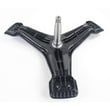
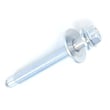
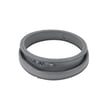
Helpful parts if yours is damaged or missing:
How to clean the water inlet filter screens
- Turn off both water taps.
- Remove hot and cold hoses from the back of the washer.
- Pull out the small screens, soak in white vinegar (or scale remover), rinse, and reinstall.
- Reattach hoses and fully open the taps.
Quick symptom-to-filter guide
| Symptom | Most likely filter to check first | What you’ll notice |
|---|---|---|
| Fills slowly or not at all | Water inlet screens | Sediment or scale on screens |
| Drains slowly or not at all | Drain pump filter | Lint, coins, buttons in filter |
| Rattling/clanking during drain | Drain pump filter | Foreign object in pump area |
Why it matters
Keeping these filters clean helps prevent drain pump damage, reduces fill and drain errors, and protects the inlet valves from debris that can cause leaks or poor water flow.
Last updated: February 2026
How many cubic feet is a Kenmore 79640441900 washer?
The Kenmore washer model 79640441900 is a front-load washer; its exact tub capacity in cubic feet is listed in the specifications section of the 79640441900 owner's manual. Use that spec when comparing load size, cycle times, and installation space.
Where to find the capacity (fast)
Check the specifications pages in the 79640441900 owner's manual. Capacity is typically shown as “capacity” or “tub volume” and is separate from the exterior dimensions.
- Look for a “Key dimensions and specifications” or “Specifications” table
- Confirm you are reading the entry for model 79640441900
- Do not use cabinet size as a capacity estimate
- If you are stacking, verify clearance requirements too
What we can confirm from the manual (not capacity)
The manual excerpt for this model provides the washer’s physical size and electrical rating, which helps with fit and installation planning.
| Spec type | What it affects | What the manual excerpt shows |
|---|---|---|
| Exterior dimensions | Fit in laundry space | 27 in (W) x 29 3/4 in (D) x 38 11/16 in (H) |
| Door-open depth | Front clearance | 51 1/8 in (D, door open) |
| Electrical | Outlet/circuit planning | 120 VAC @ 60 Hz |
Why it matters
Capacity (cubic feet) determines how much laundry you can wash effectively per load. Using the correct capacity helps prevent overloading, improves spin performance, and reduces vibration and out-of-balance issues.
Last updated: February 2026
How to hard reset Kenmore washer?
To hard reset your Kenmore washer model 79640441900, we recommend a simple power reset first: turn the washer OFF, unplug it for 1 minute, then plug it back in and press POWER. This clears minor control glitches without changing normal cycle settings.
Quick hard reset steps (power reset)
- Press POWER to turn the washer OFF.
- Unplug the power cord from the outlet.
- Wait 60 seconds.
- Plug the washer back in.
- Press POWER, select a cycle, then press START/PAUSE.
For control and panel behavior details (including what happens if you press POWER during a cycle), follow the 79640441900 owner's manual.
If the washer still acts “stuck” after a reset
These model-specific behaviors often look like a reset problem but are normal or point to a separate issue:
- If you press POWER during a cycle, the cycle cancels and settings are lost.
- The door can stay locked briefly after stopping, especially if water level or temperature is high.
- If you do not press START/PAUSE within about 4 minutes after selecting a cycle, the washer can shut OFF and lose settings.
- If CL shows on the display, Control lock is ON; press and hold CONTROL LOCK for 5 seconds to toggle it.
When a “reset” is really a drain problem
If the washer will not advance, will not spin out, or leaves water in the tub, a drain restriction can mimic a control issue.
| Symptom | Most common cause | What to check first |
|---|---|---|
| Won’t drain or drains slowly | Clogged pump filter | Clean the washer drain pump filter 383EER2001A |
| Hums but won’t drain | Pump issue or blockage | Inspect hoses, then consider the washer drain pump assembly 4681EA2001T |
Why it matters
A true hard reset fixes temporary electronic “hang-ups,” but it will not clear a door lock condition, Control lock, or a drain blockage. Using the right reset method prevents repeated cycle cancellations and helps you pinpoint when a part like a pump or filter needs attention.
Last updated: February 2026
How to identify a Kenmore washer model?
Your Kenmore washer model number for parts and service is printed on the identification plate inside the washer door opening. On Kenmore model 79640441900, open the door and look around the inner door frame area for the model and serial number label; record it exactly as shown.
Where to look (fast checklist)
- Open the washer door fully and inspect the inner door opening
- Check the door frame and the cabinet lip just behind the door gasket
- Look for a sticker or metal plate labeled Model No. and Serial No.
- Write the model number exactly, including all digits (example: 79640441900)
- Take a clear photo of the label for future reference
What the model number helps you do
The model number is the key to matching the correct Kenmore washer parts, diagrams, and troubleshooting steps for your exact configuration.
| You need to do | Why the model number matters | Example for this washer |
|---|---|---|
| Order replacement parts | Ensures correct fit and electrical compatibility | 79640441900 |
| Use troubleshooting steps | Error codes and procedures vary by series | 79640441900 owner’s manual |
| Confirm features and specs | Capacity, clearances, and options can differ | Compare label to manual |
Why it matters
Kenmore washers can look similar across multiple series, but internal components (like the door lock switch, drain pump, or inlet valve) can differ. Using the exact model number prevents wrong-part returns and speeds up repairs.
Last updated: February 2026
How to know if a washing machine drain pump is bad?
On Kenmore model 79640441900, a bad drain pump shows up as slow or no draining, a cycle that stops with water still in the tub, or abnormal humming/grinding during drain. Before replacing the pump, we check the drain pump filter and drain path for clogs.
Quick signs the drain pump is failing
- Washer leaves water in the tub after the drain or spin portion of the cycle
- You hear loud humming, buzzing, or grinding when it should be draining
- Draining is inconsistent (sometimes drains, sometimes not)
- Water drains very slowly even with a clear drain hose
- You find debris repeatedly collecting at the pump filter
What to check first (most common causes)
Follow the drain filter cleaning steps in the 79640441900 owner's manual. This model has a drain pump filter access panel and a small drain hose used to empty water before removing the filter.
- Unplug the washer.
- Open the access panel, pull out the small drain hose, remove the plug, and drain water into a shallow pan.
- Twist the pump filter counterclockwise, remove it, and clear lint and foreign objects.
- Reinstall the filter fully, cap the drain hose, and test a drain/spin.
When it is the pump (not a clog)
If the filter and hoses are clear but the washer still will not drain, the pump motor can be worn, jammed internally, or electrically failed. For this model, the replacement is the washer drain pump assembly 4681EA2001T.
Fast diagnosis guide
| What you observe | Most likely cause | What we do next |
|---|---|---|
| Won’t drain; filter packed with coins/lint | Clogged filter/pump inlet | Clean filter and retest |
| Hums but little or no water moves | Jammed impeller or failing pump | Inspect for debris; replace pump if clear |
| Drains slowly; hose kinked/pinched | Drain hose restriction | Correct routing and retest |
| Stops mid-cycle with water left | Drain system problem | Clean filter; then evaluate pump |
Why it matters
A weak or blocked drain pump can prevent proper spinning, leave clothes soaking wet, and strain the motor and control system by repeatedly attempting to drain.
Last updated: February 2026
What is the average lifespan of a Kenmore washer?
A Kenmore washer typically lasts 10 to 15 years. For the Kenmore 79640441900 washer, routine care (cleaning the dispenser, door seal, inlet filters, and drain pump filter) is what most often determines whether you reach the high end of that range; see the 79640441900 owner's manual.
Typical lifespan and what affects it
Most washers land in the same general window, but these factors move the needle the most:
- Load size and frequency: frequent overloading shortens tub, bearing, and motor life
- Water quality: hard water speeds mineral buildup and valve issues
- Drain care: a clogged filter makes the drain pump work harder
- Ventilation: leaving the door ajar helps prevent odor and seal deterioration
- Detergent habits: too much detergent increases residue and cleaning needs
Maintenance that extends life (high impact)
These are the upkeep items we recommend prioritizing for this model:
- Clean the dispenser regularly
- Wipe and inspect the door seal and glass
- Clean the water inlet filters periodically
- Clean the drain pump filter and remove debris
- Level the washer to reduce vibration and bearing wear
Quick reference: maintenance and payoff
| Task | Helps prevent | When to do it |
|---|---|---|
| Clean drain pump filter | Slow/no drain, pump strain | When draining slows or after lint-heavy loads |
| Clean water inlet filters | Fill problems, long fill times | If fill is slow or after plumbing work |
| Clean dispenser | Detergent buildup, poor rinsing | When you see residue |
| Clean door seal and glass | Odors, leaks, mildew | Regularly, especially after warm washes |
Why it matters
Most “early failures” are really stress and buildup problems: vibration from poor leveling, restricted draining, and residue in the dispenser and door seal all increase wear on core components like the pump, bearings, and motor.
If you’re troubleshooting draining issues that can shorten lifespan, the washer drain pump filter 383EER2001A is a common service item to inspect and clean.
Last updated: February 2026