





How do I tell what model Maytag dryer I have?
Your Maytag dryer’s model number is printed on the appliance ID label; on the Maytag LDG9304AAE series it’s most often inside the door opening on the cabinet frame, or on the back of the dryer near the top. Match that exact model number when ordering parts.
Check these common label locations (gas and electric dryers use the same idea):
- Inside the dryer door opening on the cabinet frame (most common)
- On the back panel near the top edge
- Along the door opening lip or side panel edge
- Occasionally behind the lower access panel (if your design has one)
Record the information exactly as shown on the label:
- Model number (example: LDG9304AAE)
- Serial number (helps confirm production run)
- Type (gas or electric, if listed)
- Any suffix letters or revision codes
| Label item | What it’s used for | Example |
|---|---|---|
| Model number | Correct diagrams and parts fit | LDG9304AAE |
| Serial number | Confirms version changes | Varies |
| Gas/electric | Heating system parts differ | Gas |
Maytag dryers can look similar across multiple model families, but parts like the gas ignition system, thermostats, and drum support components vary by model. Using the exact model number prevents ordering the wrong component.
- Wipe the label gently with a damp cloth and mild soap; dry it
- Use your phone camera and zoom to capture faded print
- If you’re troubleshooting heat on a gas model, compare your parts to common LDG9304AAE items like the gas igniter 4391996 or thermostat WP3387134
Last updated: February 2026
How to get the front panel off a Maytag dryer?
On a Maytag LDG9304AAE dryer, the front panel comes off after you disconnect power (and gas, if equipped), release the top panel clips, unplug the door switch wiring, then remove the front mounting screws and lift the panel off the lower clips.
- Unplug the dryer.
- If it is a gas dryer, shut off the gas supply valve.
- Pull the dryer forward for access.
- Protect the floor and cabinet edges with cardboard or a towel.
- Keep screws in a cup so they do not get lost.
- Remove the lint screen.
- Remove the screws that secure the lint screen housing to the top (if your design uses them).
- Release the top panel: slide a putty knife a few inches in from each front corner to depress the spring clips, then lift the top.
- Unplug the door switch harness before the panel is fully free.
- Remove the front panel mounting screws (commonly at the upper inside corners).
- Lift the front panel straight up to unhook it from the lower retaining clips, then pull it forward and set it aside.
| Area | What to look for | Common next step |
|---|---|---|
| Drum support | Thumping, flat spots, wobble | Inspect/replace rollers |
| Drum sealing | Frayed or gapped felt | Replace felt seal |
| Burner area (gas) | No heat, short cycling | Test sensor/igniter |
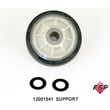
- If the drum is noisy, inspect the roller w/bea 12001541.
- If you see worn or torn felt at the drum edge, replace the dryer drum felt seal WP314820.
- For gas heat problems, the gas sensor WP338906 is a common no-heat test point.
Removing the front panel correctly prevents broken clips and damaged door switch wiring, and it gives you access to high-wear parts like drum rollers, felt seals, and the burner components for accurate troubleshooting.
Last updated: February 2026
How to reset a Maytag Bravos XL dryer?
To reset a Maytag dryer like model LDG9304AAE, we unplug the dryer (or switch the breaker off) for about 1 to 5 minutes, then restore power and start a cycle. This clears many temporary control glitches and restores normal operation.
- Turn the dryer OFF.
- Unplug the power cord (or turn OFF the circuit breaker).
- Wait 1 to 5 minutes.
- Restore power.
- Select a cycle and press Start.
A reset helps with a “stuck” control, but it will not fix a failed part or a safety condition. Check these common causes next:
- Door not fully closed or door switch not engaging
- Blown house fuse or tripped breaker (electric dryers often need a full 240V supply)
- Clogged venting causing overheating and a safety shutdown
- Failed heat system components on gas models (igniter, coils, radiant sensor)
- Loose or damaged wiring connections
If your Maytag gas dryer tumbles but has no heat, these parts are frequent suspects:
| Symptom | What it often points to | Example part for LDG9304AAE |
|---|---|---|
| Igniter never glows | Ignition failure | Gas igniter 4391996 |
| Igniter glows, then shuts off, no flame | Weak coils or sensor issue | Second coil 279834 or gas sensor WP338906 |
| Heats briefly, then stops | Overheat protection or airflow issue | Dryer high-limit thermostat WP303395 |
Resetting is a fast first step because it can clear a control board “hang-up” without tools. If the problem returns, focusing on airflow (lint screen, vent, blower) and key heating parts prevents repeat shutdowns and long dry times.
Last updated: February 2026
What does D16 mean on a dryer?
On a Maytag LDG9304AAE dryer, D16 is not a standard Maytag consumer dryer error-code format; it usually shows up as a diagnostic or control display code tied to a specific control style. We treat it as a symptom and troubleshoot what the dryer is doing (no heat, no start, stops mid-cycle).
Use the list below to narrow the most likely system to test first:
- No heat: focus on the gas ignition and heat-sensing circuit.
- Starts then stops: focus on airflow, thermostats, and motor overheating.
- Won’t start: focus on door switch, timer/control output, and wiring.
- Runs but takes too long: focus on vent restriction and blower performance.
- Intermittent operation: focus on loose connections and failing coils/sensors.
- Unplug the dryer for 1 minute, then run Timed Dry.
- Confirm the drum turns freely by hand (with power off).
- Check airflow at the outside vent hood; it should be strong and steady.
- If you smell gas, stop and have the gas supply and connections checked.
These are model-matched parts that commonly affect heating and cycling:
- Thermostat WP3387134 (operating thermostat that regulates drum temperature)
- Dryer high-limit thermostat WP303395 (safety thermostat that opens if overheating)
- Gas sensor WP338906 (radiant sensor that helps the igniter and burner sequence)
- Gas igniter 4391996 (ignites gas at the burner)
- Second coil 279834 (gas valve coil kit that opens the gas valve during ignition)
| What you observe | Most likely area | Next step |
|---|---|---|
| Igniter glows, then shuts off, no flame | Gas valve coils or sensor | Test/replace coils or sensor |
| Dryer heats briefly, then no heat | High-limit trip from poor airflow | Clear venting; check thermostats |
| No glow from igniter | Igniter or power to heat circuit | Test igniter continuity and wiring |
Treating D16 as a guaranteed “motor fault” can send you to the wrong repair. Matching the troubleshooting to the actual symptom gets you to the right circuit faster and prevents repeat shutdowns.
Last updated: February 2026
What's the life expectancy of a Maytag dryer?
Most Maytag dryers, including the Maytag LDG9304AAE, typically last 12 to 15 years with normal household use and basic maintenance; many run longer when airflow stays clear and wear parts are replaced as needed.
- Airflow and venting: a clogged lint screen or vent overheats the dryer and shortens part life
- Heat system health (gas models): weak ignition or cycling issues increase stress on components
- Drum support wear: rollers, bearings, and seals wear faster with heavy loads
- Load habits: frequent overloading strains the belt, motor, and drum supports
- Routine cleaning: lint buildup inside the cabinet accelerates failures
| Symptom | What it often points to | Example part for LDG9304AAE |
|---|---|---|
| Runs but no heat | Ignition or flame sensing issue | Gas igniter 4391996 |
| Heats then stops heating | Gas valve coils weakening | Second coil 279834 |
| Loud thumping or rumble | Drum support wear | Roller w/bea 12001541 |
| Overheats or shuts off | Thermostat/limit cycling issue | Thermostat WP3387134 |
- Clean the lint screen every load
- Check and clean the vent duct to the outside at least yearly
- Avoid overloading; dry similar fabrics together for shorter run times
- If drying times increase, fix airflow first before replacing parts
- Address new noises early; worn supports can damage the drum and seals
A dryer usually “fails” from heat stress or friction wear, not from the cabinet itself. Keeping airflow strong and replacing a few common wear parts on time often costs far less than replacing the whole dryer.
Last updated: February 2026
Why is my Maytag Bravos XL dryer not drying?
For Maytag LDG9304AAE, the most common reasons a load will not dry are restricted airflow (lint screen, vent, or blower housing) or a gas heat failure (igniter, radiant sensor, gas valve coils, or thermostats). Fixing airflow first usually restores normal drying fastest.
- Clean the lint screen completely; wash it with warm water if you use dryer sheets.
- Run a timed dry cycle and confirm strong airflow at the outside vent hood.
- Check the vent hose for kinks, crushing, long runs, or heavy lint buildup.
- Verify the load size; overloading blocks airflow through the drum.
- If the drum tumbles but there is no heat, focus on the gas burner system.
If the dryer tumbles but clothes stay cool, these parts commonly cause “runs but won’t dry” on gas models:
| Symptom | Most likely area | Common part to consider for LDG9304AAE |
|---|---|---|
| Ignites once, then stops heating | Gas valve coils failing when hot | Second coil 279834 |
| Never ignites (no glow) | Ignition circuit | Gas igniter 4391996 |
| Igniter glows but no flame | Flame sensing or gas valve | Gas sensor WP338906 or dryer gas valve WP306176 |
| Overheats then shuts heat off | Safety thermostats or airflow restriction | Thermostat WP3387134 or dryer high-limit thermostat WP303395 |
A partially blocked vent traps moist air in the drum, so drying times climb and the burner may cycle off early on safety limits. Good airflow protects the heater circuit, improves efficiency, and helps prevent scorching.
- Use a meter to check continuity on thermostats and sensors with power disconnected; see how to use a multimeter to test electrical parts video.
- If you suspect wiring damage at the burner or door switch circuit, follow how to repair broken or damaged wires video.
Last updated: February 2026





