 Installation guide
 Owner’s manual



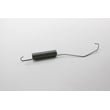
How do I tell if my dryer heating element is bad?
If your Kenmore dryer model 11068522700 runs but has no heat, takes much longer to dry, or leaves clothes damp, the heating element is a top suspect. Confirm it by checking the element for continuity with a multimeter and inspecting the coil for breaks; use the 11068522700 owner's manual troubleshooting steps first.
Quick symptoms to look for
- Drum tumbles normally but there is no heat
- Drying times suddenly get much longer
- Clothes feel cool or damp at end of cycle
- A breaker trips when heat should turn on (can indicate a short)
- Burning smell plus poor drying (also check venting)
Rule out common non-part causes first
Before condemning the element, we check the basics that commonly cause “no heat” on electric dryers:
- Verify the dryer has the correct power supply; electric dryers need 240V
- Check both house fuses or breakers; the drum can run on 120V while heat is lost
- Confirm the door is fully closed and Start is pressed firmly
- Make sure the vent is not crushed, kinked, or blocked (restricted airflow can trigger heat shutdown)
How to test the heating element (basic meter checks)
Disconnect power, access the heater housing, and test the element terminals.
| Test | What you should see | What it means if you do not |
|---|---|---|
| Continuity across element terminals | Continuity present (often around 10 to 50 ohms) | Open circuit; element coil is broken |
| Short to metal heater housing | No continuity to metal | Element is shorted; replace element |
If the element fails either test, replace the dryer element 279838.
Why it matters
A failed heating element stops the dryer from producing heat, but airflow and power issues can create the same “no heat” symptom. Checking power, venting, and continuity prevents replacing parts that are still good.
Last updated: February 2026
How do I know if my dryer door switch is bad?
On Kenmore dryer model 11068522700, a bad door switch usually shows up as a no-start problem even when a cycle is selected and you press Start firmly. If the door is shut but the dryer acts like it is open (or the drum light behavior is wrong), the door switch is a top suspect; confirm with the checks in the 11068522700 owner's manual.
Quick symptoms to look for
- Dryer will not run unless you slam or hold the door closed
- No clear “click” when the door closes (or the click is inconsistent)
- Dryer starts, then stops when the door is bumped
- Interior drum light does not turn on or off correctly (if your model has a drum light)
- Door feels closed, but the dryer still behaves like the door is open
Fast checks we recommend (safe, no tools)
- Close the door firmly and try starting a timed cycle.
- Listen for the switch click as the door closes.
- Check the strike and latch alignment; a misaligned door can mimic a bad switch.
- If the dryer will not start, also confirm the basics from the installation checklist: cycle selected, Start pressed firmly, power connected, and door closed. (These are all called out in the installation guide.)
When replacement is the right next step
If the door is closing properly but the symptoms above persist, replacing the switch is the most direct fix. For this model, the correct replacement is the dryer door switch WP3406107.
| What you observe | Most likely cause | What to do next |
|---|---|---|
| No start; door must be held shut | Worn door switch or door not engaging switch | Inspect latch alignment; replace switch if alignment is good |
| No click when closing door | Broken switch actuator or failed switch | Replace door switch |
| Starts only sometimes | Intermittent switch contacts | Replace door switch |
| Runs with door open | Switch stuck closed (safety issue) | Stop using; replace switch |
Why it matters
The door switch is a safety interlock. If it fails open, the dryer will not run; if it fails closed, the dryer can run with the door open, which is unsafe and can damage clothing and the door/latch over time.
Last updated: February 2026
How to hard reset a Kenmore dryer?
To hard reset your Kenmore dryer model 11068522700, disconnect power by unplugging the dryer (or switching the breaker off) for about 1 minute, then restore power and start a Timed Dry heated cycle. This clears many control glitches and is the same safe power-reset step we use before deeper troubleshooting; see the 11068522700 owner's manual.
Hard reset steps (safe and effective)
- Turn the Cycle Selector to Off.
- Unplug the dryer (or turn the circuit breaker Off).
- Wait 60 seconds.
- Restore power.
- Close the door fully.
- Select Timed Dry with heat (not Air Only).
- Press Push to Start firmly.
If it still will not start after the reset
The installation checklist for this dryer points to a few basics that commonly stop a first start or a restart. Work through these in order; see the 11068522700 installation guide.
- Confirm the controls are set to a running position (not Off).
- Make sure the door is fully closed.
- Check the house fuse/breaker (a tripped breaker can look like a dead dryer).
- Verify the dryer is plugged in and the outlet has power.
- If the drum light works but the dryer will not run, test the door switch.
Quick symptom guide
| What you see | Most likely cause | What to check next |
|---|---|---|
| No lights, no response | No power | Breaker, outlet, cord |
| Lights on, will not start | Door circuit or start circuit | Door fully closed; door switch |
| Starts then stops quickly | Overheat protection | Lint screen, venting, thermal fuse |
| Runs but no heat | Heater circuit issue | House power (L2), heater components |
Why it matters
A hard reset rules out a simple control “lockup” before you spend time on parts testing. If the dryer still will not run, the next steps usually involve power supply checks, airflow (lint and vent restrictions), and start-safety components.
Last updated: February 2026
How much does it cost to replace a dryer sensor?
For Kenmore dryer model 11068522700, replacing a dryer sensor typically costs about $20 to $60 for the part, plus labor if you hire service. Total installed cost is commonly $120 to $250, depending on access, diagnosis time, and local rates. See the 11068522700 owner's manual for cycle and sensor-care guidance.
What “dryer sensor” usually means (and what affects price)
On most Kenmore dryers, “sensor” can refer to a moisture sensor (auto-dry sensing) or a temperature-sensing part (thermostat/thermal fuse). Cost changes based on which component is actually failing.
- Moisture sensor: usually lower part cost; often a cleaning issue first
- Operating thermostat: controls normal heat cycling
- High-limit thermostat: safety backup if temperatures get too high
- Thermal cut-off/fuse: opens if overheating occurs; often paired with venting issues
- Service call/diagnosis: can be a big part of the total installed price
Common parts on this model that get called “sensors”
These are model-matched parts customers often replace when troubleshooting auto-dry or heating problems:
| What it does | Part name (model-matched) | Typical symptom |
|---|---|---|
| Regulates normal drum temperature | Dryer operating thermostat WP3387134 | Overheats, underheats, long dry times |
| Safety limit for overheating | Dryer high-limit thermostat WP3977767 | Shuts off heat, overheating symptoms |
| Overheat protection (kit) | Dryer thermal cut-off fuse kit 279816 | No heat, dryer stops heating after a short time |
Before you replace anything: quick checks that save money
We recommend these steps first because “sensor” complaints are often airflow or setup related.
- Clean the lint screen and check the lint screen housing for buildup
- Confirm the dryer is level; sensor cycles can act up if tumbling is inconsistent (see the installation guide)
- Check the exhaust duct for kinks, crushing, or heavy lint restriction
- Verify correct power supply (electric dryers need 240V; a tripped breaker can cause “no heat”)
- If the issue is “no heat,” address venting first so a new thermal fuse does not fail again
Why it matters
A misdiagnosed “sensor” problem can lead to repeat failures and extra cost. Airflow restrictions and overheating commonly trigger safety parts (like thermal cut-offs), while auto-dry issues can be caused by poor tumbling, lint buildup, or incorrect cycle use.
Last updated: February 2026
What is the average life of a Kenmore dryer?
Most Kenmore dryers, including model 11068522700, last 10 to 13 years with normal household use. With consistent care (lint removal, good airflow, and avoiding overloads), it’s common to reach 15 years or more before major repairs become frequent; check the maintenance guidance in the 11068522700 owner's manual.
What affects dryer lifespan the most
- Vent restriction (long runs, too many elbows, crushed duct)
- Lint buildup in the lint screen housing and blower area
- Overloading (extra strain on the belt, idler pulley, and motor)
- Overheating (can trip thermal cut-offs and shorten heater life)
- Wear parts aging out (belt, rollers, idler, seals)
Maintenance that adds years (simple, high impact)
Use these habits to keep your Kenmore dryer running cooler and with less strain:
- Clean the lint screen every load
- Inspect and clean the venting path regularly; keep the run as short and straight as possible
- Keep loads to a reasonable size so the drum turns freely
- If dry times increase, address airflow first before replacing parts
- Follow the venting limits and setup steps in the 11068522700 installation guide
Common “end-of-life” symptoms vs. fixable wear
| Symptom | Most common cause | Typical fix |
|---|---|---|
| Drum won’t turn, motor runs | Worn/broken belt | Replace dryer drum belt 341241 |
| Squealing, thumping | Worn rollers/idler | Install dryer repair kit 4392065 |
| Runs but no heat | Heater or safety devices opened | Test heater and thermostats; replace as needed |
| Long dry times | Venting restriction | Clean/shorten vent, verify hood and elbows |
Why it matters
A dryer’s “life” is usually limited by heat and airflow problems. The installation instructions note that vent runs longer than recommended reduce performance and energy use, and they also shorten the life of the dryer. Keeping airflow strong is the fastest way to extend service life.
Last updated: February 2026
How to read Kenmore model numbers?
Kenmore model numbers are read in sections: the first 3 digits identify who manufactured the appliance, and the remaining digits identify the design series and specific version. For Kenmore dryer model 11068522700, the 110 prefix indicates a Whirlpool-built Kenmore dryer.
Where to find the model number on this dryer
Our Kenmore 11068522700 dryer’s model and serial label is located at the top inside the dryer door well (open the door and look along the upper inside frame). Details and record-keeping guidance are shown in the 11068522700 owner’s manual.
- Open the dryer door and inspect the top inside door opening
- Write down the full model number and serial number exactly as shown
- Keep the purchase date with your records for service and parts matching
- Use the full model number (all digits) when ordering parts
How to decode a Kenmore model number (quick guide)
Kenmore numbers typically follow this pattern:
| Section | Example (11068522700) | What it tells you |
|---|---|---|
| Manufacturer prefix | 110 | Who built it (Whirlpool-built Kenmore) |
| Base model + version | 68522700 | Series/features and production variation |
Common Kenmore manufacturer prefixes (examples)
These prefixes help identify the original manufacturer behind the Kenmore badge.
- 110: Whirlpool-built Kenmore (common for many Kenmore dryers)
- 790: Often LG-built Kenmore cooking products
- 596: Often Whirlpool-built Kenmore refrigeration products
Why it matters
The manufacturer prefix is the fastest way to avoid ordering the wrong part. Many Kenmore parts are manufacturer-specific, so matching the full model number (including the prefix) helps ensure correct fit for items like a dryer drum belt 341241 or a dryer door switch WP3406107.
Last updated: February 2026
What is the capacity of a Kenmore Model 11068522700 dryer?
The exact drum capacity (cubic feet) for Kenmore dryer model 11068522700 is listed in the product specifications section of the 11068522700 owner's manual. Most Kenmore 110-series full-size dryers are typically in the 6.5 to 7.4 cu. ft. range, which is sized for everyday family loads.
Where to find the exact capacity for model 11068522700
We recommend checking the specifications pages in the 11068522700 owner's manual. Capacity is usually shown as “drum capacity” or “capacity (cu. ft.)” near other key specs.
- Look for a “Specifications” or “Product features” section
- Check any “Model number” table that lists dimensions and electrical requirements
- If the manual lists multiple variants, match the exact model number 11068522700
- Use the model and serial label location (top inside the dryer door well) to confirm you are reading the right manual entry
Typical capacity guidance (what it means in real use)
Even without the exact cu. ft. number in front of you, capacity affects how well the dryer tumbles and dries bulky items.
| Capacity range (typical) | Best for | Example loads |
|---|---|---|
| 6.5 to 7.0 cu. ft. | Standard family laundry | jeans, mixed loads, towels |
| 7.0 to 7.4 cu. ft. | Larger, bulkier loads | bedding, comforters (check care tags) |
Why it matters
Correct loading helps airflow and drying performance. Overloading can increase dry time and heat stress on wear parts like the belt and idler pulley; underloading can cause uneven tumbling on some cycles.
For best results, follow loading and cycle guidance in the 11068522700 owner's manual.
Last updated: February 2026
What year is my Kenmore dryer model?
Kenmore dryer model 11068522700 does not encode an exact manufacture year in the model number itself; the reliable way to date your specific dryer is to use the serial number from the model and serial label inside the door opening and decode it using the format in the 11068522700 owner's manual.
Where to find the information you need
Look for the model and serial number label:
- Open the dryer door
- Check the top inside of the dryer door well
- Write down the serial number exactly as shown
- Record the purchase date if you still have the receipt
- Keep the info with your manual for future parts and service needs
How to determine the year (what to do next)
Once you have the serial number, use these steps:
- Match the serial number format to the identification section in the 11068522700 owner's manual.
- Identify the characters that represent the manufacturing date (often a letter and/or digits).
- If the label is worn or missing, check for a secondary sticker on the cabinet near the door opening.
Quick guide: model number vs. serial number
| Item | What it tells you | Best use |
|---|---|---|
| Model number (11068522700) | Design series and configuration | Ordering correct parts and diagrams |
| Serial number (from label) | Unit-specific production date | Determining the year your dryer was built |
| Purchase date (receipt) | When it was bought | Warranty timing and ownership records |
Why it matters
Knowing the correct manufacture year helps us match the right Kenmore-compatible parts (like a belt, heating element, or thermostat) and avoid ordering a look-alike part that does not fit your exact production run.
Last updated: February 2026









